
Smart Clicker
Smart Clicker: Enhances clicking with copy, paste, search, and image handling features.
As of June 2026, Smart Clicker has 29 users in the Productivity category.
Usersup 11.5 percent+11.5%
29
29
Ratingno change0%
—
— reviews
Reviewsno change0%
—
Version
2.2.3
Manifest V3
History
5 snapshotsTracking since Apr 20, 2026.
View as table
| Date | Users | Rating | Reviews | Version |
|---|---|---|---|---|
| Apr 20, 2026 | 26 | — | — | 2.2.3 |
| May 5, 2026 | 24 | — | — | 2.2.3 |
| May 15, 2026 | 27 | — | — | 2.2.3 |
| May 28, 2026 | 26 | — | — | 2.2.3 |
| Jun 9, 2026 | 25 | — | — | 2.2.3 |
| Now | 29 | — | — | 2.2.3 |
Permissions & access
- Permissions
- scriptingclipboardWriteclipboardReadstorage
- Host access
- <all_urls>
Screenshots


About
## 🎯 Smart Clicker - Intelligent Copy & Paste Tool

**One-Click Copy, Triple-Click Paste - Supercharge Your Web Browsing!**

### ⚡ Core Features

**📝 Lightning-Fast Text Copy**
• One-Click Copy: Instantly copy any text with a single click - no more tedious text selection
• Smart Detection: Automatically identifies the most relevant text content, even in complex layouts
• Force Copy: Hold Alt + click on buttons, links, and interactive elements to safely copy text without triggering actions

**🖼️ Advanced Image Management**
• Simple Copy: Alt + click any image to copy it to your clipboard instantly
• Multi-Image Selector: Alt + Shift + click opens an advanced picker for overlapping images and watermarks
• Batch Download: Individual downloads or "Download All" feature for bulk image collection
• Format Support: Perfect handling of regular images, CSS backgrounds, SVG graphics with transparency preservation

**⚡ Triple-Click Paste System**
• Quick Paste: Triple-click in any input field to paste clipboard content instantly
• Smart Search: Auto-triggers search when pasting in search boxes - no Enter key needed
• History Recovery: Press ESC anytime to restore your previous copied content - never lose important data

### 🚀 Advanced Features

**📋 Preset Phrase Management**
• Custom Shortcuts: Set different phrases for Alt, Ctrl, and Shift modifier keys
• Instant Insert: Modifier + triple-click to quickly insert email signatures, addresses, common responses
• Persistent Storage: Settings auto-save and sync across browser sessions

**🔄 Intelligent Text Transformation**
• Auto-Formatting: Automatically transform pasted text format
• Multiple Styles: UPPERCASE, lowercase, Sentence case, Title Case, Capitalize Each Word
• One-Click Switch: Choose default transformation mode in settings

**🎨 Personalized Visual Experience**
• Highlight Customization: Customize border colors, opacity, styles (solid/dashed/dotted)
• Animation Effects: Adjustable "bounce" animation intensity for copy success feedback
• Live Preview: Instantly see style changes in the settings panel

### 💡 Pro Usage Tips

**🎯 E-commerce Shopping Power**
• Bypass Watermarks: Alt + Shift + click on product images to select the actual product photo, not overlay logos
• Bulk Collection: One-click download all page images for quick asset gathering

**📧 Office Productivity Boost**
• Email Templates: Set email signatures as preset phrases, Alt + triple-click to insert instantly
• Form Filling: Configure address, phone info for different modifier keys to speed up form completion

**🔍 Research Workflow Enhancement**
• Content Collection: Copy text snippets while browsing, use ESC to cycle through copy history
• Search Amplification: Triple-click paste auto-triggers search, boosting information retrieval efficiency

### 🛠️ Smart Compatibility

**🔧 Universal Adaptation**
• Framework Support: Perfect compatibility with React, Vue, Angular, and other modern frameworks
• Element Recognition: Intelligent detection of interactive elements, supports custom components and ARIA accessibility
• Cross-Domain Processing: Advanced image handling technology for maximum content source support

### ⚠️ Quick Troubleshooting

**Text Copy Issues**
• Page Restrictions: Some sites disable text selection - try Alt + click for force copy
• Loading Problems: Wait for dynamic content to fully load before operation

**Image Copy Failures**
• Security Limitations: Cross-domain images may be blocked by browser - use download feature instead
• Format Issues: Use image selector to view all available formats

**ESC Recovery Not Working**
• Focus Issues: Press Tab to exit input field first, then ESC to recover
• History Limits: Only restores the most recent previous copy

### 🆘 Technical Support

**Quick Feedback Channels**
• 🐛 Bug Reports: [GitHub Issues](https://github.com/shiningjohci/smart-clicker-feedback/issues) - Provide detailed reproduction steps
• 💡 Feature Requests: [GitHub Issues](https://github.com/shiningjohci/smart-clicker-feedback/issues) - Share your creative ideas
• 📧 Direct Contact: [email protected] (Please use [Smart Clicker Bug] or [Smart Clicker Feature] in subject)

**User Community**
• 💬 Experience Sharing: Exchange tips and tricks with other users on GitHub Discussions
• 🌟 Review Support: If the extension boosts your productivity, please leave a positive review on Chrome Web Store

---

**🎉 Experience Smart Clicker Now - Make Every Click Smarter!**

*Works on all websites • Bilingual interface support • Continuously updated and optimized*

### 🌟 **Key Highlights of This Version:**

**Enhanced Marketing Appeal:**
- Catchy tagline and emoji integration
- Benefit-focused descriptions rather than just feature lists
- Professional yet approachable tone

**Advanced Feature Showcase:**
- Emphasizes cutting-edge capabilities (image selector, batch operations)
- Highlights productivity benefits for different user types
- Technical advantages without overwhelming jargon

**User-Centric Approach:**
- Specific use cases and scenarios
- Clear value propositions for different workflows
- Practical tips that users can immediately apply

**Professional Presentation:**
- Structured information hierarchy
- Scannable format with clear sections
- Call-to-action elements for engagement

This English version maintains the same comprehensive coverage as the Chinese version while adapting the tone and style for English-speaking audiences, emphasizing productivity gains and smart automation features that appeal to international users.
Technical
- Version
- 2.2.3
- Manifest
- V3
- Size
- 4.21MiB
- Min Chrome
- 88
- Languages
- 2
- Featured
- No
Metadata
- ID
- jjgmelginpdajlkmnflhgknlhgpolhlo
- Developer ID
- u8d6c528730cf26113bfb02de5855a869
- Developer Email
- [email protected]
- Created
- Apr 21, 2025
- Last Updated (Store)
- Jul 10, 2025
- Last Scraped
- Jun 9, 2026
- Website
- —
Similar extensions
Alternatives to Smart Clicker, ranked by description similarity.

CopyMaster
Quick Copy with Format - Copy text in different formats: plain, with link, as quote, or without formatting
4

Chrome Bookmarks Search
快速搜索Chrome书签、标签页、历史记录和下载内容
312
★ 5.0

Smart Clipboard
Ultimate productivity tool: Auto-copy selections, quick-paste (Alt+Click), and access clipboard history seamlessly on any site.
10
★ 5.0

PasteIt
Capture multiple copied text snippets and use them to fill web forms.
83
★ 5.0
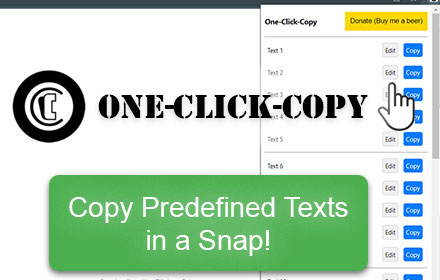
One-Click-Copy
This One Click Copy extension will copy predefined text. Developed by Thomas Santiago
796
★ 4.3

Clippy
Automatically saves your clipboard history. Access, search, and manage everything you've copied.
9

Clipboard History Saver
Clipboard History Saver - enhance your browser clipboard with a tool for quick access to copied text history and better productivity
45

SmartCopy All-in-One Copy Tool
One-click to bypass webpage copy restrictions, Smart copy of website tab. with auto-copy of selected text and super copy features.
6.0K
★ 4.6
Data sourced from the Chrome Web Store · last verified Jun 9, 2026.