
WCAG 2.1 Accessibility 1.4 Text and Contrast Testing and Checking Tool
Toggles for WCAG: 1.4.12 (Text Spacing), 1.4.4 (Text Resize), 1.4.1 (Grayscale), 1.4.10 (320px Reflow).
As of June 2026, WCAG 2.1 Accessibility 1.4 Text and Contrast Testing and Checking Tool has 615 users in the Accessibility category.
Usersup 6.0 percent+6.0%
615
615
Ratingno change0%
—
— reviews
Reviewsno change0%
—
Version
2.1
Manifest V3
History
3 snapshotsTracking since Apr 1, 2026.
View as table
| Date | Users | Rating | Reviews | Version |
|---|---|---|---|---|
| Apr 1, 2026 | 580 | — | — | 2.1 |
| May 3, 2026 | 603 | — | — | 2.1 |
| Jun 2, 2026 | 608 | — | — | 2.1 |
| Now | 615 | — | — | 2.1 |
Permissions & access
- Permissions
- activeTabscriptingstoragedebuggertabs
- Host access
- None declared
Screenshots


About
Are you building or auditing websites for accessibility?

This updated, lightweight Chrome extension helps developers, designers, and accessibility testers verify adherence to multiple WCAG 2.1 criteria—instantly and in one place.

What Does This Extension Do?

With a simple toggle or slider, you can check how your webpage handles:

1.4.12 Text Spacing: Applies minimum spacing requirements (line height, letter spacing, word spacing, and paragraph spacing). Verify that your content remains legible and that layout and functionality aren’t broken when these spacing rules are enforced.

1.4.4 Text Resize: Use a slider to dynamically scale text between 100% and 200%. Quickly confirm that important elements remain visible, usable, and properly formatted at larger text sizes.

1.4.1 Use of Color: Convert the entire page to grayscale, ensuring that information isn’t conveyed by color alone. Catch issues early if your design heavily relies on color coding.

1.4.10 Reflow: Simulate a narrow 320px viewport by reflowing the page through Chrome’s built-in debugging protocol. This helps you see how content responds to mobile device widths without horizontal scrolling.

Key Features

One-Click Toggles: Quickly enable or disable specific WCAG adjustments—no code changes or browser restarts required.

Persistent Settings: Your selected toggles automatically reapply when you visit or refresh new pages.

Live Testing: Instantly spot layout or functionality issues triggered by real-world accessibility use cases like increased text size or limited color visibility.

Whether you’re a developer, designer, or QA tester, this extension streamlines the process of WCAG compliance testing by putting critical checks just a click away!
Technical
- Version
- 2.1
- Manifest
- V3
- Size
- 17.58KiB
- Min Chrome
- 88
- Languages
- 1
- Featured
- No
Metadata
- ID
- ebeafhjpiolhdgpbpbleblaogcnmgndc
- Developer ID
- u4f2e220bba3e9532699af45a0668447f
- Developer Email
- [email protected]
- Created
- Nov 21, 2024
- Last Updated (Store)
- Feb 25, 2025
- Last Scraped
- Jun 2, 2026
- Website
- —
- Support URL
- —
- Privacy Policy
- —
Similar extensions
Alternatives to WCAG 2.1 Accessibility 1.4 Text and Contrast Testing and Checking Tool, ranked by description similarity.

Accessibility Checker by WebYes
Accessibility Checker for developers and testers to identify WCAG issues directly in Chrome for improved accessibility compliance.
849
★ 4.8

WCAG Color Helper by EDH Dev
Improve web accessibility instantly: fix contrast, underline links, add focus outlines, and remap colors for colorblind users.
—
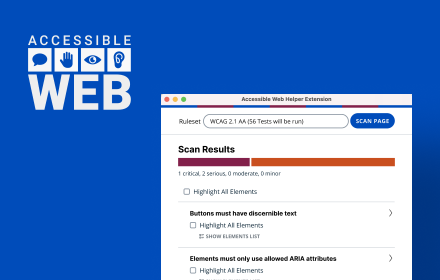
Accessible Web Helper
Discover and highlight accessibility violations on the web with the push of a button.
30.0K
★ 4.2

WCAG Contrast Fixer
Automatically fixes text contrast to meet WCAG 2.1 AA standards
10

A11y Spotlight
An extension to help you identify accessibility issues on your website.
36

WeAccess Scan
Web pages accessibility testing Chrome extension
61
★ 5.0
Color Contrast Checker by DigitalA11Y
WCAG Color Contrast Checker and Palette Generator by DigitalA11Y
Achieve full WCAG compliance with ease using DigitalA11Y’s Color…
3.0K
★ 4.5

WCAG SC 2.5.8 Target Size Checker
Identifies interactive elements that don't meet WCAG 2.2 SC 2.5.8 Level AA (24x24 CSS pixels) requirements.
194
Data sourced from the Chrome Web Store · last verified Jun 2, 2026.