
ElemSprite - Visual Theme Editor for Shopify & WordPress
AI web styling tool. Identify elements and generate high-quality CSS code based on your needs.
As of June 2026, ElemSprite - Visual Theme Editor for Shopify & WordPress has 77 users in the Developer Tools category.
Usersup 2.7 percent+2.7%
77
77
Ratingno change0%
—
— reviews
Reviewsno change0%
—
Version
1.0.2
Manifest V3
History
7 snapshotsTracking since Apr 6, 2026.
View as table
| Date | Users | Rating | Reviews | Version |
|---|---|---|---|---|
| Apr 6, 2026 | 75 | — | — | 1.0.2 |
| Apr 20, 2026 | 86 | — | — | 1.0.2 |
| Apr 29, 2026 | 74 | — | — | 1.0.2 |
| May 9, 2026 | 72 | — | — | 1.0.2 |
| May 17, 2026 | 71 | — | — | 1.0.2 |
| May 26, 2026 | 73 | — | — | 1.0.2 |
| Jun 4, 2026 | 81 | — | — | 1.0.2 |
| Now | 77 | — | — | 1.0.2 |
Permissions & access
- Permissions
- scriptingactiveTabclipboardWritestoragedebugger
- Host access
- https://elemsprite.com/*
Screenshots


About
Tired of being stuck with default website templates? Want to adjust your Shopify storefront layout, or optimize interactive buttons on your WordPress store, but don't know how to write CSS?

ElemSprite is a smart tool that empowers you to freely modify any webpage style.

You don't need to learn programming or struggle with "Inspect Element." Simply select the part of the webpage you want to change, and ElemSprite’s AI will instantly generate the clean, professional CSS code you need. Just copy and paste it into your website settings—making customization effortless.

🚀 Core Features: 3 Smart Modes

We've trained our AI to handle the three most common design challenges:

🎨 Color Mode: Want to change a button or background? Select the element, and the AI will generate the color code that fits your needs.

📐 Layout Mode: Fix spacing issues instantly. Select a crowded section or a misaligned item, and the AI will provide the exact CSS properties (margins, padding, alignment) to fix the structure.

📏 Size Mode: Elements too small? Fonts hard to read? Target the element, and the AI will calculate the correct sizing code to balance your page visual.

💡 How It Works

Zero coding knowledge required. Just point and click:

Activate: Open ElemSprite on the page you want to customize.

Select Target: Use the selector to click on the exact element you want to change (e.g., a specific title, image, or container).

Get Code: The AI analyzes the element and instantly generates a snippet of CSS code.

Copy & Paste: Copy the code and paste it into your website’s "Custom CSS" section (works perfectly with Shopify, WordPress, etc.) to see the changes permanently.

🎯 Who is this for? (Fully supports Shopify / WordPress / Vue)

Whether you are a tech novice or a senior developer, ElemSprite boosts your efficiency:

Shopify & WordPress Store Owners: No need to hire expensive developers. You can take charge, smartly decorate your Shopify store, or beautify your WordPress site. It is your best assistant for modifying template styles and improving website conversion rates.

Front-end Developers: Need to quickly verify style prototypes when developing Vue.js applications? ElemSprite is also a powerful CSS generator and Vue dev tool. It instantly generates clean code snippets, helping you say goodbye to repetitive labor.

💰 Plans

Free Plan: Get essential CSS snippets for everyday styling fixes.

Pro Plan: Unlock advanced code generation for complex nested elements.

Max Plan: The ultimate toolkit for heavy users managing multiple projects.

🤝 We are here to help

Questions? Contact us at [email protected] or visit www.elemsprite.com.
Technical
- Version
- 1.0.2
- Manifest
- V3
- Size
- 18.85MiB
- Min Chrome
- 88
- Languages
- 2
- Featured
- No
Metadata
- ID
- jiegokdmbjcfipjfknklfdgnbpnighlk
- Developer ID
- u1a8645691caae4058d87e8928c5f040f
- Developer Email
- [email protected]
- Created
- Dec 16, 2025
- Last Updated (Store)
- Dec 31, 2025
- Last Scraped
- Jun 4, 2026
- Website
- elemsprite.com
- Support URL
- —
- Privacy Policy
- https://elemsprite.com/privacy
Similar extensions
Alternatives to ElemSprite - Visual Theme Editor for Shopify & WordPress, ranked by description similarity.

CSS Pro Editor & Debugger
Visual CSS styling and debugging tool for developers.
158
★ 4.6

CSS Extractor Pro - Extract Clean CSS Code & Color Palettes
Extract clean CSS code from any webpage element & generate complete color palettes. Essential developer tool.
908
★ 3.0
cssPicker - copy css from website
copy html and css from any website
5.0K
★ 2.8

QuickStyle
Style Websites Like a Pro with AI-Powered Styling
QuickStyle is a game-changing Chrome extension designed for web developers and…
10
★ 5.0
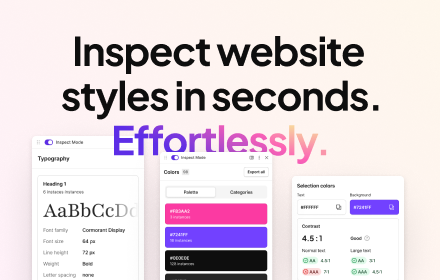
CSS Peeper
Inspect website styles in seconds. Supercharge your workflow, and save hours of work.
500.0K
★ 4.1

DragCSS — Copy Visual CSS Changes for AI & Copilot
Drag any webpage element, see CSS changes live, and copy the diff to paste into Copilot, ChatGPT, or any AI.
24

SnipCSS
Extract the CSS/HTML for any element on any page, only take the styles you want
20.0K
★ 3.9

CSS Detective
Inspect, Copy & Clean CSS professionally with Pro features.
1
★ 5.0
Data sourced from the Chrome Web Store · last verified Jun 4, 2026.