
SnipCSS
Extract the CSS/HTML for any element on any page, only take the styles you want
As of June 2026, SnipCSS has 20,000 users and a 3.88/5 rating from 34 reviews in the Developer Tools category.
Usersno change0%
20.0K
20,000
Ratingno change0%
3.88
34 reviews
Reviewsno change0%
34
Version
2.0.3
Manifest V3
History
1 snapshotsTracking since Apr 18, 2026.
View as table
| Date | Users | Rating | Reviews | Version |
|---|---|---|---|---|
| Apr 18, 2026 | 20.0K | 3.88 | 34 | 2.0.3 |
| Now | 20.0K | 3.88 | 34 | 2.0.3 |
Permissions & access
- Permissions
- debuggerstorageactiveTabscriptingtabsunlimitedStorage
- Host access
- *://*/*
Screenshots
About
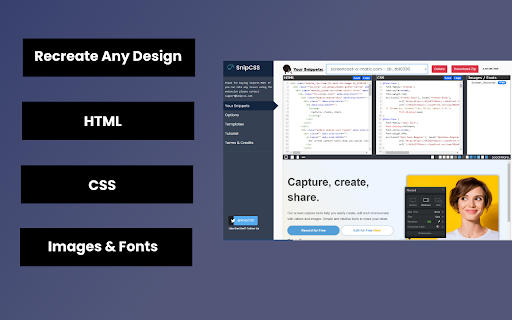
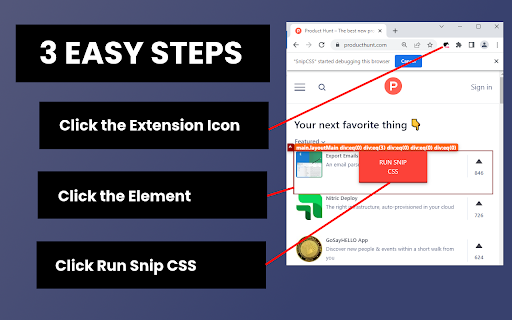
SnipCSS extracts all CSS styles associated with any portion of a webpage. It works on all websites, and after a few clicks you get the CSS, HTML and Images associated with the section of the website you are trying to recreate.

ANY COOL DESIGN YOU SEE ON THE WEB CAN BE YOUR PERSONAL TEMPLATE FOR QUICK PROTOTYPING!
========================================
If you tried to do the same by copying/pasting by hand it would probably take 20 minutes, but with SnipCSS you can select and get all styles including ones with media queries in under a minute. I even use it on sections of websites I created myself in other projects, so I can get a quick reusable HTML/CSS component to plug into my new project.

Unlike other CSS extractor extensions that use "Computed Styles", SnipCSS uses the Chrome DevTools protocol.  Just like when you use devtools you see a list of associated styles, SnipCSS reconstructs that list for each element in the subtree of the DOM snippet.

All images, fonts and everything else needed for the design is downloaded, and you can easily export all the files into a zip file.

PRO VERSION LAUNCHED!
========================================
Get CSS from multiple resolutions or multiple elements using the Pro Version! Also advanced features like no-conflict CSS classes, scoping, removing unnecessary attributes/classes, and creating a sub-selection of items have been added for Pro members.

Version 1.7.0 adds the ability to turn your snippets into React/Vue templates by using ChatGPT.
The template version of a snippet injects Lorem Ipsum data into the html so copyrighted images/text are automatically replaced.  You can also use Stable Diffusion to replace images in the HTML.  Generative AI features require a free SnipCSS account.

TAILWIND CONVERSION!
========================================
Version 1.9.0 adds the ability to convert all HTML/CSS into valid Tailwind, including with media queries and pseudo selectors.

Just visit SnipCSS.com and sign up if you're interested in unlocking these advanced features.
Technical
- Version
- 2.0.3
- Manifest
- V3
- Size
- 13.11MiB
- Min Chrome
- 88
- Languages
- 1
- Featured
- Yes
Metadata
- ID
- hbdnoadcmapfbngbodpppofgagiclicf
- Developer ID
- u6d0d9c7360b3ff806feef24e80918491
- Developer Email
- [email protected]
- Created
- Jun 1, 2019
- Last Updated (Store)
- Dec 22, 2025
- Last Scraped
- Jun 2, 2026
- Website
- https://www.snipcss.com/
- Support URL
- —
- Privacy Policy
- https://www.snipcss.com/privacy
Similar extensions
Alternatives to SnipCSS, ranked by description similarity.

ExtractCSS
CSS extraction and Tailwind conversion for Chrome
1.0K
★ 5.0

CSS Seeker
Extract any CSS / Tailwind in one click
68
★ 5.0

CSS Detective
Inspect, Copy & Clean CSS professionally with Pro features.
1
★ 5.0
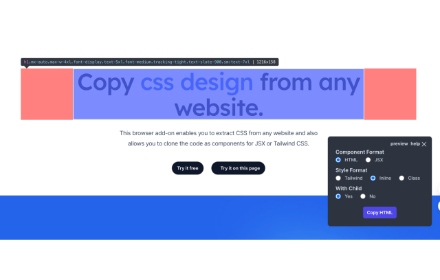
CopyCss - Copy css scan from any website.
Copy css scan from any website.
1.0K
★ 4.0
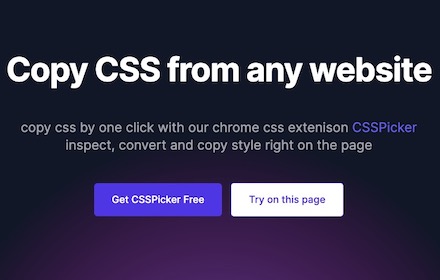
cssPicker - copy css from website
copy html and css from any website
5.0K
★ 2.8

CSS Extractor Pro - Extract Clean CSS Code & Color Palettes
Extract clean CSS code from any webpage element & generate complete color palettes. Essential developer tool.
908
★ 3.0

DivToDesign — Clean CSS Inspector & Editor
Point & click to extract clean CSS. Built-in Tailwind export & Figma copy. No browser defaults, just clean code.
5

UI Snatcher
Capture any UI element and generate a clean React component with Tailwind CSS classes.
6
Data sourced from the Chrome Web Store · last verified Jun 2, 2026.