
MDNToC
Structured table of contents for Mozilla Developer Network docs.
As of June 2026, MDNToC has 2 users in the Functionality & UI category.
Usersno change0%
2
2
Ratingno change0%
—
— reviews
Reviewsno change0%
—
Version
0.0.0.3
Manifest V3
History
6 snapshotsTracking since Apr 18, 2026.
View as table
| Date | Users | Rating | Reviews | Version |
|---|---|---|---|---|
| Apr 18, 2026 | 2 | — | — | 0.0.0.3 |
| Apr 23, 2026 | 1 | — | — | 0.0.0.3 |
| Apr 30, 2026 | — | — | — | 0.0.0.3 |
| May 12, 2026 | 1 | — | — | 0.0.0.3 |
| May 17, 2026 | 2 | — | — | 0.0.0.3 |
| Jun 6, 2026 | 1 | — | — | 0.0.0.3 |
| Now | 2 | — | — | 0.0.0.3 |
Permissions & access
- Permissions
- scripting
- Host access
- https://developer.mozilla.org/*
Screenshots


About
In MDN (Mozilla Developer Network) documentation, the default table of contents shows only top-level sections. This Chrome extension automatically enhances the MDN table of contents by adding subsections, making MDN documentation easier to navigate and understand.

When you open any MDN page that includes a table of contents, the extension works automatically to display a detailed, hierarchical outline of the document. This allows you to quickly jump to specific subsections, understand page structure at a glance, and navigate long MDN reference pages more efficiently.

Key features:
• Automatic MDN enhancement: Works instantly on all MDN pages with a table of contents.
• Expanded table of contents: Displays sections and subsections in a clear hierarchical layout.
• Faster navigation: Quickly jump to precise parts of MDN documentation.
• Improved productivity: Reduces scrolling and searching on long technical pages.
• Visual-only modification: Enhances navigation without altering MDN content or behavior.

This extension is especially useful for web developers, JavaScript developers, frontend engineers, and learners who frequently use Mozilla Developer Network documentation and want a more detailed and navigable table of contents.

In this Update:
• Disabled scrolling to ToC item when the ToC appears before the main content instead of alongside it.
Technical
- Version
- 0.0.0.3
- Manifest
- V3
- Size
- 28.85KiB
- Min Chrome
- 88
- Languages
- 1
- Featured
- No
Metadata
- ID
- jidbmhfijpmoodcojpiinggeeaojcfgk
- Developer ID
- u8301a8a0b35d77f06191a7f5b7d54daa
- Developer Email
- [email protected]
- Created
- Dec 26, 2025
- Last Updated (Store)
- Mar 21, 2026
- Last Scraped
- Jun 15, 2026
- Website
- —
- Support URL
- —
- Privacy Policy
- —
Similar extensions
Alternatives to MDNToC, ranked by description similarity.

Tab Nodes Tree - Vertical Tree Style Tabs in Side Panel
Effortlessly navigate and organize your tabs with an intuitive tree-style view
10.0K
★ 4.6

Slow Auto Scroll Reader
Slowly auto-scrolls the current page for easier reading. Start/stop from the popup.
34

Scroll To Top
Adds a button to scroll to the top of the page.
Simple and elegant.
2.0K
★ 4.7

TK Tree Style Tab Outliner
TKTSTO is an outliner with tree-style tabs, bookmarks, and notes all in one
116
★ 5.0

Better Scroll To Top/Bottom
Adds buttons to scroll to the top and bottom of the page
182
★ 4.7
Chrome Window Rotator+ (Tab Manager)
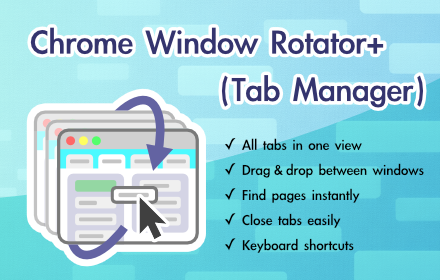
View all tabs across windows. Find and access pages instantly. Organize with drag & drop.
108
★ 5.0

Tab Canopy
Lost in a sea of browser tabs? Organize them like you think.
Tab Canopy brings tree-based organization to your browser tabs.…
17

Tabs in Vertical
Displays all open tabs in a vertical sidebar for better readability
96
★ 5.0
Data sourced from the Chrome Web Store · last verified Jun 15, 2026.