
IPvFooBarBaz
Display the server IP address, with a realtime summary of IPv4, IPv6, ASN, hostname, and HTTPS information across all page elements.
As of May 2026, IPvFooBarBaz has 1,000 users and a 5.00/5 rating from 4 reviews in the Functionality & UI category.
Usersno change0%
1.0K
1,000
Ratingno change0%
5.00
4 reviews
Reviewsno change0%
4
Version
2.19
Manifest V3
Permissions & access
- Permissions
- storagewebNavigationwebRequest
- Host access
- <all_urls>
Screenshots

About
An extension of the great IPvFoo extension!

Display the server IP address, with a realtime summary of IPv4, IPv6, Hostname, ASN, and HTTPS information across all page elements.

For hostname information, Google's DNS (dns.google) over HTTPS is used. Over the same DNS service, Team Cymru's IP to ASN service is queried to find ASN information for IPs. They are only contacted if you press on the popup. No other 3rd party services are contacted.

The extension was originally to raise everyday awareness of the global IPv4 to IPv6 transition. Though I found it was also a useful developer tool in finding where your requests are going. So I've extended the extension.

IPvFooBarBaz's action icon shows a large red 4 or green 6 to indicate whether the outer page was fetched using IPv4 or IPv6.  If the page connects to other domains, a smaller 4 or 6 appears alongside.

When you click the icon, a table appears with a row for each domain:

- A padlock icon for http://, https://, or a mix of both.

- The IPv4 or IPv6 address.  If connections span more than one address, the most recent one wins.  The address is highlighted in yellow while connections are open.

- "⭮" for cached requests.  The IP address may be stale if no connection was made.

- "S" for WebSocket handshakes. The connection may still be active even if the address is not highlighted.

- "W" if data was fetched through a Service Worker.  These requests are linked to an origin (e.g. https://example.com/) instead of a tabId, so the same request may appear in multiple tabs.

Clicking on a hostname or address will select it for convenient copying. There are buttons next to it leading to WHOIS, ARIN, RIPE, IPinfo and bgp.tools links.

Hostnames longer than 40 characters are truncated in the middle to save space. You can click the (...) to expand, but the full text remains available for copying regardless.

This extension was forked from IPvFoo (pmarks.net), and contains code from IPvFooBar (vrabel.it)
IPvFooBarBaz is Free Software (Apache 2.0 license)
Technical
- Version
- 2.19
- Manifest
- V3
- Size
- 100KiB
- Min Chrome
- 88
- Languages
- 1
- Featured
- No
Metadata
- ID
- jiaodmfhmjdhefmljkipedcbpkplpfcn
- Developer ID
- u01f31b4954a17d001328a88d4e41e62c
- Developer Email
- [email protected]
- Created
- Apr 29, 2024
- Last Updated (Store)
- Apr 30, 2024
- Last Scraped
- May 26, 2026
- Website
- ziad87.net
- Support URL
- —
- Privacy Policy
- —
Similar extensions
Alternatives to IPvFooBarBaz, ranked by description similarity.
IPvFoo
Display the server IP address, with a realtime summary of IPv4, IPv6, and HTTPS information across all page elements.
100.0K
★ 4.8
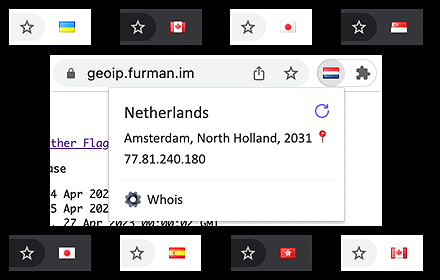
Yet Another Flags
Shows country flag for the website near the location bar.
10.0K
★ 4.3

Cute Website IP Viewer
Look up a website's public IP (A/AAAA) via DNS-over-HTTPS with a cute, simple UI.
—

SixIndicator
Shows a simple icon, if IPv6 or IPv4 was used for the request of the site.
128

Tab Finder - by floverdevel
Find and navigate to an opened tab
1.0K
★ 4.6

Twitter Region Viewer
Displays 'Account based in' and 'Connected via' information next to usernames on X (Twitter) posts.
19
★ 5.0

Bookmark Iconizer
Set your icons for bookmarks which came without it!
1.0K
★ 3.2

Extra Domain Filters
Enhance domain.com.au with extra filters to empower your search.
13
★ 5.0
Data sourced from the Chrome Web Store · last verified May 26, 2026.