
GPT Workspace
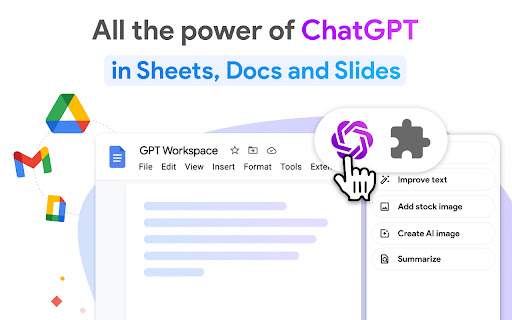
Run GPT in Google Workspace: use ChatGPT into Google Slides, Docs, Sheets, Drive and Gmail.
As of June 2026, GPT Workspace has 200,000 users and a 4.90/5 rating from 9,222 reviews in the Workflow & Planning category.
Usersno change0%
200.0K
200,000
Ratingno change0%
4.90
9.2K reviews
Reviewsup 14.8 percent+14.8%
9.2K
Version
4.14.1
Manifest V3
90-day change · In the last 90 days this extension 1 version update.
History
21 snapshotsTracking since Apr 1, 2026.
View as table
| Date | Users | Rating | Reviews | Version |
|---|---|---|---|---|
| Apr 1, 2026 | 200.0K | 4.90 | 8.0K | 4.13.1 |
| Apr 5, 2026 | 200.0K | 4.90 | 8.0K | 4.13.1 |
| Apr 8, 2026 | 200.0K | 4.90 | 8.0K | 4.13.1 |
| Apr 18, 2026 | 200.0K | 4.90 | 8.1K | 4.13.1 |
| Apr 23, 2026 | 200.0K | 4.90 | 8.2K | 4.13.1 |
| Apr 28, 2026 | 200.0K | 4.90 | 8.3K | 4.13.1 |
| May 4, 2026 | 200.0K | 4.90 | 8.3K | 4.14.0 |
| May 7, 2026 | 200.0K | 4.90 | 8.4K | 4.14.0 |
| May 9, 2026 | 200.0K | 4.90 | 8.5K | 4.14.0 |
| May 11, 2026 | 200.0K | 4.90 | 8.5K | 4.14.0 |
| May 13, 2026 | 200.0K | 4.90 | 8.5K | 4.14.0 |
| May 16, 2026 | 200.0K | 4.90 | 8.6K | 4.14.0 |
| May 18, 2026 | 200.0K | 4.90 | 8.6K | 4.14.0 |
| May 21, 2026 | 200.0K | 4.90 | 8.7K | 4.14.0 |
| May 24, 2026 | 200.0K | 4.90 | 8.7K | 4.14.0 |
| May 26, 2026 | 200.0K | 4.90 | 8.8K | 4.14.0 |
| May 29, 2026 | 200.0K | 4.90 | 8.8K | 4.14.0 |
| Jun 3, 2026 | 200.0K | 4.90 | 8.9K | 4.14.0 |
| Jun 8, 2026 | 200.0K | 4.90 | 8.9K | 4.14.0 |
| Jun 13, 2026 | 200.0K | 4.90 | 9.0K | 4.14.0 |
| Jun 19, 2026 | 200.0K | 4.90 | 9.2K | 4.14.1 |
| Now | 200.0K | 4.90 | 9.2K | 4.14.1 |
Permissions & access
- Permissions
- activeTabsidePanelstoragecontextMenus
- Host access
- <all_urls>
Screenshots



About
ChatGPT for Google Sheets, Docs, Slides, Gmail and Drive.

✓ No sign-up required. ✓ Free with premium features. ✓ No API key required.

GPT Workspace is a powerful GPT-5 reasoning agent that can be used for all sorts of tasks on text and data analysis: writing, editing, extracting, cleaning, translating, summarising, outlining, explaining, etc.

● FEATURES

🟩 For Google Sheets :

Create, complete and analyse a range : select your range, enter a prompt and let AI automagically do the rest.

- Analyze, summarize, classify, categorize, normalize, extract
- Clean lists, extract entities, normalize formats (lists of names, addresses, emails or companies, dates, currency amounts, phone numbers)
- Classify large datasets with feature categorization
- Try different versions of a prompt quickly
- Working on SEO metadata (titles, descriptions), ad copy (PPC, Meta ads)
- Manage and clean product catalogs for e-commerce stores (Shopify / Amazon)
- Change the case of your cells text: upper / lower / capitalize / toggle case
- Split content of cells across, given any separator to multiple columns
- Translate large amount of text
- OCR (optical character recognition) PDF to Google Sheets

GPT for Sheets includes 6 powerful formulas:
=GPT to get the result in a single cell
=GPT_LIST to get one list item per row
=GPT_TABLE to get an entire array
=GPT_TRANSLATE to translate large amount of text
=GPT_FILE extract text or data from multiple files or images
=GPT_IMAGE generate large amount of images

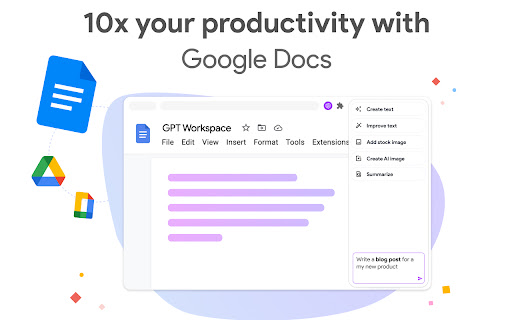
🟦 For Google Docs :

- Rephrase, paraphrase, expand
- Outline and expand a piece of content
- Write emails, blogs, articles, essay
- Summarise large notes
- Translate entire documents
- Change the style of content
- OCR (optical character recognition) PDF to Google Docs

🟨 For Google Slides :

- Generate entire presentations with images and animations
- Edit slide content, layout and style with a single prompt
- Insert AI generated images into your slides
- Create a slide deck from a text or a document
- OCR (optical character recognition) PDF to Google Slides

🟥 For Gmail :

- Generate replies automatically
- Edit the tone and fix the grammar spelling
- Autocorrect
- Analyse large amount of emails and attachments

🟪 For Drive :

- Summarize a file including key takeaways
- Generate Slides from PDFs, Google Docs or Google Sheets
- Generate Sheets from PDFs or Audio files
- Generates Docs from Google Slides or Audio files

● SUPPORT

Documentation link: https://support.gpt.space/
Support: https://gpt.space/support

● QUICK TUTORIAL

1️⃣ Open Google Sheets / Docs / Slides / Drive or Gmail
2️⃣ Open the GPT Workspace extension
3️⃣ Try out the different functions shown on the chrome extension.

Check out your youtube page https://www.youtube.com/@gpt-for-google-workspace/videos

● PRICING

GPT Sheets Docs Slides offers an extensive free tier and an Unlimited Premium plan starting at 9$/month only

● OUR USERS ARE

- Data analysts and data professionals who need to enhance quickly how their spreadsheets look like
- E-Commerces owner who needs to enrich their spreadsheets with data coming for other documents
- And also startups, digital marketing agencies, consultancy groups

This extension was developed by Qualtir.com
Technical
- Version
- 4.14.1
- Manifest
- V3
- Size
- 576KiB
- Min Chrome
- 88
- Languages
- 42
- Featured
- Yes
Metadata
- ID
- jgocjgkdladclacgmkkiklmdcmngjcba
- Developer ID
- u0cb9eedeff2f91c643967dfbd485b72b
- Developer Email
- [email protected]
- Created
- Jul 17, 2023
- Last Updated (Store)
- Jun 11, 2026
- Last Scraped
- Jun 19, 2026
- Website
- gpt.space
- Support URL
- https://support.gpt.space
- Privacy Policy
- https://gpt.space/privacy-policy
Similar extensions
Alternatives to GPT Workspace, ranked by description similarity.

GPTSheets
Supercharge your Google Sheets with OpenAI's GPT-3
996
★ 5.0

WorkGPT - Your Ultimate AI for Work (with ChatGPT, Gemini, Grok, Claude)
WorkGPT is powered by top AI ChatGPT, Gemini, Grok, Claude, DeepSeek to enable you deliver great work much faster!
3.0K
★ 4.6

GPTitan
Create new Google Sheets documents directly from Chat GPT tables
5

PromptClick
Opens ChatGPT & Google Gemini AI with prompts from opengpt.makeinfo.co links in Google Sheets
6
★ 5.0

SheetsGPT - AI Google Sheets Formula Maker
AI extension that uses AI to provide Sheets functions
10.0K
★ 4.6

Knowee AI (formerly StudyGPT) - Your Homework & Essay Helper
💡Knowee- 你的私人AI学习助手!
40.0K
★ 4.8

ChatGPT Organizer & Workspace – Prompts, Chats & Sidebar
Organize ChatGPT chats, prompts, and workflows in a powerful sidebar workspace. Faster, cleaner, and built for serious AI users.
3.0K
★ 4.5
Export Emails to Sheets by cloudHQ
Back up, export or parse your Gmail email messages and labels to Google Sheets
40.0K
★ 4.3
Data sourced from the Chrome Web Store · last verified Jun 19, 2026.