
Knowee AI (formerly StudyGPT) - Your Homework & Essay Helper
💡Knowee- 你的私人AI学习助手!
As of June 2026, Knowee AI (formerly StudyGPT) - Your Homework & Essay Helper has 40,000 users and a 4.83/5 rating from 1,123 reviews in the Workflow & Planning category.
Workflow & Planning★ Featured
Usersno change0%
40.0K
40,000
Ratingno change0%
4.83
1.1K reviews
Reviewsno change0%
1.1K
Version
4.2.1
Manifest V3
90-day change · In the last 90 days this extension changed permissions.
History
2 snapshotsTracking since Apr 26, 2026.
View as table
| Date | Users | Rating | Reviews | Version |
|---|---|---|---|---|
| Apr 26, 2026 | — | — | — | — |
| Jun 4, 2026 | 40.0K | 4.83 | 1.1K | 4.2.1 |
| Now | 40.0K | 4.83 | 1.1K | 4.2.1 |
Changelog
- Apr 26, 2026description
(empty)
StudyGPT helps
- explaining academic concepts,
- answering academic questions,
- generating exercises based on course materials,
- creating writing guidance,
- recommending references based on paper topics, and what your everyday use:
- writing, text polishing, summarizing, translating, and replying to emails (especially to your professor!).

🏆StudyGPT is a beloved personal study assistant (Chrome sidebar) among students. (You don't wanna miss it!)

🎉 You can use StudyGPT on any webpage, which is more convenient than standalone sites like ChatGPT and Claude, and it's 【completely free】, without needing an OpenAI account.

👉 Main features:
① Answering general and academic questions
② Generating exercises based on learning materials
③ Creating writing guides with recommended references based on paper topics
④ Summarizing the contents of YouTube videos
⑤ Performing a variety of text-related tasks such as rewriting, summarizing, correcting grammar, etc.
⑥ Connect StudyGPT to the internet to always access the latest content online

🚀 Quick start tips:
① Press [Cmd+I] or [Ctrl+I] on any webpage to activate StudyGPT to assist your study and work.
② Select any text on any webpage, and let StudyGPT explain, translate, rewrite, summarize, etc.
③ Use the [Exercise Generation] tool to let StudyGPT generate exercises based on learning materials.
④ Use the [Writing Guide] feature to upload writing task documents and let StudyGPT create a writing guide with recommended reference articles.
⑤ Use the [Chat Document] feature to upload documents and let StudyGPT answer questions based on their content.
⑥ Go to a YouTube video page with subtitles, click the [Watch Video] button in the sidebar, and get the key content of the video.
🎁 StudyGPT is always improving through new features to enhance your learning efficiency and save you more time, so you can achieve better learning outcomes. Please stay tuned for our frequent and exciting updates!

📧 Any questions, suggestions, or feedback?
Email us at [email protected]

----

FAQ:
1. What is ChatGPT?
ChatGPT is a large language model developed by OpenAI. It's based on the GPT (Generative Pre-trained Transformer) architecture and has been trained on a vast amount of text data from the internet. ChatGPT can be used for various natural language processing tasks, such as language translation, text summarization, text generation, and answering questions. It can understand and respond to user input in a conversational manner, making it ideal for chatbot and virtual assistant applications.

2. Who created ChatGPT?
ChatGPT was created by OpenAI, a company based in San Francisco. It was launched on November 30, 2022. OpenAI's CEO, Sam Altman, is also referred to as the founder of ChatGPT.

3. How is StudyGPT different from ChatGPT/Claude/NotionAI/Evernote/Bard/New Bing?
StudyGPT is an AI intelligent learning assistant tool developed based on the new generation of large language model technology. It has professional features such as answering academic questions, generating exercises, and providing writing guidance. ChatGPT/Claude are software primarily designed for general conversation scenarios, NotionAI/Evernote is software mainly designed for general writing scenarios, Bard and New Bing are AI tools primarily designed for search scenarios. They can only run on their standalone webpages, while StudyGPT can be used on any webpage.

4. Is StudyGPT free?
Yes, this extension is free to use. StudyGPT provides 40 free queries to each free user every day.

5. ChatGPT is banned in my country. Can I use StudyGPT in my country?
Yes. The StudyGPT Chrome extension can be used in all countries. No VPN is required.

💡 Important Tips
1. After installing the plugin, please refresh the webpage to ensure its normal operation.
2. For security reasons, this extension is not applicable to Chrome store pages and blank pages.
- Apr 26, 2026short_description
(empty)
💡Knowee- 你的私人AI学习助手!
- Apr 26, 2026name
Unknown
Knowee AI (formerly StudyGPT) - Your Homework & Essay Helper
- Apr 26, 2026category
(empty)
productivity/workflow
- Apr 26, 2026host_permissions
(empty)
<all_urls>, file://*, http://*/*, https://*/*, <all_urls>, file://*
- Apr 26, 2026permissions
(empty)
tabs, storage, cookies, activeTab, scripting
Permissions & access
- Permissions
- tabsstoragecookiesactiveTabscripting
- Host access
- <all_urls>, file://*, http://*/*, https://*/*, <all_urls>, file://*
Screenshots


About
StudyGPT helps
- explaining academic concepts,
- answering academic questions,
- generating exercises based on course materials,
- creating writing guidance,
- recommending references based on paper topics, and what your everyday use:
- writing, text polishing, summarizing, translating, and replying to emails (especially to your professor!).

🏆StudyGPT is a beloved personal study assistant (Chrome sidebar) among students. (You don't wanna miss it!)

🎉 You can use StudyGPT on any webpage, which is more convenient than standalone sites like ChatGPT and Claude, and it's 【completely free】, without needing an OpenAI account.

👉 Main features:
① Answering general and academic questions
② Generating exercises based on learning materials
③ Creating writing guides with recommended references based on paper topics
④ Summarizing the contents of YouTube videos
⑤ Performing a variety of text-related tasks such as rewriting, summarizing, correcting grammar, etc.
⑥ Connect StudyGPT to the internet to always access the latest content online

🚀 Quick start tips:
① Press [Cmd+I] or [Ctrl+I] on any webpage to activate StudyGPT to assist your study and work.
② Select any text on any webpage, and let StudyGPT explain, translate, rewrite, summarize, etc.
③ Use the [Exercise Generation] tool to let StudyGPT generate exercises based on learning materials.
④ Use the [Writing Guide] feature to upload writing task documents and let StudyGPT create a writing guide with recommended reference articles.
⑤ Use the [Chat Document] feature to upload documents and let StudyGPT answer questions based on their content.
⑥ Go to a YouTube video page with subtitles, click the [Watch Video] button in the sidebar, and get the key content of the video.
🎁 StudyGPT is always improving through new features to enhance your learning efficiency and save you more time, so you can achieve better learning outcomes. Please stay tuned for our frequent and exciting updates!

📧 Any questions, suggestions, or feedback?
Email us at [email protected]

----

FAQ:
1. What is ChatGPT?
ChatGPT is a large language model developed by OpenAI. It's based on the GPT (Generative Pre-trained Transformer) architecture and has been trained on a vast amount of text data from the internet. ChatGPT can be used for various natural language processing tasks, such as language translation, text summarization, text generation, and answering questions. It can understand and respond to user input in a conversational manner, making it ideal for chatbot and virtual assistant applications.

2. Who created ChatGPT?
ChatGPT was created by OpenAI, a company based in San Francisco. It was launched on November 30, 2022. OpenAI's CEO, Sam Altman, is also referred to as the founder of ChatGPT.

3. How is StudyGPT different from ChatGPT/Claude/NotionAI/Evernote/Bard/New Bing?
StudyGPT is an AI intelligent learning assistant tool developed based on the new generation of large language model technology. It has professional features such as answering academic questions, generating exercises, and providing writing guidance. ChatGPT/Claude are software primarily designed for general conversation scenarios, NotionAI/Evernote is software mainly designed for general writing scenarios, Bard and New Bing are AI tools primarily designed for search scenarios. They can only run on their standalone webpages, while StudyGPT can be used on any webpage.

4. Is StudyGPT free?
Yes, this extension is free to use. StudyGPT provides 40 free queries to each free user every day.

5. ChatGPT is banned in my country. Can I use StudyGPT in my country?
Yes. The StudyGPT Chrome extension can be used in all countries. No VPN is required.

💡 Important Tips
1. After installing the plugin, please refresh the webpage to ensure its normal operation.
2. For security reasons, this extension is not applicable to Chrome store pages and blank pages.
Technical
- Version
- 4.2.1
- Manifest
- V3
- Size
- 7.43MiB
- Min Chrome
- 88
- Languages
- 1
- Featured
- Yes
Metadata
- ID
- fcejkolobdcfbhhakbhajcflakmnhaff
- Developer ID
- u2b02962050e554515f375f75a4a7dc7f
- Developer Email
- [email protected]
- Created
- Apr 6, 2023
- Last Updated (Store)
- Apr 23, 2026
- Last Scraped
- Jun 15, 2026
- Website
- knowee.ai
- Support URL
- https://knowee.ai/terms
- Privacy Policy
- https://knowee.ai/privacy-policy
Similar extensions
Alternatives to Knowee AI (formerly StudyGPT) - Your Homework & Essay Helper, ranked by description similarity.
Summary with ChatGPT for Google and YouTube
Summarize Google search results and YouTube video summaries with ChatGPT in one click.
10.0K
★ 3.9

ChatGPT as Search Engine Everywhere
ChatGPT search assistant in a new tab, top popup icon, right click, and share the search result with others. Dark theme supported.
1.0K
★ 4.6

ChatGPT in Side Panel
Access ChatGPT directly in Chrome's side panel with seamless login and chat history synchronization.
165
★ 5.0

ChatGPT for Chrome
Display ChatGPT (or Bard) response alongside search engine results
351
★ 4.3

AI Search Assistant for Google & Email Writer
Get AI answers beside Google results. Write, rewrite, summarize, and improve emails or messages anywhere.
1.0K
★ 5.0

WorkGPT - Your Ultimate AI for Work (with ChatGPT, Gemini, Grok, Claude)
WorkGPT is powered by top AI ChatGPT, Gemini, Grok, Claude, DeepSeek to enable you deliver great work much faster!
3.0K
★ 4.6

ChatGPT For Chrome - ChatGPT assistant
Display ChatGPT response alongside search engine results
20.0K
★ 4.1
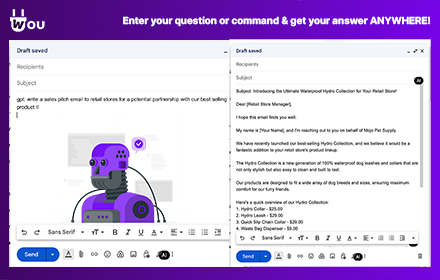
Wou AI
Use AI from your browser everywhere! By command or simple button click, you can finally forget about switching tabs and copy-pasting
115
★ 4.2
Data sourced from the Chrome Web Store · last verified Jun 15, 2026.