
Font System Detector
Detects and displays all font system found on a webpage
As of June 2026, Font System Detector has 13 users and a 5.00/5 rating from 2 reviews in the Developer Tools category.
Usersup 62.5 percent+62.5%
13
13
Ratingno change0%
5.00
2 reviews
Reviewsno change0%
2
Version
1.5.1
Manifest V3
History
8 snapshotsTracking since Apr 1, 2026.
View as table
| Date | Users | Rating | Reviews | Version |
|---|---|---|---|---|
| Apr 1, 2026 | 8 | 5.00 | 2 | 1.5.1 |
| Apr 9, 2026 | 9 | 5.00 | 2 | 1.5.1 |
| Apr 20, 2026 | 10 | 5.00 | 2 | 1.5.1 |
| Apr 29, 2026 | 9 | 5.00 | 2 | 1.5.1 |
| May 9, 2026 | 10 | 5.00 | 2 | 1.5.1 |
| May 17, 2026 | 9 | 5.00 | 2 | 1.5.1 |
| May 26, 2026 | 12 | 5.00 | 2 | 1.5.1 |
| Jun 4, 2026 | 11 | 5.00 | 2 | 1.5.1 |
| Now | 13 | 5.00 | 2 | 1.5.1 |
Permissions & access
- Permissions
- activeTabscriptingsidePanel
- Host access
- https://font-system-detector-36829541347.asia-southeast3.run.app/*
Screenshots


About
A Chrome extension that detects and displays all font combinations on web pages. Helps developers and designers identify fonts used on any site.

Core Features:
- Font scanning: Scans the current page and identifies unique font combinations (family, size, weight, line-height)
- Organized display: Groups fonts by family, sorted by size and weight in a collapsible accordion
- Single hover mode: Highlights the hovered element and shows its font properties
- Group hover mode: Highlights all elements sharing the same font properties
- Font availability detection: Checks if fonts are available on Google Fonts or Adobe Fonts
- Quick access links: Direct links to Google Fonts, Adobe Fonts, or Google search for each font

How it works:
- Click the extension icon to open the side panel
- Click "Scan Fonts" to analyze the current page
- Browse results organized by font family
- Enable hover mode (single or group) to inspect fonts interactively
- Use quick links to find fonts on Google Fonts or Adobe Fonts

Requirements: Chrome 114+ (for Side Panel API support)
Technical
- Version
- 1.5.1
- Manifest
- V3
- Size
- 45.75KiB
- Min Chrome
- 88
- Languages
- 1
- Featured
- No
Metadata
- ID
- jfgobncmdegcglckbcdlcjoojklacnba
- Developer ID
- ub00bae3d7ce86cf97f68ba0a0221119b
- Developer Email
- [email protected]
- Created
- Jan 14, 2026
- Last Updated (Store)
- Jan 19, 2026
- Last Scraped
- Jun 4, 2026
- Website
- —
- Support URL
- —
- Privacy Policy
- —
Similar extensions
Alternatives to Font System Detector, ranked by description similarity.

Font Finder
Easily identify and analyze fonts on any webpage. Get font family, size, weight, style, color, and more.
20

Font Detector – What font is this?
Font Detector is a fast and free font finder tool that helps you identify any font on a webpage instantly. What font is used here?
473
★ 5.0

Font Detective
Hover over text to see font style, size, weight, and other typography details
5

Font Detector
Detects font details on any webpage to find Fonr family, height and more
77
★ 1.0
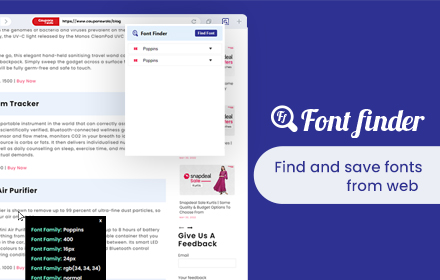
Font Finder
Font finder for images, texts and websites to check Font Family, size, height
10.0K
★ 4.3

PeekFont
Live font inspector! Hover to identify fonts & styles. Instantly copy element details & CSS. Your essential typography tool.
76
★ 5.0

FontUsed - Font Audit Tool
Discover and analyze all fonts used on any webpage with interactive highlighting.
77
★ 5.0

FontLab - Hover to Detect Fonts Properties
Quickly identify and inspect fonts on any webpage with a single mouse hover.
20
★ 5.0
Data sourced from the Chrome Web Store · last verified Jun 4, 2026.