Jot - Browser Notes
Take & save notes on webpages.
As of June 2026, Jot - Browser Notes has 150 users and a 5.00/5 rating from 1 reviews in the Workflow & Planning category.
Usersup 28.2 percent+28.2%
150
150
Ratingno change0%
5.00
1 reviews
Reviewsno change0%
1
Version
0.2
Manifest V3
History
3 snapshotsTracking since Apr 23, 2026.
View as table
| Date | Users | Rating | Reviews | Version |
|---|---|---|---|---|
| Apr 23, 2026 | 117 | 5.00 | 1 | 0.2 |
| May 13, 2026 | 146 | 5.00 | 1 | 0.2 |
| Jun 8, 2026 | 141 | 5.00 | 1 | 0.2 |
| Now | 150 | 5.00 | 1 | 0.2 |
Permissions & access
- Permissions
- activeTabcontextMenusdownloadsscriptingstoragetabs
- Host access
- None declared
Screenshots


About
Place notes on any page online!

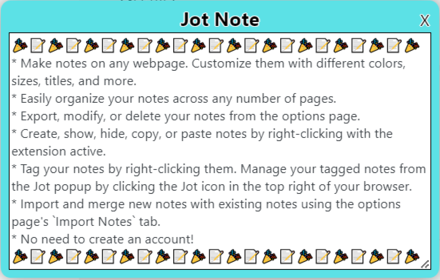
Add Jot to Chrome to quickly create and customize notes while your browsing. Jot allows users to easily create, style, organize, and export notes all with no account required.

Make use of these convenient keyboard shortcuts:
* Create a Jot note: Ctrl+Shift+z
* Hide all Jot notes on the active tab: Ctrl+Shift+h
* Show all Jot notes on the active tab: Ctrl+Shift+s

These actions, as well as pasting a copied note, can also be performed by right-clicking anywhere within a webpage and navigating to "Jot - Browser Notes".

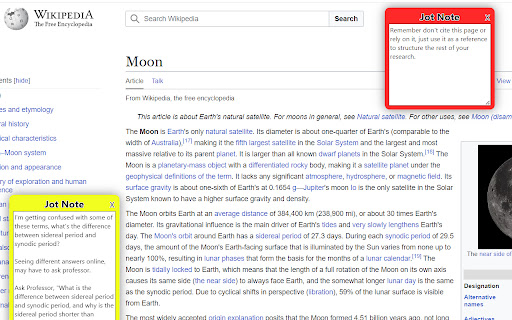
Each Jot note can have its appearance and performance customized. Right click on a Jot note to change its color, add tags to it, change its order relative to other Jot notes, or select how it moves when the tab is resized or scrolled. This menu is also where you can copy a note to easily paste elsewhere. A pasted note will have the same appearance and behavior as the note it was copied from.

Adjust the size of a Jot note by dragging the bottom right corner of its textbox. Edit its title by clicking the note's existing title and typing.

If you pin the Jot extension, selecting the Jot icon in the top right of your browser opens the Jot popup. Here you can add an additional note to the active tab that will only appear in the popup. You can also show, hide, and delete all Jot notes on the page. You can also manage any notes on the page with tags from within the Jot popup.

The Jot notes' options page allows you to select options for your Jot notes, manage all of your created Jot notes in one place, remove all of your note data from the extension, download your notes and import notes previously exported from the Jot notes extension.
Technical
- Version
- 0.2
- Manifest
- V3
- Size
- 43.26KiB
- Min Chrome
- 88
- Languages
- 1
- Featured
- Yes
Metadata
- ID
- ipggldepadhaaemacanbgcbmpegjleml
- Developer ID
- u9e064f327ecce939b3545efa5dd1697a
- Developer Email
- [email protected]
- Created
- Jul 20, 2023
- Last Updated (Store)
- Jul 20, 2023
- Last Scraped
- Jun 8, 2026
- Website
- —
- Support URL
- —
- Privacy Policy
- —
Similar extensions
Alternatives to Jot - Browser Notes, ranked by description similarity.

Jotters - Chrome Notes
Jot your note in the browser in one click. Just open a new tab or click the extension button!
8
★ 5.0

Notes Online
The in-page notepad for taking notes online directly on any web page. No login, autosave, 1-click install, and full privacy
5.0K
★ 4.3
Jotter
Jot down multiple notes with a simple notepad.
305
★ 4.4

TabNotes
Add notes to any tab in your browser
—

Sticky Notes - Capture thoughts anywhere on any web page
Add sticky notes to any webpage, saved per URL.
24
★ 5.0

Tap Notes
Add quick notes to any webpage that are automatically saved and restored per URL
—

Tab Notes
Tab Notes
Tab Notes is a Chrome extension that enables users to take notes specifically for each website they visit. When a user…
13

Sticky Notes Extension
Take notes on any webpage with floating sticky notes
13
★ 5.0
Data sourced from the Chrome Web Store · last verified Jun 8, 2026.