Jotter
Jot down multiple notes with a simple notepad.
As of May 2026, Jotter has 305 users and a 4.43/5 rating from 7 reviews in the Workflow & Planning category.
Usersdown 10.0 percent−10.0%
305
305
Ratingno change0%
4.43
7 reviews
Reviewsno change0%
7
Version
2.0.5
Manifest V3
History
3 snapshotsTracking since Apr 1, 2026.
View as table
| Date | Users | Rating | Reviews | Version |
|---|---|---|---|---|
| Apr 1, 2026 | 339 | 4.43 | 7 | 2.0.5 |
| Apr 30, 2026 | 337 | 4.43 | 7 | 2.0.5 |
| May 27, 2026 | 317 | 4.43 | 7 | 2.0.5 |
| Now | 305 | 4.43 | 7 | 2.0.5 |
Permissions & access
- Permissions
- storage
- Host access
- None declared
Screenshots
About
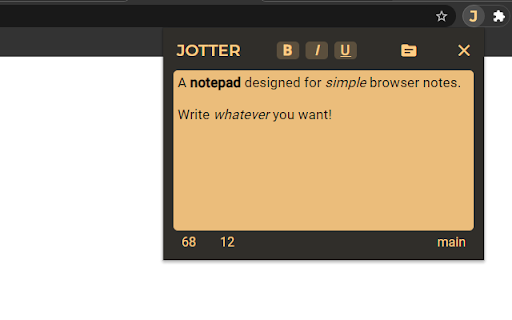
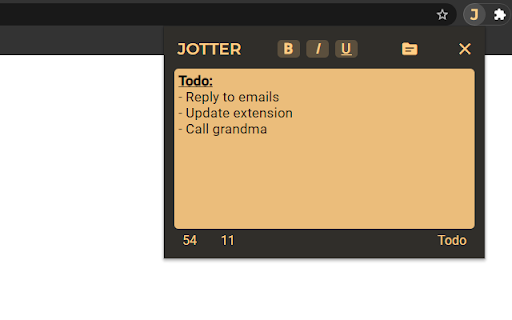
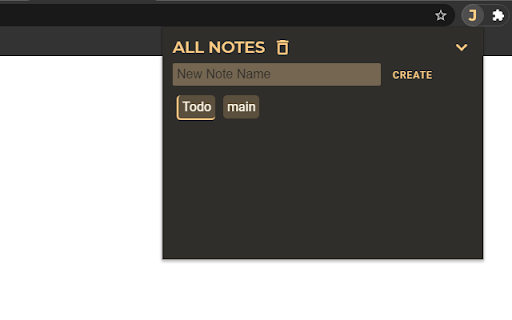
Jotter allows you to jot some quick notes by clicking the icon in the corner of your browser. Create multiple notes to organize your thoughts or ideas. Great way to save things to copy and paste later somewhere else.

Features:
- Create and switch between multiple notes
- Sync notes
- Auto Save
- Links
- Change text style
- Character Count
- Word Count

Tip: Click and hold "JOTTER" in the extension for 2 seconds to switch to an alternate theme!

CHANGE LOG:
v2.0.5
- Support for hyperlinks
------------------------------------------------------------------
v2.0
- Redesign
- Rebuilt from ground up to improve performance, appearance, and user experience
------------------------------------------------------------------
v1.1.2.4
- Bug fix with Chrome API limitations
------------------------------------------------------------------
v1.1
- Added ability to create more than one note
- Reduced size dramatically
------------------------------------------------------------------
v1.0.8
- Merry Christmas Message Removed
- Warning message if text is over 7000 characters long
------------------------------------------------------------------
v1.0.7
- Merry Christmas and Happy Holidays!
------------------------------------------------------------------
v1.0.6
- View text Formatting. Buttons change color.
------------------------------------------------------------------
v1.0.5
- Auto Saving
- Paste as plain text
------------------------------------------------------------------
v1.0.4
- Word Count Button
- Release Notes link to view changes
------------------------------------------------------------------
v1.0.3
- New Fonts
- Simplified
------------------------------------------------------------------
v1.0.2
- Flatter, Simpler Design
- New Shadow Animation
- Lighter, Softer Background
------------------------------------------------------------------
v1.0.1
- Temporary fix for notes not saving
- Autosave not working
------------------------------------------------------------------
v1.0.0 Release Notes
- Yellow Background
- Bold, Italics, and Underline
Technical
- Version
- 2.0.5
- Manifest
- V3
- Size
- 70.49KiB
- Min Chrome
- 88
- Languages
- 1
- Featured
- Yes
Metadata
- ID
- iamceofaeghmibfhlojfjdkjkikdpibf
- Developer ID
- u8e3fcc0a731fe209fcd90d3c48193ba9
- Developer Email
- [email protected]
- Created
- Jan 19, 2015
- Last Updated (Store)
- Feb 23, 2023
- Last Scraped
- May 27, 2026
- Website
- —
- Support URL
- —
- Privacy Policy
- —
Similar extensions
Alternatives to Jotter, ranked by description similarity.

Jotters - Chrome Notes
Jot your note in the browser in one click. Just open a new tab or click the extension button!
8
★ 5.0

Web-Jotter
Save tab sessions and jot highlights; your personal web of notes and tabs.
5
★ 5.0

Jotter
A fast in-tab scratchpad.
301
★ 5.0
Jot - Browser Notes
Take & save notes on webpages.
150
★ 5.0

Tater Jots
A chrome extension used to take notes on videos
75
★ 5.0

JotPad: Your Side Panel Notepad
A simple and elegant Markdown note-taking app that lives in your browser's side panel.
80
★ 4.3

Leaf: Simple Notes
A simple way to create and manage individual notes quickly and efficiently.
30.0K
★ 4.5

JotItDown
Type and Forget
14
★ 5.0
Data sourced from the Chrome Web Store · last verified May 27, 2026.