
PomoFlow
PomoFlow - because every second of focus counts. Time your work, block distractions, and track your presence.
As of May 2026, PomoFlow has 1 users in the Workflow & Planning category.
Usersdown 66.7 percent−66.7%
1
1
Ratingno change0%
—
— reviews
Reviewsno change0%
—
Version
1.0.0
Manifest V3
History
2 snapshotsTracking since Apr 1, 2026.
View as table
| Date | Users | Rating | Reviews | Version |
|---|---|---|---|---|
| Apr 1, 2026 | 3 | — | — | 1.0.0 |
| May 31, 2026 | 2 | — | — | 1.0.0 |
| Now | 1 | — | — | 1.0.0 |
Permissions & access
- Permissions
- storagenotificationsdeclarativeNetRequestdeclarativeNetRequestWithHostAccessactiveTabtabsoffscreen
- Host access
- https://*/*, http://*/*
Screenshots


About
PomoFlow is a productivity extension that blends structured time management, intelligent distraction blocking, and on-device computer vision to make every focus session count. It’s built to ensure your timer reflects actual, uninterrupted work - not just time spent with a tab open.

At its core, PomoFlow uses the Pomodoro Technique to help you manage your workload in focused intervals, separated by short breaks to maintain energy and attention. You can fully customize your work and rest durations to match your personal productivity rhythm.

During a focus session, PomoFlow automatically blocks the websites you choose. The blocking happens instantly, preventing you from accessing distracting pages until your break starts. This eliminates the temptation of “just checking” something mid-session, keeping you fully engaged with your current task.

What sets PomoFlow apart is its real-time presence detection powered by BlazeFace, a lightweight and efficient face detection model optimized for the browser. BlazeFace runs entirely on-device, detecting whether you are in front of your screen without sending any image or video data anywhere. If you step away, the timer automatically pauses. When you return, it resumes - ensuring that every tracked second is active, focused time.

The extension is built using Chrome’s service worker architecture, allowing it to run efficiently in the background without consuming unnecessary system resources. Face detection is handled in an offscreen context, so it operates seamlessly without disrupting your browsing experience.

All presence detection, timer control, and blocking logic are processed locally, prioritizing user privacy and minimizing latency. Your data never leaves your machine, meaning you get the benefits of advanced computer vision without compromising security.

PomoFlow is ideal for students preparing for exams, developers working on complex projects, remote professionals balancing multiple priorities, or anyone aiming to build deep work habits. By combining Pomodoro timing, distraction blocking, and BlazeFace-powered presence tracking, it offers a level of focus accountability that goes beyond traditional timers.

With PomoFlow, you’re not just counting time - you’re making sure every second truly counts.
Technical
- Version
- 1.0.0
- Manifest
- V3
- Size
- 338KiB
- Min Chrome
- 88
- Languages
- 1
- Featured
- No
Metadata
- ID
- inaemojoafobmepdebhiajfllggbbjfj
- Developer ID
- ue11f0a783cabc39cf09bec9bc3631b39
- Developer Email
- [email protected]
- Created
- Aug 20, 2025
- Last Updated (Store)
- Aug 20, 2025
- Last Scraped
- May 31, 2026
- Website
- —
- Support URL
- —
- Privacy Policy
- —
Similar extensions
Alternatives to PomoFlow, ranked by description similarity.

Focus&Block: Pomodoro timer, automatic site blocking & focus tracking
Simple, no-nonsense productivity: Pomodoro timers, automatic site blocking, and focus tracking. Stay in the zone with FocusFlow.
5
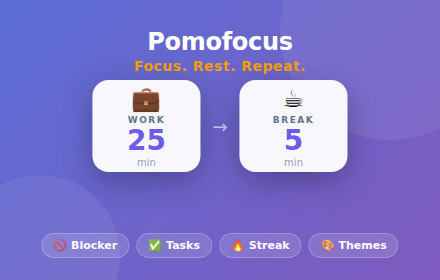
Pomofocus: Pomodoro Timer & Site Blocker for Study
Smart focus timer with website blocking. Beat procrastination, boost focus, and increase productivity during study sessions!
247
★ 5.0

Focus Pomodoro Timer
A beautiful, animated Pomodoro timer to boost productivity with customizable intervals, notifications, and motivational messages.
16
★ 2.0

Focus Flow - Pomodoro Timer & Guided Meditation
Pomodoro Timer with Mindful Breaks & Guided Meditation
8
★ 5.0

PomoTimer
A floating, draggable Pomodoro timer widget on every webpage.
—

Flow - Strict Focus Timer
Stay locked in. AI-powered focus timer that pauses when you look away or pick up your phone.
1

Focus Flow
Productivity and website blocking extension with Pomodoro timer
5

Pomodoro Timer
A Pomodoro timer that blocks distractions and boosts productivity.
27
Data sourced from the Chrome Web Store · last verified May 31, 2026.