Pomofocus: Pomodoro Timer & Site Blocker for Study
Smart focus timer with website blocking. Beat procrastination, boost focus, and increase productivity during study sessions!
As of June 2026, Pomofocus: Pomodoro Timer & Site Blocker for Study has 247 users and a 5.00/5 rating from 5 reviews in the Workflow & Planning category.
Usersup 280.0 percent+280.0%
247
247
Ratingno change0%
5.00
5 reviews
Reviewsup 25.0 percent+25.0%
5
Version
1.5
Manifest V3
90-day change · In the last 90 days this extension 1 version update.
History
10 snapshotsTracking since Apr 6, 2026.
View as table
| Date | Users | Rating | Reviews | Version |
|---|---|---|---|---|
| Apr 6, 2026 | 65 | 5.00 | 4 | 1.4 |
| Apr 18, 2026 | 76 | 5.00 | 4 | 1.4 |
| Apr 23, 2026 | 101 | 5.00 | 5 | 1.4 |
| May 7, 2026 | 117 | 5.00 | 5 | 1.4 |
| May 12, 2026 | 145 | 5.00 | 5 | 1.4 |
| May 17, 2026 | 151 | 5.00 | 5 | 1.4 |
| May 24, 2026 | 166 | 5.00 | 5 | 1.4 |
| May 30, 2026 | 183 | 5.00 | 5 | 1.5 |
| Jun 6, 2026 | 195 | 5.00 | 5 | 1.5 |
| Jun 15, 2026 | 214 | 5.00 | 5 | 1.5 |
| Now | 247 | 5.00 | 5 | 1.5 |
Changelog
- May 24, 2026description
🚀 Quick Start with Pomofocus
 1️⃣ Install the pomofocus app by clicking the Add to Chrome button.
 2️⃣ Open the extension and set your work and break intervals.
 3️⃣ Click the Start Work button to begin your first pomodoro session.
 4️⃣ Watch the aesthetic pulsing animation while you stay focused!
 5️⃣ Listen for the bell sound when it is time to take a break.

Meet pomofocus, your professional pomo timer for time management and deep work. This tool implements the pomodoro technique to help you maintain concentration during study sessions or complex tasks. Use the pomofocus timer to balance intense activity with necessary rest through the pomo focus method.

⏱ How the Pomodoro Technique Works
1. Choose a task you want to accomplish with the pomofocus app.
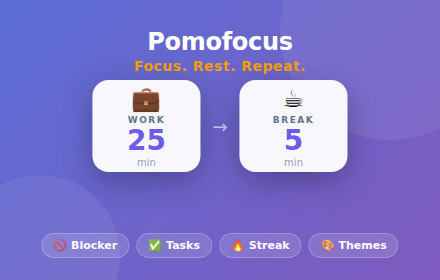
2. Set the pomo timer for your desired work interval (default 25 minutes).
3. Work with full focus until the timer rings.
4. Take a short break using the pomo focus timer (default 5 minutes).
5. Repeat the cycle and watch your productivity soar with pomodofocus technique.

🌟 Key Features of pomofocus app
 ➤ Pomodoro timer: Start focus sessions with one click using dedicated work and break buttons.
 ➤ Custom intervals: Adjust the pomofocus timer settings to match your workflow and energy levels.
 ➤ Smart automation: Enable auto-start feature for seamless pomodoro technique transitions.
 ➤ Visual feedback: Active button features soft "breathing" animation during pomo focus sessions.
 ➤ Desktop alerts: Receive notifications and audio signals when each pomo interval ends.
 ➤ Motivational quotes: Get inspired every time you open the pomofocus extension.

📝 Save Time with Pomodoro Method
 • As a professional or student, managing energy is crucial. The pomofocus app divides your day into manageable pomodo blocks. Use the pomo focus timer to prevent burnout and keep your mind fresh during work sessions.
 • The pomofocus extension is perfect for maintaining flow state. Whether coding, writing, or studying, this pomo timer keeps you on track with accurate cycles using the proven pomodoro technique.
 • Setting up a session is intuitive. Enter your minutes and let pomodofocus handle the rest. Your pomo settings save automatically for next time.

📈 Why Choose Our Pomodoro Timer?
▸ Enhanced focus: Eliminate distractions with short, intense work bursts using pomofocus technique.
▸ Better health: Regular breaks encouraged by pomo focus method reduce eye strain and fatigue.
▸ Easy tracking: See remaining pomodo minutes on the extension badge in your browser bar.
▸ Versatile use: Perfect for pomofocus study sessions, office work, or personal projects.
▸ No hidden fees: Use all pomo timer features without subscriptions.

🖥️ Professional Design for Pomodoro Sessions
 Aesthetic tools improve motivation. With pomofocus, you get a minimalist dark theme that looks premium. The pulsing animation provides a calm visual anchor during your pomodoro work intervals. It is more than just a timer; it is your companion for achieving goals with pomo focus approach.

🎓 Perfect for Students Using Pomodoro Method
➤ Study sessions: Set the pomofocus study timer for 50 minutes and dive deep into learning.
 ➤ Exam preparation: Break down syllabus with structured pomo focus intervals using pomofocus app.
 ➤ Language learning: Practice in effective pomodoro intervals with our pomodofocus tool.

💼 Real Examples from Professionals
- Freelancers: Manage multiple projects with dedicated pomodo time slots using pomofocus timer.
 - Developers: Maintain flow during coding with non-intrusive pomo focus app sessions.
 - Creatives: Balance inspiration and execution with timed pomo rest periods.
 - Remote workers: Structure your home office with proven pomodoro technique method.

📌 How does the pomodoro technique work?
 💡 The pomo method divides work into focused intervals separated by short breaks. Our pomo focus timer automates this cycle to boost your productivity.

📌 Can I customize the pomodoro timer length?
 💡 Yes! Enter any number of minutes in the pomofocus settings. Adjust both work and break intervals to match your needs.

📌 Is my privacy protected?
 💡 Yes. The pomofocus app operates locally in your browser and does not collect personal data during your pomodoro sessions.

📌 What is pomo focus?
💡 Pomo focus is short for pomodoro focus technique. Our pomofocus timer implements this proven time management method to help you work in focused intervals with regular breaks.

🚀 Start Your Pomodoro Journey Today
 Master the pomodoro technique and reach your goals faster with the pomofocus tool. Whether you need a reliable pomodoro timer for study sessions or a pomo focus app for professional work, our extension delivers results.

👆🏻 Click Add to Chrome now and boost productivity with pomodofocus today! 🎉
🎯 STRUGGLING TO FOCUS? RECLAIM YOUR TIME WITH POMOFOCUS!

You open your browser to work or study, but find yourself doomscrolling social media or watching random videos? Procrastination is a silent productivity killer.

POMOFOCUS is an aesthetic, lightweight, and ultra-intuitive Chrome extension that combines the scientifically proven Pomodoro Technique, a built-in task manager, and a flexible website blocker. Unlike simple timers, our solution offers a comprehensive approach to self-discipline: while the work cycle is running, the extension gently prevents you from visiting distracting resources, allowing you to enter a state of deep concentration (Flow State).

WHY THE POMODORO TECHNIQUE WORKS?
Scientific studies show that using timed intervals (25 minutes of focus and 5 minutes of rest) reduces mental fatigue, improves attention span, and significantly boosts motivation compared to working without a structured plan.

⚡ KEY FEATURES FOR YOUR ULTIMATE PRODUCTIVITY:

⏱️ SMART FOCUS TIMER
Customize intervals to match your personal rhythm. Use the classic 25/5 cycle or create your own custom study sessions.
- Auto-Start Cycles: Enable automatic start for the next timer to maintain your flow without extra clicks.
- One-Click Reset: Manage your time sessions without limits.
- Pop-out Tab Mode: A special button instantly opens the timer in a new full-screen tab. Perfect for screen sharing during Zoom calls, Google Meet presentations, or study streams.

🚫 INTEGRATED SITE BLOCKER
Forget about digital temptations. Add YouTube, Reddit, or social media to your blocklist in any format.
- Smart Activation: Website blocking is active ONLY during the work timer and automatically turns off once the break starts!
- Smart Cycles Setup: Configure a long rest automatically after a set number of sessions (e.g., a 15-20 minute break after every 4 completed pomodoros).

📝 BUILT-IN TASK MANAGER
Keep your daily goals front and center. Add quick tasks, mark them as completed, and clear your history with a single click. No bloated integrations—just pure focus on results.

🎨 GORGEOUS PERSONALIZATION & THEMES
Create a workspace that inspires you. Choose from:
- Stylish Dark Mode for late-night work.
- Soothing Slate theme to reduce eye strain.
- Auto-sync with your system settings.
- Custom Mode: be the designer of your timer by picking your own background and text colors.

🔔 CUSTOM AUDIO NOTIFICATIONS
Tired of harsh system alarms? Use our pleasant default sounds or UPLOAD YOUR OWN AUDIO FILE (.mp3,.wav,.ogg up to 2MB) directly from your computer for the perfect break signal.

🎹 CUSTOM KEYBOARD SHORTCUTS
Control time at the speed of thought. Set up custom hotkeys to start work, begin a break, or reset the timer without touching your mouse.

🔥 VISUAL STREAK TRACKING
A special flame indicator tracks how many days in a row you've stayed disciplined and counts your total daily cycles. Build healthy habits and never break the chain!

🔒 SECURE & PRIVATE (MANIFEST V3)
Pomofocus is built on the latest Chrome security standards. The extension runs 100% locally in your browser. We do not use cloud servers, collect personal data, blocklists, or browsing history. Your privacy is our priority.

🎯 PERFECT FOR:
- STUDENTS: The ideal study timer to finish homework and prepare for exams without social media distractions.
- DEVELOPERS & CREATORS: Protect your time during deep work stretches and avoid burnout.
- ADHD SUPPORT: Clear timeboxes and visual milestones help maintain focus on a single task.

Join thousands of users worldwide who have already improved their time management with Pomofocus. Available in 52 languages to make professional productivity tools accessible to everyone.

Stop just 'being busy'—start doing what truly matters. Install Pomofocus today and feel the difference in concentration from the very first cycle!
- May 24, 2026short_description
Aesthetic Pomofocus timer for deep work. Pomo focus app with pomodoro technique, custom study sessions and auto-start breaks.
Smart focus timer with website blocking. Beat procrastination, boost focus, and increase productivity during study sessions!
- May 24, 2026name
Pomofocus
Pomofocus: Pomodoro Timer & Site Blocker for Study
Permissions & access
- Permissions
- alarmsnotificationsstorageoffscreendeclarativeNetRequestdeclarativeNetRequestWithHostAccesstabswebNavigation
- Host access
- <all_urls>
Screenshots


About
🎯 STRUGGLING TO FOCUS? RECLAIM YOUR TIME WITH POMOFOCUS!

You open your browser to work or study, but find yourself doomscrolling social media or watching random videos? Procrastination is a silent productivity killer.

POMOFOCUS is an aesthetic, lightweight, and ultra-intuitive Chrome extension that combines the scientifically proven Pomodoro Technique, a built-in task manager, and a flexible website blocker. Unlike simple timers, our solution offers a comprehensive approach to self-discipline: while the work cycle is running, the extension gently prevents you from visiting distracting resources, allowing you to enter a state of deep concentration (Flow State).

WHY THE POMODORO TECHNIQUE WORKS?
Scientific studies show that using timed intervals (25 minutes of focus and 5 minutes of rest) reduces mental fatigue, improves attention span, and significantly boosts motivation compared to working without a structured plan.

⚡ KEY FEATURES FOR YOUR ULTIMATE PRODUCTIVITY:

⏱️ SMART FOCUS TIMER
Customize intervals to match your personal rhythm. Use the classic 25/5 cycle or create your own custom study sessions.
- Auto-Start Cycles: Enable automatic start for the next timer to maintain your flow without extra clicks.
- One-Click Reset: Manage your time sessions without limits.
- Pop-out Tab Mode: A special button instantly opens the timer in a new full-screen tab. Perfect for screen sharing during Zoom calls, Google Meet presentations, or study streams.

🚫 INTEGRATED SITE BLOCKER
Forget about digital temptations. Add YouTube, Reddit, or social media to your blocklist in any format.
- Smart Activation: Website blocking is active ONLY during the work timer and automatically turns off once the break starts!
- Smart Cycles Setup: Configure a long rest automatically after a set number of sessions (e.g., a 15-20 minute break after every 4 completed pomodoros).

📝 BUILT-IN TASK MANAGER
Keep your daily goals front and center. Add quick tasks, mark them as completed, and clear your history with a single click. No bloated integrations—just pure focus on results.

🎨 GORGEOUS PERSONALIZATION & THEMES
Create a workspace that inspires you. Choose from:
- Stylish Dark Mode for late-night work.
- Soothing Slate theme to reduce eye strain.
- Auto-sync with your system settings.
- Custom Mode: be the designer of your timer by picking your own background and text colors.

🔔 CUSTOM AUDIO NOTIFICATIONS
Tired of harsh system alarms? Use our pleasant default sounds or UPLOAD YOUR OWN AUDIO FILE (.mp3,.wav,.ogg up to 2MB) directly from your computer for the perfect break signal.

🎹 CUSTOM KEYBOARD SHORTCUTS
Control time at the speed of thought. Set up custom hotkeys to start work, begin a break, or reset the timer without touching your mouse.

🔥 VISUAL STREAK TRACKING
A special flame indicator tracks how many days in a row you've stayed disciplined and counts your total daily cycles. Build healthy habits and never break the chain!

🔒 SECURE & PRIVATE (MANIFEST V3)
Pomofocus is built on the latest Chrome security standards. The extension runs 100% locally in your browser. We do not use cloud servers, collect personal data, blocklists, or browsing history. Your privacy is our priority.

🎯 PERFECT FOR:
- STUDENTS: The ideal study timer to finish homework and prepare for exams without social media distractions.
- DEVELOPERS & CREATORS: Protect your time during deep work stretches and avoid burnout.
- ADHD SUPPORT: Clear timeboxes and visual milestones help maintain focus on a single task.

Join thousands of users worldwide who have already improved their time management with Pomofocus. Available in 52 languages to make professional productivity tools accessible to everyone.

Stop just 'being busy'—start doing what truly matters. Install Pomofocus today and feel the difference in concentration from the very first cycle!
Technical
- Version
- 1.5
- Manifest
- V3
- Size
- 253KiB
- Min Chrome
- 88
- Languages
- 52
- Featured
- No
Metadata
- ID
- jikfcblkfndeaicenmeajicfanlmiokm
- Developer ID
- u283076696c9156cc253a09f03a4116be
- Developer Email
- [email protected]
- Created
- Feb 9, 2026
- Last Updated (Store)
- May 20, 2026
- Last Scraped
- Jun 15, 2026
- Website
- —
- Support URL
- —
Similar extensions
Alternatives to Pomofocus: Pomodoro Timer & Site Blocker for Study, ranked by description similarity.

Pomodoro Timer
Use an aesthetic Pomodoro Timer app online based on time management methods as a work, study, and break timer in a Chrome extension.
379
★ 5.0

Simple Pomodoro Timer
A clean and simple Pomodoro timer to boost your productivity. Focus for 25 minutes, take breaks, and track your sessions.
3

Pomodoro Buddy
A simple Pomodoro timer to boost focus and productivity with structured focus and break sessions.
22
★ 5.0

Focus Timer
Use Focus Timer to build deep work habits with structured pomodoro sessions, distraction-free workflow, and smart breaks
956
★ 5.0

Pomodoro Timer
A simple Chrome extension for Pomodoro Timer : Do more in less time, stress-free.
91

Better Pomodoro
Clean Pomodoro with streaks, badges, weekly reports, Markdown export, and calendar block.
1
Study Timer
Use Study Timer: Boost your time focus with the Pomodoro Technique and task timer for ultimate productivity with our app.
6.0K
★ 4.8

Pomodoro Technique Timer
Pomodoro technique timer for focused work and study. Customizable intervals, task tracking, reports, and break reminders.
1.0K
★ 4.6
Data sourced from the Chrome Web Store · last verified Jun 15, 2026.