
LanSchool Student
LanSchool Student application for Chromebook
As of May 2026, LanSchool Student has — users and a 1.25/5 rating from 166 reviews.
Usersno change0%
—
—
Ratingno change0%
1.25
166 reviews
Reviewsdown 0.6 percent−0.6%
166
Version
8.0.2.15
Manifest V2
History
2 snapshotsTracking since Apr 28, 2026.
Not enough history yet for this metric — the chart fills in as we collect more snapshots.
View as table
| Date | Users | Rating | Reviews | Version |
|---|---|---|---|---|
| Apr 28, 2026 | — | 1.25 | 167 | 8.0.2.15 |
| May 25, 2026 | — | 1.25 | 167 | 8.0.2.15 |
| Now | — | 1.25 | 166 | 8.0.2.15 |
Permissions & access
- Permissions
- storageunlimitedStoragesystem.cpusystem.memorydesktopCapturefullscreenoverrideEscFullscreensystem.networkcontextMenusalarmsalwaysOnTopWindowsidleidentityidentity.emailnotificationssystem.display
- Host access
- http://*/, https://accounts.google.com/*, https://www.googleapis.com/*
Screenshots

About
LanSchool v8.0 classroom management software is an award winning software program designed to help teachers teach more effectively in a computer-based classroom. (Please note that this application will only function in a LanSchool-managed classroom environment.)

The LanSchool Student for Chromebook operates within the LanSchool environment providing many of the same features as the desktop LanSchool Student for Mac, Windows, Linux, iOS and Android.

The LanSchool Student for Chromebook will have the following benefits for students, teachers, professors or corporate trainers:

Assess Student Understanding – Students can be quickly polled during a lecture and can reply to True/False, Multiple Choice or Verbal questions sent by the LanSchool Teacher.

Help Individual Students – The Student can interact with the Teacher by sending and receiving messages. Students can silently send questions or request help. A small question mark appears on the teacher's console when a Student sends a question.

View Student Thumbnails – Student thumbnails appear on the Teacher Console allowing teachers a quick overview of what the students are working on.

Show Student Details – The details view of Chromebook Student will show student name, machine name, last website, last question and Teacher channel.

Testing – The LanSchool Teacher can send a test to the Chromebook Student and collect the test results.  Test questions can include True / False, Multiple Choice, Short Answer and Essay questions.  Images can also be attached to each test question.

Show Teacher Screen – The LanSchool Teacher has the ability to share a screen to all or select Students allowing them to follow along.

Web Browsing – Temporarily disable all or selected student access to the web across browser. The Teacher controls the sites the Student may browse to or may direct the Student to specific sites.

Internet History – Shows a searchable list of web sites visited by the selected student, which may be saved to a file.

Blank Screen – The Teacher may blank-out all student screens and disable keyboard and mouse.

Run URL – This feature allows a Teacher to run a web site on student computers.

Class list support – Chromebook Student will respond to Teacher request to be loaded into a class.

The LanSchool Student is a free app, but requires LanSchool v8.0 to run in a classroom.

Please visit www.lenovosoftware.com/lanschool for more information.
Technical
- Version
- 8.0.2.15
- Manifest
- V2
- Size
- 2.84MiB
- Min Chrome
- 37.0
- Languages
- 14
- Featured
- No
Metadata
- ID
- ifeifkfohlobcbhmlfkenopaimbmnahb
- Developer ID
- u9fe557660ef15a8d866f5a45ddb6c573
- Developer Email
- [email protected]
- Created
- Apr 4, 2014
- Last Updated (Store)
- Feb 17, 2021
- Last Scraped
- May 25, 2026
- Website
- —
- Privacy Policy
- —
Similar extensions
Alternatives to LanSchool Student, ranked by description similarity.
NetSupport School Student
The #1 choice for IT educators worldwide, NetSupport School delivers the tools you need to help maximize the effectiveness of…
—
★ 3.2
NetSupport School Tutor
The #1 choice for IT educators worldwide, NetSupport School delivers the tools you need to help maximize the effectiveness of…
—
★ 4.7
classroom.cloud Student
classroom.cloud delivers a set of stress-free, simple yet effective cloud-based teaching, online safety/safeguarding and technician…
—
★ 1.5

Senso Extension
Connect your Chrome devices to senso.cloud to seamlessly teach, monitor and safeguard students in the classroom and beyond.
—
★ 1.0

ClassCalc
~~ClassCalc Test Mode Lockdown for Chromebooks~~
To download ClassCalc on your Chromebook, your school IT admin must whitelist…
—
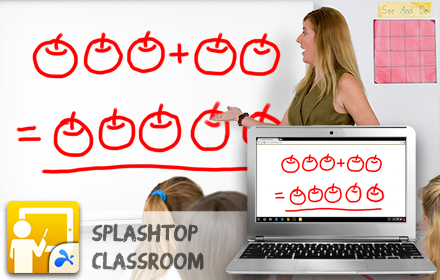
Splashtop Classroom
Now view and control the teachers PC/Mac directly on your Chromebook or using your Chrome Browser
20.0K
★ 3.5

Classroom View Pro
Classroom View Pro Extension
345
★ 2.7
Netop Vision Teacher
Save time, enhance learning, and keep students safe in the digital classroom.
—
★ 3.4
Data sourced from the Chrome Web Store · last verified May 25, 2026.