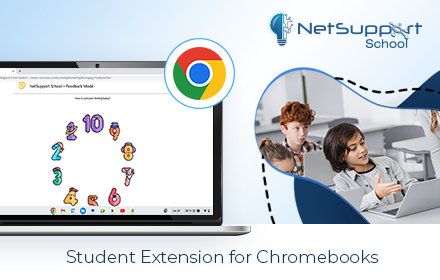
NetSupport School Student
The #1 choice for IT educators worldwide, NetSupport School delivers the tools you need to help maximize the effectiveness of…
As of June 2026, NetSupport School Student has — users and a 3.23/5 rating from 119 reviews in the Workflow & Planning category.
Usersno change0%
—
—
Ratingdown 0.9 percent−0.9%
3.23
119 reviews
Reviewsup 1.7 percent+1.7%
119
Version
15.0.3.0
Manifest V3
90-day change · In the last 90 days this extension 1 version update.
History
10 snapshotsTracking since Apr 1, 2026.
View as table
| Date | Users | Rating | Reviews | Version |
|---|---|---|---|---|
| Apr 1, 2026 | 300.0K | 3.26 | 117 | 15.0.2.0 |
| Apr 5, 2026 | 300.0K | 3.26 | 117 | 15.0.3.0 |
| Apr 18, 2026 | — | 3.26 | 117 | 15.0.3.0 |
| Apr 22, 2026 | 200.0K | 3.26 | 117 | 15.0.3.0 |
| Apr 25, 2026 | 300.0K | 3.26 | 117 | 15.0.3.0 |
| Apr 28, 2026 | 300.0K | 3.26 | 117 | 15.0.3.0 |
| May 5, 2026 | — | 3.26 | 117 | 15.0.3.0 |
| May 17, 2026 | 300.0K | 3.26 | 117 | 15.0.3.0 |
| May 21, 2026 | 300.0K | 3.21 | 120 | 15.0.3.0 |
| May 25, 2026 | 300.0K | 3.23 | 119 | 15.0.3.0 |
| Now | — | 3.23 | 119 | 15.0.3.0 |
Changelog
- Apr 1, 2026description
The #1 choice for IT educators worldwide, NetSupport School delivers the tools you need to help maximize the effectiveness of computer-led teaching and now you can utilize the power of NetSupport School in a Google Chrome environment.

For use in your existing NetSupport-managed classroom, the NetSupport School Student extension can be installed on each student machine running the Google Chrome OS. From the teacher's machine (Chrome OS or Windows) you can then connect to each system enabling you to monitor and interact with each student quickly and efficiently.

KEY FEATURES:
- View a crystal clear thumbnail of each student device in a single view and zoom in to view a larger thumbnail of any selected student Chromebook.
- Open a separate view session to discreetly monitor a selected student’s screen and take a closer look at activity – perfect for ensuring students are on task with their learning activities. (The open Browser activity can be viewed in Thumbnail and View modes along with the option to view the full desktop if required.)
- The teacher can set objectives and expected outcomes for the current lesson.
- Ask students to register at the start of each lesson.
- The teacher can show their desktop to students’ Chromebooks to help demonstrate a point or show students how to do a particular task.
- Lock the student's mouse and keyboard when instructing.
- The teacher can send an instant survey to students during or at the end of a session, helping to instantly capture students’ understanding of a topic.
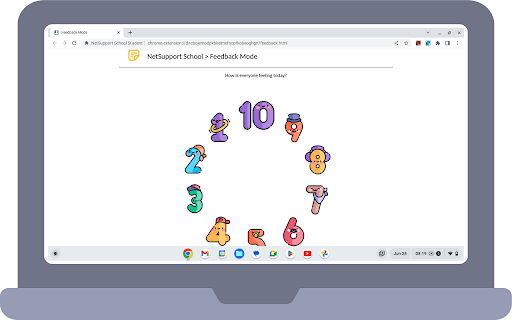
- The Feedback and Wellbeing feature can be used by teachers to gauge how students feel, their confidence with a topic and whether they need extra support.
- The teacher can open a discussion session that all or selected students can join, enter their comments and share with the rest of the class.
- Send an attention-grabbing message or instruction to each student machine.
- Request Help facility - students can send a request for help to the teacher.
- Block unauthorized websites.
- Use approved websites only.
- Block all Internet access.
- Launch a website on the student Chromebook.
- Block FTP Access.
- See details of the website that students are currently viewing.

CHROME INCOGNITO MODE:
To ensure you retain full visibility of your students' internet use, it is recommended that you ‘disallow’ Incognito Mode in the Chrome OS User Settings via Google Apps for Education.

INSTALLATION and PRE-REQUISITES:
For a teacher to be able to monitor and interact with their students using Google Chromebooks, the NetSupport Name & Connectivity Server must be installed on a Windows Server; the NetSupport School Tutor app for Google Chrome must be installed on the teacher's Chrome OS machine or for mixed platform classrooms, the NetSupport School Windows Tutor application can also connect to student Chromebooks; and the NetSupport School Student extension installed onto each of the students' Chromebooks. An IT Admin can centrally manage the configuration and deployment of the Student extension within the Google Admin Console.

The NetSupport School student for Chrome OS can be used with the existing NetSupport School licences you have already purchased (as long as you have sufficient unused licences).

Please visit www.netsupportschool.com/chrome for more information and a simple step-by-step guide to managing your Chrome OS students in the classroom.

Latest changes in version 15.0.2.0

- Performance and operability enhancements.
The #1 choice for IT educators worldwide, NetSupport School delivers the tools you need to help maximize the effectiveness of computer-led teaching and now you can utilize the power of NetSupport School in a Google Chrome environment.

For use in your existing NetSupport-managed classroom, the NetSupport School Student extension can be installed on each student machine running the Google Chrome OS. From the teacher's machine (Chrome OS or Windows) you can then connect to each system enabling you to monitor and interact with each student quickly and efficiently.

KEY FEATURES:
- View a crystal clear thumbnail of each student device in a single view and zoom in to view a larger thumbnail of any selected student Chromebook.
- Open a separate view session to discreetly monitor a selected student’s screen and take a closer look at activity – perfect for ensuring students are on task with their learning activities. (The open Browser activity can be viewed in Thumbnail and View modes along with the option to view the full desktop if required.)
- The teacher can set objectives and expected outcomes for the current lesson.
- Ask students to register at the start of each lesson.
- The teacher can show their desktop to students’ Chromebooks to help demonstrate a point or show students how to do a particular task.
- Lock the student's mouse and keyboard when instructing.
- The teacher can send an instant survey to students during or at the end of a session, helping to instantly capture students’ understanding of a topic.
- The Feedback and Wellbeing feature can be used by teachers to gauge how students feel, their confidence with a topic and whether they need extra support.
- The teacher can open a discussion session that all or selected students can join, enter their comments and share with the rest of the class.
- Send an attention-grabbing message or instruction to each student machine.
- Request Help facility - students can send a request for help to the teacher.
- Block unauthorized websites.
- Use approved websites only.
- Block all Internet access.
- Launch a website on the student Chromebook.
- Block FTP Access.
- See details of the website that students are currently viewing.

CHROME INCOGNITO MODE:
To ensure you retain full visibility of your students' internet use, it is recommended that you ‘disallow’ Incognito Mode in the Chrome OS User Settings via Google Apps for Education.

INSTALLATION and PRE-REQUISITES:
For a teacher to be able to monitor and interact with their students using Google Chromebooks, the NetSupport Name & Connectivity Server must be installed on a Windows Server; the NetSupport School Tutor app for Google Chrome must be installed on the teacher's Chrome OS machine or for mixed platform classrooms, the NetSupport School Windows Tutor application can also connect to student Chromebooks; and the NetSupport School Student extension installed onto each of the students' Chromebooks. An IT Admin can centrally manage the configuration and deployment of the Student extension within the Google Admin Console.

The NetSupport School student for Chrome OS can be used with the existing NetSupport School licences you have already purchased (as long as you have sufficient unused licences).

Please visit www.netsupportschool.com/chrome for more information and a simple step-by-step guide to managing your Chrome OS students in the classroom.

Latest changes in version 15.0.3.0

- Performance and operability enhancements.
Permissions & access
- Permissions
- tabsnotificationsdesktopCaptureactiveTabmanagementclipboardWriteclipboardReadpowerenterprise.deviceAttributesenterprise.hardwarePlatformenterprise.networkingAttributesidentityidentity.emailhistorysystem.cpusystem.memorysystem.storageunlimitedStoragesystem.displayidleoffscreendownloads
- Host access
- <all_urls>
Screenshots




About
The #1 choice for IT educators worldwide, NetSupport School delivers the tools you need to help maximize the effectiveness of computer-led teaching and now you can utilize the power of NetSupport School in a Google Chrome environment.

For use in your existing NetSupport-managed classroom, the NetSupport School Student extension can be installed on each student machine running the Google Chrome OS. From the teacher's machine (Chrome OS or Windows) you can then connect to each system enabling you to monitor and interact with each student quickly and efficiently.

KEY FEATURES:
- View a crystal clear thumbnail of each student device in a single view and zoom in to view a larger thumbnail of any selected student Chromebook.
- Open a separate view session to discreetly monitor a selected student’s screen and take a closer look at activity – perfect for ensuring students are on task with their learning activities. (The open Browser activity can be viewed in Thumbnail and View modes along with the option to view the full desktop if required.)
- The teacher can set objectives and expected outcomes for the current lesson.
- Ask students to register at the start of each lesson.
- The teacher can show their desktop to students’ Chromebooks to help demonstrate a point or show students how to do a particular task.
- Lock the student's mouse and keyboard when instructing.
- The teacher can send an instant survey to students during or at the end of a session, helping to instantly capture students’ understanding of a topic.
- The Feedback and Wellbeing feature can be used by teachers to gauge how students feel, their confidence with a topic and whether they need extra support.
- The teacher can open a discussion session that all or selected students can join, enter their comments and share with the rest of the class.
- Send an attention-grabbing message or instruction to each student machine.
- Request Help facility - students can send a request for help to the teacher.
- Block unauthorized websites.
- Use approved websites only.
- Block all Internet access.
- Launch a website on the student Chromebook.
- Block FTP Access.
- See details of the website that students are currently viewing.

CHROME INCOGNITO MODE:
To ensure you retain full visibility of your students' internet use, it is recommended that you ‘disallow’ Incognito Mode in the Chrome OS User Settings via Google Apps for Education.

INSTALLATION and PRE-REQUISITES:
For a teacher to be able to monitor and interact with their students using Google Chromebooks, the NetSupport Name & Connectivity Server must be installed on a Windows Server; the NetSupport School Tutor app for Google Chrome must be installed on the teacher's Chrome OS machine or for mixed platform classrooms, the NetSupport School Windows Tutor application can also connect to student Chromebooks; and the NetSupport School Student extension installed onto each of the students' Chromebooks. An IT Admin can centrally manage the configuration and deployment of the Student extension within the Google Admin Console.

The NetSupport School student for Chrome OS can be used with the existing NetSupport School licences you have already purchased (as long as you have sufficient unused licences).

Please visit www.netsupportschool.com/chrome for more information and a simple step-by-step guide to managing your Chrome OS students in the classroom.

Latest changes in version 15.0.3.0

- Performance and operability enhancements.
Technical
- Version
- 15.0.3.0
- Manifest
- V3
- Size
- 3.5MiB
- Min Chrome
- 88
- Languages
- 24
- Featured
- No
Metadata
- ID
- gcjpefhffmcgplgklffgbebganmhffje
- Developer ID
- u6206511c2170681f257d536ba0228c1e
- Developer Email
- [email protected]
- Created
- Apr 30, 2012
- Last Updated (Store)
- Mar 30, 2026
- Last Scraped
- Jun 7, 2026
- Support URL
- http://www.netsupportsoftware.com/support
- Privacy Policy
- https://www.netsupportsoftware.com/privacy/
Similar extensions
Alternatives to NetSupport School Student, ranked by description similarity.
classroom.cloud Student
classroom.cloud delivers a set of stress-free, simple yet effective cloud-based teaching, online safety/safeguarding and technician…
—
★ 1.5

NetSupport DNA Agent
NetSupport DNA - IT Asset Management
—
★ 5.0

NetSupport Notify Agent
Desktop Notification and Alerting
10.0K

LearnPlatform for Students
LearnPlatform for Students provides school administrators an easy way to measure student engagement with EdTech products.
1.0M
★ 1.3
Net Monitor for Employees
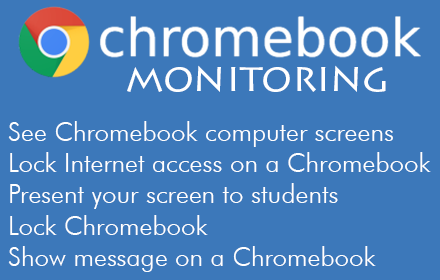
Net Monitor for Employees Extension
69

IMTLazarusv3
IMTLazarus's remote filtering agent.
—
★ 1.2

Google Classroom Tweaks
Making Google Classroom more productive
1.0K
★ 5.0

Annotate: Web Annotations with Screen Sharing
Annotate web pages, PDFs, Google Slides, and Google Docs to improve engagement. Annotate in Google Meet when screen sharing.
100.0K
★ 4.2
Data sourced from the Chrome Web Store · last verified Jun 7, 2026.