
Whats in Docs
Track student writing process and revision history in Google Docs
As of June 2026, Whats in Docs has — users in the Productivity category.
Usersno change0%
—
—
Ratingno change0%
—
— reviews
Reviewsno change0%
—
Version
1.1.0
Manifest V3
History
5 snapshotsTracking since Apr 17, 2026.
View as table
| Date | Users | Rating | Reviews | Version |
|---|---|---|---|---|
| Apr 17, 2026 | 2 | — | — | 1.1.0 |
| Apr 27, 2026 | 5 | — | — | 1.1.0 |
| May 14, 2026 | 5 | — | — | 1.1.0 |
| May 23, 2026 | 6 | — | — | 1.1.0 |
| Jun 2, 2026 | 5 | — | — | 1.1.0 |
| Now | — | — | — | 1.1.0 |
Permissions & access
- Permissions
- identitystorageunlimitedStorageactiveTabtabscookies
- Host access
- https://docs.google.com/*, https://www.googleapis.com/*
Screenshots


About
Unlock the full story behind every Google Doc. WhatsInDocs is the ultimate revision history tracker and writing analysis tool for teachers, editors, and writers. Go beyond the basic "Version History" and see exactly how a document was created, step-by-step. Whether you are a teacher verifying student work, an editor reviewing a draft, or a writer analyzing your own productivity, WhatsInDocs gives you the insights you need. 🚀 Key Features 🎥 Interactive Document Replay Watch your document being written character-by-character, just like a video! Time-Lapse View: See the entire creation process from blank page to final draft. Smart Auto-Scroll: The view automatically follows the active typing position, so you never miss an edit. Pageless View: Seamlessly scroll through long documents without awkward page breaks. Adjustable Speed: Watch at 1x, 2x, or even 10x speed to review long sessions in minutes. 🕵️♂️ Advanced Paste Detection Instantly spot where content came from. Visual Markers: Orange markers on the replay timeline show exactly when text was pasted. Highlighting: Click any marker to jump to that moment and see the pasted text highlighted in orange. Dual Detection: Detects both real-time copy-pastes (while you write) and historical large insertions (from past revisions). 📊 Comprehensive Writing Analytics Get deep insights into the writing process. Total Time Spent: Calculate the actual active writing time, excluding idle breaks. Writing Sessions: View a detailed timeline of every session—who wrote it, when, and for how long. Word Count Progress: Visualize how the document grew over time with interactive charts. Typing Speed: Analyze Words Per Minute (WPM) to find your most productive flows. ⚡ Seamless Integration Built for Google Docs: Adds a helpful "Analyze" banner directly to the top of your Google Docs interface. One-Click Analysis: Get instant stats without leaving your workflow. Works Offline: Cached analysis lets you review stats even without re-scanning. 🎓 Perfect For... Teachers & Educators: Ensure academic integrity by verifying that students typed their work. The replay feature makes it easy to distinguish between organic writing and copy-pasted AI content. Writers & Authors: Understand your own creative process. See which parts of your draft took the longest and celebrate your writing sprints. Editors & Teams: Visualize the contribution of each team member and track the evolution of a collaborative document. 🔒 Privacy & Security We take your privacy seriously. Local Processing: All analysis is performed locally within your browser. No External Servers: Your document content is never sent to our servers. We communicate directly with Google's official APIs. Secure Permissions: We only request the minimum permissions needed to read your document's revision history. ☕ Support the Developer WhatsInDocs is a labor of love. If this extension helps you save time or grade papers, consider supporting its development!
Technical
- Version
- 1.1.0
- Manifest
- V3
- Size
- 69.51KiB
- Min Chrome
- 88
- Languages
- 1
- Featured
- No
Metadata
- ID
- iclknaeignipfndeopabgekkamfolhdk
- Developer ID
- ubd36bbdf69e862402cb16267b606daf1
- Developer Email
- [email protected]
- Created
- Nov 26, 2025
- Last Updated (Store)
- Nov 30, 2025
- Last Scraped
- Jun 2, 2026
- Website
- —
- Support URL
- —
- Privacy Policy
- https://github.com/medemirkaya/whatsindocsprivacy
Similar extensions
Alternatives to Whats in Docs, ranked by description similarity.

WriteHuman - History Replay for Google Docs
WriteHuman lets you watch the writing of any Google Doc (that you’re given access to, or the editor of) from start to finish.
10.0K
★ 4.3

Save to Google Docs
Save selected text from any webpage directly to Google Docs with a simple right-click.
277
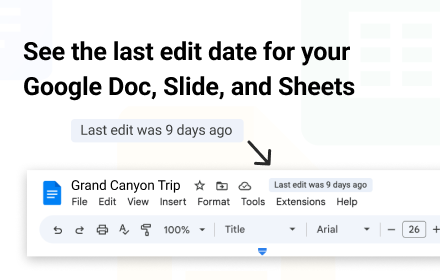
When Was Last Edit?
This extension shows when the doc was last edited
289
★ 4.5

DocLens
Writing-process playback and grading tool for Google Docs
2
★ 5.0

Ghost Writer - Free
Make AI write and type for you. Effortlessly bypass revision history based AI detection.
238
★ 5.0

WhatDoesThisDo: Instant Summaries & Mindmaps
Summarize websites, YouTube & PDFs instantly. Turn content into clear insights, visual diagrams & flowcharts.
6
★ 5.0

Integrito — Analyze Text, Check Plagiarism&AI
This extension is a helpful all-in-one tool for education and working with texts.
5.0K
★ 4.8

Google Docs Auto-Scroller
Automatically scrolls to new content in Google Docs with toggleable controls
96
Data sourced from the Chrome Web Store · last verified Jun 2, 2026.