
PrimitivePomodoro
Browser progress bar pomodoro timer
As of June 2026, PrimitivePomodoro has — users in the Workflow & Planning category.
Usersno change0%
—
—
Ratingno change0%
—
— reviews
Reviewsno change0%
—
Version
1.4
Manifest V3
History
2 snapshotsTracking since Apr 26, 2026.
Not enough history yet for this metric — the chart fills in as we collect more snapshots.
View as table
| Date | Users | Rating | Reviews | Version |
|---|---|---|---|---|
| Apr 26, 2026 | — | — | — | 1.4 |
| May 9, 2026 | 1 | — | — | 1.4 |
| Now | — | — | — | 1.4 |
Permissions & access
- Permissions
- storagetabs
- Host access
- <all_urls>
Screenshots


About
ブラウザで動作するポモドーロタイマーです。30分の固定タイマーで25分と30分でサウンドを鳴らします。

起動方法
機能拡張一覧でPrimoPomodoroを選択で起動

利用方法
【a】単独モード(画面下)
起動した直後の画面で利用するモード。ポモドーロタイマーが画面下部に表示。スタートボタンで開始します。

【a】単独モード(画面上)
起動した直後の画面で利用するモードでブラウザの高さを短くするとポモドーロタイマーが画面上に移動します。他アプリで作業しながら置いておくのに便利です。スタートボタンで開始します。

【b】ブラウズモード
起動した直後の画面で利用するモードでURLを指定して任意のサイトに移動するとブラウズしながらポモドーロタイマーを利用できます。Webで仕事をしたりブログを書いたりするのに便利です。スタートボタンで開始します。


補足:マルチタイマー利用
タブ事に別々のポモドーロタイマーが起動します。複数の猫を飼っている場合にそれぞれの猫毎に遊んでやる時間を管理する際に活用できます。


PrimoPomodoro

A browser-based Pomodoro timer featuring a fixed 30-minute cycle with sound alerts at the 25-minute and 30-minute marks.

How to Launch

Select PrimoPomodoro from your browser's extension list to start.
Usage Modes

    【a】 Standalone Mode (Bottom)
    The default mode upon launching. The timer is displayed at the bottom of the screen. Click the Start button to begin.

    【a】 Standalone Mode (Top)
    In the default view, if you decrease the height of your browser window, the timer automatically moves to the top. This is perfect for keeping the timer visible while working in other applications. Click the Start button to begin.

    【b】 Browsing Mode
    From the launch screen, enter a URL to navigate to any website. This allows you to use the Pomodoro timer while browsing—ideal for online research or writing blog posts. Click the Start button to begin.

Pro-Tip: Multi-Timer Usage

You can run separate Pomodoro timers in different tabs simultaneously. This is useful for managing specific tasks, such as tracking individual play sessions for each of your cats if you have more than one!
Technical
- Version
- 1.4
- Manifest
- V3
- Size
- 34.97KiB
- Min Chrome
- 88
- Languages
- 1
- Featured
- No
Metadata
- ID
- ibcfolcmliebnbildnpecikfmojdekkd
- Developer ID
- u8257b975915c3c78551abf8d6166dbed
- Developer Email
- [email protected]
- Created
- Mar 16, 2026
- Last Updated (Store)
- Apr 28, 2026
- Last Scraped
- Jun 9, 2026
- Website
- —
- Support URL
- —
- Privacy Policy
- —
Similar extensions
Alternatives to PrimitivePomodoro, ranked by description similarity.

Simple Pomodoro Timer
A simple Pomodoro timer extension
59
★ 5.0

ポモドーロタイマー(Pomodoro Timer)
ポモドーロテクニックを使いたい方向けタイマーです。設定時間毎に通知画面が表示されます。
2.0K
★ 5.0

hack-timer
A simple pomodoro timer to improve productivity
82

PomodoroTimer
Pomodoro Timer.
4

Pomodoro Timer
Minimal, desktop Pomodoro timer with background sound
—
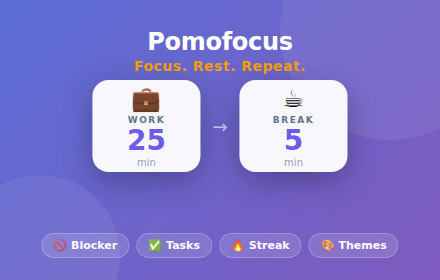
Pomofocus: Pomodoro Timer & Site Blocker for Study
Smart focus timer with website blocking. Beat procrastination, boost focus, and increase productivity during study sessions!
247
★ 5.0

Pomodoro Timer
A Pomodoro timer that blocks distractions and boosts productivity.
27

Tomato timer
the extension that help you focus
44
★ 5.0
Data sourced from the Chrome Web Store · last verified Jun 9, 2026.