
Go To Playing Tab
This extension allows you to go to a tab that is emitting sound.
As of June 2026, Go To Playing Tab has 10,000 users and a 4.79/5 rating from 70 reviews in the Workflow & Planning category.
Usersno change0%
10.0K
10,000
Ratingno change0%
4.79
70 reviews
Reviewsno change0%
70
Version
7.0
Manifest V3
History
2 snapshotsTracking since Apr 16, 2026.
View as table
| Date | Users | Rating | Reviews | Version |
|---|---|---|---|---|
| Apr 16, 2026 | 10.0K | 4.79 | 70 | 7.0 |
| Apr 26, 2026 | 10.0K | 4.79 | 70 | 7.0 |
| Now | 10.0K | 4.79 | 70 | 7.0 |
Permissions & access
- Permissions
- contextMenus
- Host access
- None declared
Screenshots
About
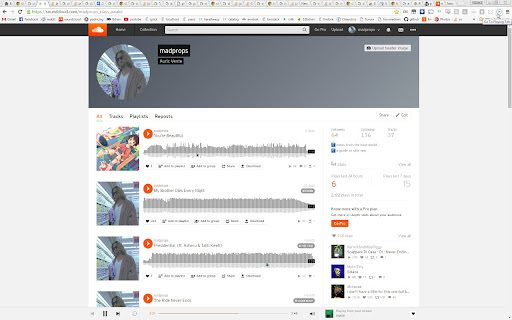
Tired of having a hard time looking for the tab that has the playing icon to go to the thing you were watching or listening to?

Sometimes you have lots of tabs open and finding the tab that's playing can be a hassle.

This Chrome extension solves that problem by allowing you to go to the tab that is playing audio by simply clicking a button or with a keyboard shortcut.

Simply click on the button in the toolbar and you will go instantly to the tab that is playing audio.

It works with different windows too. You can be in Window A and if something is playing in Window B, Window B will be focused in the playing tab.

By default no keyboard shortcuts are specified, to set them go to Settings -> Extensions -> Keyboard Shortcuts (it's at the bottom).

It can also close playing tabs with a keyboard shortcut or by right clicking on the icon. When you do the command once it will close all tabs emitting sound except the current tab, do the command again and it will close the current tab (if it's emitting sound). This is good if you're watching something and want to close all other tabs that are emitting sound except the thing you're watching.

I recommend using the keyboard shortcuts, I find them very useful, especially when they're set to global.

Update V2:
- Support for changing between 2 different playing tabs.
- Added keyboard shortcut to close all playing tabs.

Update V3:
- Fixed a thing pertaining global hotkeys and window focus.

Update V4:
- Made it so it wont close a playing tab that is focused unless it's the only one left.

Update V5:
- Added a context menu to close playing tabs. Right click the icon to see it.
- Fixed a problem with not all tabs closing.
- Now it cycles through all tabs that are emitting sound not just two.

Update V6:
- Now with true multi window support.

Update V6.3
- There are no longer default keyboard shortcuts to avoid interrupting workflows. You can set them manually in the settings.

Update V7.0
- It now uses manifest v3.

Keywords:

Go to tab emitting sound
Change to tab with sound
Show tab that is sounding
Making noise
Close tabs with sound
Close tabs emitting sound

Support: https://ko-fi.com/glue
Technical
- Version
- 7.0
- Manifest
- V3
- Size
- 22.96KiB
- Min Chrome
- 88
- Languages
- 1
- Featured
- No
Metadata
- ID
- hmbhamadknmmkapmhbldodoajkcggcml
- Developer ID
- ufbce5232e6d1123eb90e59cbc92025a1
- Developer Email
- [email protected]
- Created
- May 4, 2016
- Last Updated (Store)
- Mar 11, 2026
- Last Scraped
- Jun 10, 2026
- Website
- —
- Support URL
- —
- Privacy Policy
- —
Similar extensions
Alternatives to Go To Playing Tab, ranked by description similarity.

TabPal
Chrome extension for managing tabs and adding shorcuts and behaviours
10

Active tabs
Shows total active tabs, shows a searchable list of all tabs, jump immediately to a tab, allows for closing tabs and windows.
782
★ 4.2

Tab History
View the recently visited tabs
267
★ 3.0

Mute all Tabs (M3)
Mute tabs by default and create a whitelist. This Version is ready for Manifest 3.
45
★ 5.0

Tab-Manager
A basic tab manager that allows you to find or navigate to tabs quickly.
103
★ 4.0

Tabhunter
Wade through all your tabs fast
455
★ 5.0

Video Auto Pause
Stops multiple video services on tab unfocus and continues on focus
4.0K
★ 3.8

Close Tabs to Right
Quickly close all tabs to the right of the current active tab with a keyboard shortcut or toolbar button. No data collection.
49
★ 5.0
Data sourced from the Chrome Web Store · last verified Jun 10, 2026.