
CSS Seeker
Extract any CSS / Tailwind in one click
As of June 2026, CSS Seeker has 68 users and a 5.00/5 rating from 2 reviews in the Developer Tools category.
Usersup 19.3 percent+19.3%
68
68
Ratingno change0%
5.00
2 reviews
Reviewsno change0%
2
Version
2.0.3.7
Manifest V3
History
4 snapshotsTracking since Apr 18, 2026.
View as table
| Date | Users | Rating | Reviews | Version |
|---|---|---|---|---|
| Apr 18, 2026 | 57 | 5.00 | 2 | 2.0.3.7 |
| Apr 28, 2026 | 56 | 5.00 | 2 | 2.0.3.7 |
| May 8, 2026 | 61 | 5.00 | 2 | 2.0.3.7 |
| May 19, 2026 | 67 | 5.00 | 2 | 2.0.3.7 |
| Now | 68 | 5.00 | 2 | 2.0.3.7 |
Permissions & access
- Permissions
- sidePanelscriptingactiveTabtabsdebugger
- Host access
- <all_urls>
Screenshots


About
Extract, Edit, and Convert CSS Smarter with CSS Seeker.
Grab any CSS, including pseudo-classes. Convert to Tailwind in one click. Edit styles live, preview responsive layouts, highlight elements, and navigate the DOM effortlessly — all inside a Chrome SidePanel.

No more inspector headaches. Just clean, fast, and efficient styling.

Key Features of CSS Seeker:
-Effortless CSS Copying: Instantly grab element’s CSS with a simple right-click. No digging, no hassle.

-Streamlined Inspection: Skip tedious DOM hunting. Inspect, extract, and copy in one clean, intuitive step.

-Tailwind CSS Conversion: Automatically convert extracted CSS into clean, usable Tailwind classes. No manual rewriting.

-Prebuilt Code Snippets: Embed extracted styles directly into ready-to-use HTML or React components. Save time, stay consistent.

-Live CSS Editing & Adding: Edit existing CSS, add new rules or pseudo-classes (:hover, :focus, etc.) on the fly, and see the results live.

-Live Responsive Preview: Resize the viewport directly from the side panel and test responsive breakpoints in real time.

-Element Highlight & DOM Navigation: Instantly highlight elements on hover, and smoothly navigate to the previous or next DOM element.

-Measurement: Quickly measure element dimensions and spacing directly on the page.

-Quick View: Instantly preview key element styles without opening developer tools.

Build responsive, modern websites faster and more efficiently.


Try CSS Seeker free for 3 days—pay only if you like it!
Technical
- Version
- 2.0.3.7
- Manifest
- V3
- Size
- 400KiB
- Min Chrome
- 88
- Languages
- 1
- Featured
- No
Metadata
- ID
- bpmmbboanifhmiaccphndkmfbfmnchlp
- Developer ID
- ud2fbec567ceb39eef8e7e4e849d6d330
- Developer Email
- [email protected]
- Created
- Dec 11, 2024
- Last Updated (Store)
- Nov 8, 2025
- Last Scraped
- Jun 3, 2026
- Website
- —
- Support URL
- —
- Privacy Policy
- https://cssseeker.com/privacyPolicy
Similar extensions
Alternatives to CSS Seeker, ranked by description similarity.

ExtractCSS
CSS extraction and Tailwind conversion for Chrome
1.0K
★ 5.0

CSS Detective
Inspect, Copy & Clean CSS professionally with Pro features.
1
★ 5.0

SnipCSS
Extract the CSS/HTML for any element on any page, only take the styles you want
20.0K
★ 3.9

Tailwind Inspector
Easily inspect and edit Tailwind CSS classes on web pages for rapid prototyping and debugging
185
★ 3.5
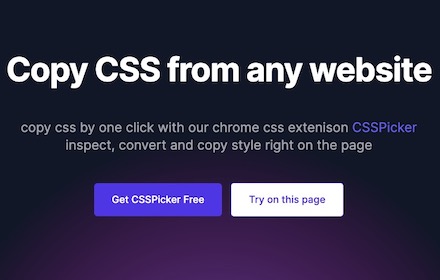
cssPicker - copy css from website
copy html and css from any website
5.0K
★ 2.8

Style Scope
Inspect and edit Tailwind CSS classes in real-time.
3
★ 5.0

Taildoor
Taildoor is the essential developer tool for Tailwind CSS
304
★ 5.0

CSS Extractor Pro - Extract Clean CSS Code & Color Palettes
Extract clean CSS code from any webpage element & generate complete color palettes. Essential developer tool.
908
★ 3.0
Data sourced from the Chrome Web Store · last verified Jun 3, 2026.