
React1s
点击页面元素跳转到编辑器
As of May 2026, React1s has 1,000 users and a 5.00/5 rating from 8 reviews in the Developer Tools category.
Usersno change0%
1.0K
1,000
Ratingno change0%
5.00
8 reviews
Reviewsno change0%
8
Version
1.0.7
Manifest V3
Permissions & access
- Permissions
- tabsscriptingstorage
- Host access
- <all_urls>, *://*/*
Screenshots
About
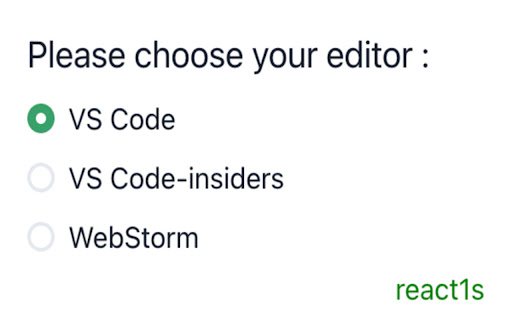
随着 React 项目越来越大,在本地开发时经常会遇到这样一个场景,想改页面上的一个组件,但是比较难去定位到这个组件在源码中对应的位置。本插件无需任何配置,支持 React 项目本地开发时 Option(Alt)+Click 页面上对应元素即可跳转到编辑器对应组件行列。
Technical
- Version
- 1.0.7
- Manifest
- V3
- Size
- 169KiB
- Min Chrome
- 88
- Languages
- 1
- Featured
- No
Metadata
- ID
- gpcoahaomdfmekggblkckofkgjggnjlp
- Developer ID
- udaee32e61ad33594fdc504775289b711
- Developer Email
- [email protected]
- Created
- Dec 31, 2022
- Last Updated (Store)
- Aug 29, 2024
- Last Scraped
- May 30, 2026
- Website
- —
- Support URL
- https://github.com/aaamoon/react1s
- Privacy Policy
- —
Similar extensions
Alternatives to React1s, ranked by description similarity.

LocatorJS
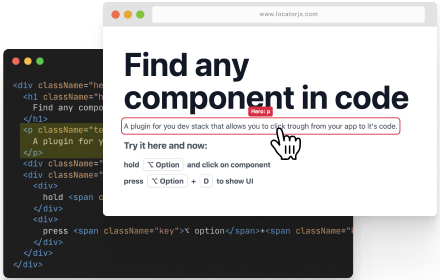
LocatorJS Chrome Extension - option-click to code (ReactJS)
354

Gwdw
One-click positioning in the editor.
89
★ 5.0

React Component Names
Hold Alt/Option + hover to see React component names (Dev Mode)
53
★ 5.0
LocatorJS
LocatorJS Chrome Extension - option-click to code (ReactJS)
40.0K
★ 4.3

React Component Finder
Click on React components in localhost and open them in VS Code
40

click-to-react-component
Option+Click React components in your browser to instantly open the source in VS Code
762
★ 3.4

React Findr
Click on any element to find its React component source file
9

X PANEL
Degub Tool For React Developers
3
Data sourced from the Chrome Web Store · last verified May 30, 2026.