
Backlog Studio
Save any page with one click. Read without distractions. Highlight, annotate, and ask AI about your reading library.
As of June 2026, Backlog Studio has — users in the Productivity category.
Usersno change0%
—
—
Ratingno change0%
—
— reviews
Reviewsno change0%
—
Version
0.0.2
Manifest V3
90-day change · In the last 90 days this extension 1 version update.
History
3 snapshotsTracking since Apr 21, 2026.
Not enough history yet for this metric — the chart fills in as we collect more snapshots.
View as table
| Date | Users | Rating | Reviews | Version |
|---|---|---|---|---|
| Apr 21, 2026 | — | — | — | 0.0.1 |
| Apr 25, 2026 | — | — | — | 0.0.2 |
| May 9, 2026 | 2 | — | — | 0.0.2 |
| Now | — | — | — | 0.0.2 |
Permissions & access
- Permissions
- sidePanelstoragetabsactiveTabscriptingidentitycontextMenuspageCapture
- Host access
- <all_urls>
Screenshots


About
Save any webpage with a single click. Backlog Studio captures the full article, strips away ads, popups, and clutter, and gives you a clean, distraction-free reading experience.

SAVE INSTANTLY
Press Ctrl+S (or click the icon) on any page. Backlog Studio captures the entire article — text, images, formatting — and processes it into a clean, readable format. Works on dynamically-loaded and paywalled content.

READ WITHOUT DISTRACTIONS
Open saved articles in a beautiful reader at backlog.studio. No ads, no sidebars, no cookie banners. Just the words, set in clean typography with light and dark modes.

HIGHLIGHT & ANNOTATE
Select text on any page to highlight it in six colors. Add notes to any highlight. All highlights sync to your library and are searchable across every article you've saved.

ASK AI
Ask questions about any article or highlight. Summarize long reads. Connect ideas across your entire library.

SIDE PANEL
Browse your saved articles and highlights without leaving the current page. Quick access to your entire reading backlog from Chrome's side panel.

SHARE & EXPORT
Share articles and highlights with direct links. Download any saved article as a PDF to read offline. Export your highlights as Markdown, JSON, or plain text.

Backlog Studio is for people who read seriously. No algorithm deciding what you should read next. No feed. Just your library, always waiting.

Free to use. Pro plan available for unlimited AI and more.

Website: https://backlog.studio
Privacy: https://backlog.studio/privacy
Support: [email protected]
Technical
- Version
- 0.0.2
- Manifest
- V3
- Size
- 238KiB
- Min Chrome
- 88
- Languages
- 1
- Featured
- No
Metadata
- ID
- gomieahojclonmaiokemcakhainjechp
- Developer ID
- u54eb8cd8d43655468b3112d622d54fa7
- Developer Email
- [email protected]
- Created
- Mar 10, 2026
- Last Updated (Store)
- Apr 20, 2026
- Last Scraped
- Jun 8, 2026
- Website
- backlog.studio
- Support URL
- https://backlog.studio/privacy
- Privacy Policy
- https://backlog.studio/privacy
Similar extensions
Alternatives to Backlog Studio, ranked by description similarity.

Stashly - Save Links
Save the current page to your Stashly collection
2

ReadMonkey Pro - Save Articles & Read Later
Save articles, read later in clean mode. Local-first -- your data stays on your device.
25
★ 5.0

Poche
Save articles to read later
3

Marked - Save Bookmarks
Save bookmarks to Marked with one click from any webpage
4

Annotate
Highlight and annotate any web page. Save highlights to your account and access them from any device.
5

SavePage Pro - Web Content Extractor & Reader
Extract, save, and read web content in a clean, distraction-free environment. Auto-save pages and manage your reading collection.
285
★ 5.0

Highlight & Save Text
Save web highlights and export them as a text file.
5
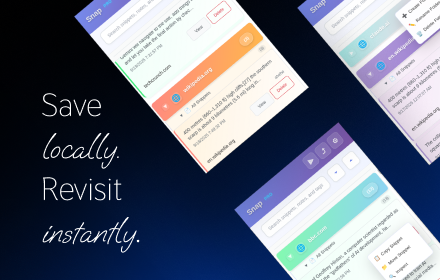
Snap - Smart Text Snippet Manager
Highlight and save text snippets with professional note-taking capabilities. Privacy-first, local storage.
14
Data sourced from the Chrome Web Store · last verified Jun 8, 2026.