
Ezy Screenshot
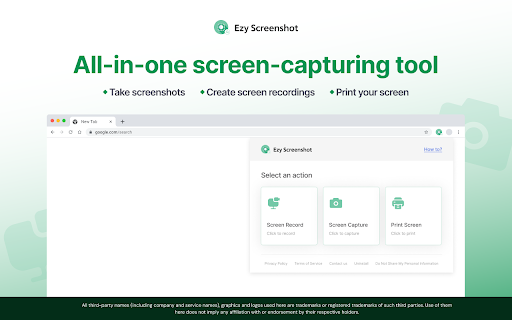
Add the Ezy Screenshot Chrome™ extension to capture, record and print your screen via a widget on your browser toolbar.
As of May 2026, Ezy Screenshot has 19 users in the Productivity category.
Usersup 18.8 percent+18.8%
19
19
Ratingno change0%
—
— reviews
Reviewsno change0%
—
Version
1.0.0.0
Manifest V3
History
2 snapshotsTracking since Apr 1, 2026.
View as table
| Date | Users | Rating | Reviews | Version |
|---|---|---|---|---|
| Apr 1, 2026 | 16 | — | — | 1.0.0.0 |
| May 29, 2026 | 17 | — | — | 1.0.0.0 |
| Now | 19 | — | — | 1.0.0.0 |
Permissions & access
- Permissions
- tabsactiveTabclipboardWritescriptingalarms
- Host access
- *://ezyscreenshot.com/*
Screenshots
About
Capture the visible part of your screen, and record your computer screen with this easy-to-use tool. Save or get shareable links for screen recordings (up to 50 MB) and screenshots that you can send to your family, friends, or colleagues. You can also print screenshots.

How to use the screen-capturing tool:
- Add the extension to your Chrome™ browser
- Pin the extension to your browser toolbar for quick access to the screen-capturing widget
- Open the widget and choose ‘Screen Record’ or ‘Screen Capture’
- To record, select a window or the entire screen from the dropdown, navigate to the desired window or screen, and the recording will begin in 10 seconds
- To take a screenshot, select the window you want to capture. The screenshot will capture the visible part of your screen
- Click ‘Print Image’ to print the screenshot

We welcome your ideas and suggestions to improve this extension. Please note that you can uninstall the extension if you are dissatisfied with the product.

Upon clicking the button above, you confirm that you have read & agree to the Terms of Service & Privacy Policy and consent to install this Chrome™ extension.

Chrome is a trademark of Google LLC. Use of it here does not imply any affiliation with or endorsement by Google LLC.

Privacy Policy: https://ezyscreenshot.com/screenshot/privacypolicy_ff.html
Terms of Service: https://ezyscreenshot.com/screenshot/termsofservice_ff.html
Technical
- Version
- 1.0.0.0
- Manifest
- V3
- Size
- 249KiB
- Min Chrome
- 88
- Languages
- 1
- Featured
- No
Metadata
- ID
- goklhcebibhgfhpajkafpblpkmanpeao
- Developer ID
- u045862aca43877e863b6ce7f4e971be9
- Developer Email
- [email protected]
- Created
- Mar 20, 2024
- Last Updated (Store)
- Mar 20, 2024
- Last Scraped
- May 29, 2026
- Website
- ezyscreenshot.com
- Support URL
- —
Similar extensions
Alternatives to Ezy Screenshot, ranked by description similarity.

Scrsht Screen Recorder
Screen Recorder is a software that allows you to capture and record your computer screen right in the browser!
189
★ 4.6

Screen Recorder & Screenshot - SnapRec
Screen recorder & full page screenshot tool. Record in 4K, annotate with blur/arrows/text, add webcam overlay, and share instantly.
217
★ 5.0

Screenshot Capture
Capture a screenshot of the current tab.
52
★ 5.0

Screen and Audio Capture Extension
Capture your screen and audio and save it as a .mp4 file.
3.0K
★ 4.5

ScreenSnap - Screenshot & Screen Recorder
All-in-one screenshot tool & screen recorder with built-in editor. Capture, edit, annotate, crop, and record your screen with audio
22
★ 5.0

Simple Screen Capture Tool
Capture a screenshot of the current active tab.
38
★ 5.0

Screen Capture and Screen Recorder
Screen capture and screen recorder tool to record screen. Get more out of your screen captures! Take screenshots for free.
50.0K
★ 4.5

Custom Screen Recorder
Record a customizable portion of the screen.
49
Data sourced from the Chrome Web Store · last verified May 29, 2026.