
GfG to GitHub
Automatically pushes your GeeksForGeeks solution to a GitHub Repository of your choice within seconds on successful submission.
As of May 2026, GfG to GitHub has 6,000 users and a 3.76/5 rating from 17 reviews in the Developer Tools category.
Usersno change0%
6.0K
6,000
Ratingno change0%
3.76
17 reviews
Reviewsno change0%
17
Version
1.1.2
Manifest V3
History
1 snapshotsTracking since May 1, 2026.
View as table
| Date | Users | Rating | Reviews | Version |
|---|---|---|---|---|
| May 1, 2026 | 6.0K | 3.76 | 17 | 1.1.2 |
| Now | 6.0K | 3.76 | 17 | 1.1.2 |
Permissions & access
- Permissions
- scriptingstorage
- Host access
- https://github.com/*, https://api.github.com/*, https://practice.geeksforgeeks.org/*, https://www.geeksforgeeks.org/*
Screenshots




About
GfG to GitHub is a chrome extension that automatically pushes your GeeksForGeeks solution to a GitHub Repository of your choice within seconds on successful submission.

❓ Why ‘GfG to GitHub’?

📌 In the modern day, GitHub is a developer's primary portfolio. Therefore, this extension aids in centralizing all of your GeeksForGeeks solutions to GitHub in an organized manner.

📌 Also, manually adding your GeeksForGeeks solutions to a GitHub repository is an extremely time-consuming and tedious procedure. Therefore, this extension automates the entire process without you needing to put-in any extra effort.

📌 Centralizing your solutions means easy and fast access to all your solutions.

📌 Having all your solutions in one place helps you to keep track of your progress.

✨ Features :

✅ You can create a new repository / link an existing repository to this extension by simply entering the repository name during the onboarding process.

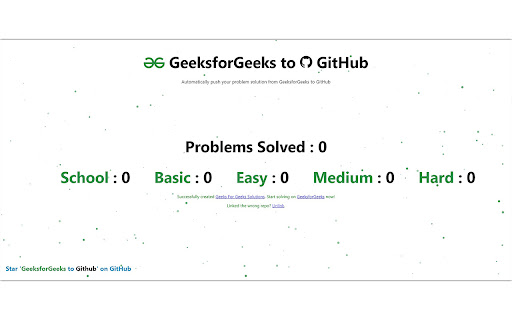
✅ The extension popup sports a dashboard that maintains difficulty-level-wise count of the problems you have solved on GeeksForGeeks.

✅ Each solution is pushed into a directory named as the difficulty level of that problem. So, the repository is extremely organized.

✅ A README.md file is created for each new problem solved. This README.md file contains the problem details as it appears on the GeeksForGeeks problem's page.

✅ This extension also supports multi-language submissions, which means that if you solve a problem in both Java and C++, a separate file will be created for both languages under the same directory.

✅ A solution file is committed to your GitHub repository only on successful submission on GeeksForGeeks.

✅ The extension popup also features a Dark Mode toggle, so you can choose a theme of your choice.
Technical
- Version
- 1.1.2
- Manifest
- V3
- Size
- 726KiB
- Min Chrome
- 88
- Languages
- 1
- Featured
- Yes
Metadata
- ID
- gojabhkegjnlnklkkpkglaembhlknkgk
- Developer ID
- u41ebf84cfe1725150602db3646ea6d02
- Developer Email
- [email protected]
- Created
- Nov 21, 2022
- Last Updated (Store)
- Nov 10, 2023
- Last Scraped
- May 29, 2026
- Website
- —
- Support URL
- —
- Privacy Policy
- —
Similar extensions
Alternatives to GfG to GitHub, ranked by description similarity.

CodeSyncer
This Chrome extension enables users to synchronize their LeetCode and GFG submissions to their GitHub repository effortlessly.
107
★ 4.5

BFE_Hub
Automatically commit BFE.dev solutions to GitHub
2

CodeHub
Automatically pushes your Codewars submissions to GitHub
426
★ 4.9

GitItDone
Automatically commit your LeetCode solutions to GitHub
1

CodeHub
Automatically integrate your Leetcode & GeeksforGeeks submissions to GitHub
12
★ 5.0

LeetArchive
Automatically commit your LeetCode solutions to GitHub
52
★ 3.7

LeetSync - Leetcode to Github Synchronizer
LeetSync is a Chrome extension that enables you to sync your LeetCode problem submissions with a selected GitHub repository.
20.0K
★ 3.6

LeeterAlly - Your LeetCode Ally
A smart companion for LeetCode that boosts productivity via features like GitHub integration, LLM hints generator and much more!
4
Data sourced from the Chrome Web Store · last verified May 29, 2026.