
CodeSyncer
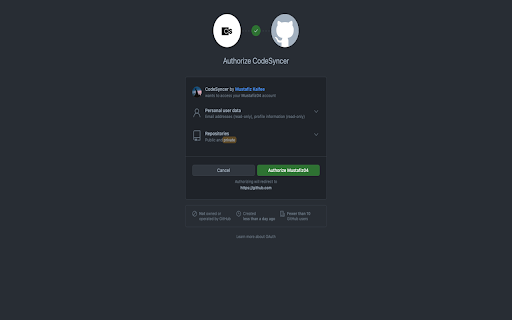
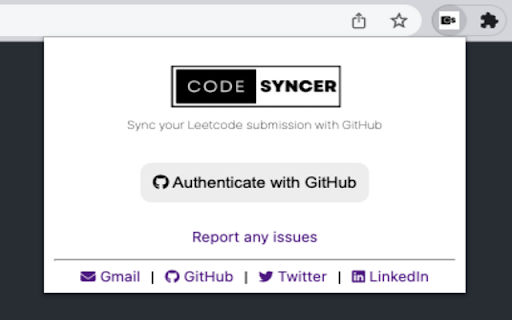
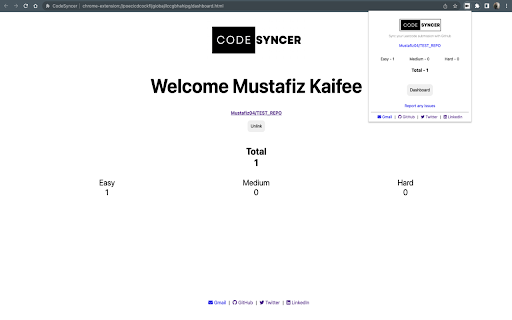
This Chrome extension enables users to synchronize their LeetCode and GFG submissions to their GitHub repository effortlessly.
As of May 2026, CodeSyncer has 107 users and a 4.50/5 rating from 4 reviews in the Developer Tools category.
Usersdown 2.7 percent−2.7%
107
107
Ratingno change0%
4.50
4 reviews
Reviewsno change0%
4
Version
1.1.2
Manifest V3
History
3 snapshotsTracking since Apr 1, 2026.
View as table
| Date | Users | Rating | Reviews | Version |
|---|---|---|---|---|
| Apr 1, 2026 | 110 | 4.50 | 4 | 1.1.2 |
| Apr 30, 2026 | 115 | 4.50 | 4 | 1.1.2 |
| May 29, 2026 | 118 | 4.50 | 4 | 1.1.2 |
| Now | 107 | 4.50 | 4 | 1.1.2 |
Permissions & access
- Permissions
- unlimitedStoragestorage
- Host access
- https://github.com/*, https://api.github.com/*, https://leetcode.com/*, https://practice.geeksforgeeks.org/*
Screenshots
About
Exciting news! 🤩
CodeSyncer has been integrated with GeeksForGeeks, enabling the ability to automatically push your GFG submissions to your GitHub repository.

The CodeSyncer Chrome extension allows users to seamlessly sync their LeetCode submissions to their GitHub repository with just a few clicks. This extension eliminates the need for users to manually copy and paste their code from LeetCode to GitHub, saving them time and effort. With this extension, users can easily showcase their coding skills and build their portfolios on GitHub.

Steps to follow
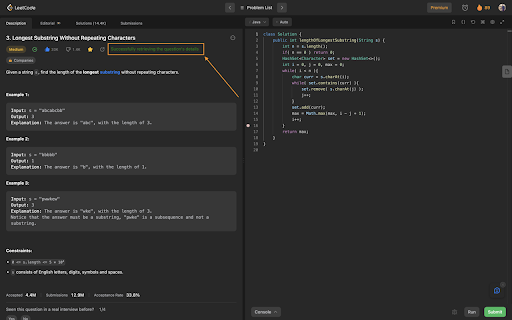
1. Go to the "Problem" tab in Leetcode and select a question from LeetCode.
2. Wait for the message "Successfully retrieved the question's details" to appear.
3. Choose your preferred programming language and write your code.
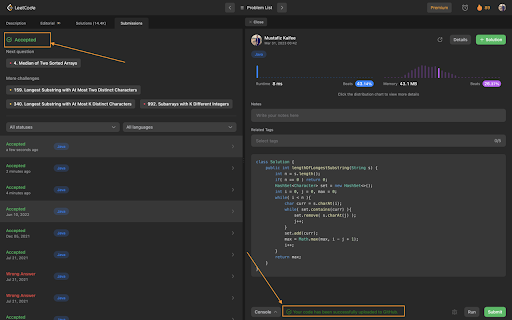
4. Click the "Submit" button and wait for the message "Your code has been successfully uploaded to GitHub" to appear next to the "Console" button.

NOTE:
To update your code, simply go to the "Description" tab, refresh the page, and follow the same steps as above.


Plus, stay tuned – I plan to expand CodeSyncer to other platforms like GFG, CodingNinja, and more!
Best of all, the code is open-source on GitHub, so if you have any ideas for new features, bug fixes, or other contributions, I'd love to hear from you.
Technical
- Version
- 1.1.2
- Manifest
- V3
- Size
- 10.57MiB
- Min Chrome
- 88
- Languages
- 1
- Featured
- No
Metadata
- ID
- cckfbmeiclkanjojbhblebmdlkibjnkl
- Developer ID
- ud503f47374f32a2a47e823f5675f71b0
- Developer Email
- [email protected]
- Created
- Mar 23, 2023
- Last Updated (Store)
- Aug 29, 2023
- Last Scraped
- May 29, 2026
- Website
- —
- Support URL
- —
- Privacy Policy
- —
Similar extensions
Alternatives to CodeSyncer, ranked by description similarity.

LeetSync - Leetcode to Github Synchronizer
LeetSync is a Chrome extension that enables you to sync your LeetCode problem submissions with a selected GitHub repository.
20.0K
★ 3.6

AlgoSync
AlgoSync Sync your coding solutions from LeetCode, GFG, and Codeforces to GitHub with ease. Perfect for competitive programmers.
6

SyncLeet
Synchronize your LeetCode submissions to GitHub. Happy Coding! 🚀
295
★ 4.5
LeetCode Sync - Sync your Leetcode solutions to Github
Automatically sync your Leetcode solutions to a Github repository when you press submit
29

LinkCode - LeetCode GitHub Sync
Securely sync accepted LeetCode submissions to a single GitHub repository.
13

LeetCode GitHub Sync
Automatically sync your LeetCode submissions to GitHub.
191
★ 5.0

LeetCommit
Automatically sync accepted LeetCode solutions to GitHub.
5
★ 5.0

SolveSync – Automate Your LeetCode Solutions to GitHub
Automate your LeetCode solution uploads to GitHub, organized by difficulty with auto-generated README files.
33
★ 5.0
Data sourced from the Chrome Web Store · last verified May 29, 2026.