
Speak to Forms
Fill out forms using voice commands.
As of June 2026, Speak to Forms has 16 users in the Productivity category.
Usersup 77.8 percent+77.8%
16
16
Ratingno change0%
—
— reviews
Reviewsno change0%
—
Version
1.0
Manifest V3
History
5 snapshotsTracking since Apr 1, 2026.
View as table
| Date | Users | Rating | Reviews | Version |
|---|---|---|---|---|
| Apr 1, 2026 | 9 | — | — | 1.0 |
| Apr 21, 2026 | 8 | — | — | 1.0 |
| May 7, 2026 | 15 | — | — | 1.0 |
| May 18, 2026 | 13 | — | — | 1.0 |
| Jun 1, 2026 | 15 | — | — | 1.0 |
| Now | 16 | — | — | 1.0 |
Permissions & access
- Permissions
- activeTab
- Host access
- None declared
Screenshots

About
Speak to Forms brings the power of voice to every website. Fill out forms, write messages, or take notes—just by speaking. No more endless typing or switching tabs for dictation tools.

---

## ✨ Key Benefits

- **Universal Voice Input:** Add a microphone button to every text field, textarea, or contenteditable area on any website.
- **Clean & Non-Intrusive:** The mic button appears only when you hover over a field—no clutter, no distractions.
- **Instant Speech Recognition:** Uses your browser’s built-in speech recognition for fast, accurate results.
- **Multi-Language Support:** Choose your preferred language from a handy settings menu.
- **Privacy First:** All speech processing happens in your browser. No data is sent to external servers.
- **Works Everywhere:** Compatible with forms, chat apps, productivity tools, and more.

---

## 🛠️ How to Use

1. **Install Speak to Forms** from the Chrome Web Store.
2. **Go to any website** with text fields or editable areas.
3. **Hover over a text field**—the microphone button will appear.
4. **Click the mic button** and start speaking. Your speech will be transcribed directly into the field.
5. **Change language:** Hover over the mic, click the cog icon, and select your preferred language.
6. **Done!** The extension works automatically on every site—no setup required.

---

## 🌐 Supported Languages

Speak to Forms supports the following languages:

- Arabic (ar-SA)
- Bulgarian (bg-BG)
- Czech (cs-CZ)
- Danish (da-DK)
- German (de-DE)
- Greek (el-GR)
- English (en-US)
- Spanish (es-ES)
- Finnish (fi-FI)
- French (fr-FR)
- Hebrew (he-IL)
- Hindi (hi-IN)
- Hungarian (hu-HU)
- Italian (it-IT)
- Japanese (ja-JP)
- Korean (ko-KR)
- Dutch (nl-NL)
- Norwegian (no-NO)
- Polish (pl-PL)
- Portuguese (Brazil) (pt-BR)
- Romanian (ro-RO)
- Russian (ru-RU)
- Swedish (sv-SE)
- Thai (th-TH)
- Turkish (tr-TR)
- Vietnamese (vi-VN)
- Chinese (Simplified) (zh-CN)

---

## 💡 Perfect For

- Filling out forms hands-free
- Writing emails or messages quickly
- Taking notes in productivity apps
- Accessibility and assistive technology needs
- Anyone who prefers speaking over typing

---

## 🔒 Privacy & Security

Speak to Forms does **not** collect or transmit any of your data. All speech recognition is handled locally by your browser.

---

## 🎉 Try It Today!

Save time, reduce typing, and enjoy a seamless voice-powered browsing experience with Speak to Forms.
Technical
- Version
- 1.0
- Manifest
- V3
- Size
- 10.29KiB
- Min Chrome
- 88
- Languages
- 1
- Featured
- No
Metadata
- ID
- gijjnpeihodpcnegcbogbahafcmokani
- Developer ID
- u799faeef6f15dfbbd7f8597310b571f5
- Developer Email
- [email protected]
- Created
- Jul 21, 2025
- Last Updated (Store)
- Jul 21, 2025
- Last Scraped
- Jun 1, 2026
- Website
- —
- Support URL
- —
- Privacy Policy
- —
Similar extensions
Alternatives to Speak to Forms, ranked by description similarity.

VoiceAnyForm
Convert any text fields to voice input easily! Use mouse, keyboard or right-click to speak. Supports 70+ languages.
7

HandsFree Type
HandsFree Type: multilingual speech-to-text dictation on any site. Press Alt+Shift+D to easily start or stop voice recording.
3
FlowType: Speech to Text
Speech to text for Chrome. Dictate anywhere - Gmail, Docs, forms. Free voice typing extension with 40+ languages supported
210
★ 5.0

TalkScribe AI - New Gen Speech-to-Text (STT)
Voice dictation with stable microphone connection. Speak to type on any webpage.
116
★ 4.9

ZeroType
Use speech-to-text to fill any textbox using Mistral API
9
★ 5.0

VerbScribe - Voice to Text
Voice-to-text transcription with AI style processing for any text field. Linked to your VerbScribe account.
2
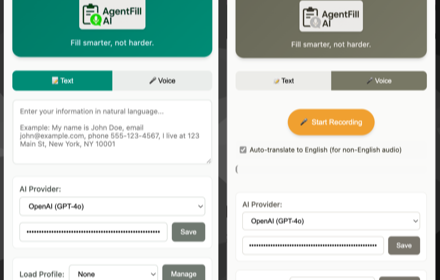
AgentFillAI
Fill smarter, not harder. AI-powered form completion with text and voice input
28

SpeakIn - Speech to Text
Turn your voice into clean, polished text anywhere on the web. Push-to-talk dictation with custom vocabulary and smart formatting.
2
Data sourced from the Chrome Web Store · last verified Jun 1, 2026.