
VoiceAnyForm
Convert any text fields to voice input easily! Use mouse, keyboard or right-click to speak. Supports 70+ languages.
As of June 2026, VoiceAnyForm has 7 users in the Productivity category.
Usersdown 22.2 percent−22.2%
7
7
Ratingno change0%
—
— reviews
Reviewsno change0%
—
Version
1.0
Manifest V3
History
3 snapshotsTracking since Apr 1, 2026.
View as table
| Date | Users | Rating | Reviews | Version |
|---|---|---|---|---|
| Apr 1, 2026 | 9 | — | — | 1.0 |
| May 3, 2026 | 7 | — | — | 1.0 |
| Jun 3, 2026 | 8 | — | — | 1.0 |
| Now | 7 | — | — | 1.0 |
Permissions & access
- Permissions
- activeTabstoragecontextMenuscommands
- Host access
- <all_urls>
Screenshots


About
Overview

Transform any text field into a voice input area with VoiceAnyForm! Easily dictate text in 70+ languages across thousands of websites. Triple-click any input field or use keyboard shortcuts to start speaking - VoiceAnyForm converts your speech to text in real-time with smart punctuation.
Key Features

Universal Compatibility: Works seamlessly on most popular websites including Gmail, Google Docs, Slack, Facebook, Twitter, and any site with text input fields
Multiple Activation Methods: Triple-click any text field, use right-click context menu, or the keyboard shortcut (Ctrl+Shift+S or Command+Shift+S on Mac)
Smart Punctuation: Automatically adds periods and commas based on your speech patterns and pauses
Shadow DOM Support: Works with modern web apps using shadow DOM technology
70+ Languages: Supports a comprehensive range of languages including English, Spanish, French, German, Russian, Japanese, Chinese, and many more
Customizable Settings: Adjust silence timeout, choose between light and dark themes, and select your preferred language
Accessibility Focused: Helps users with mobility challenges, RSI, or anyone who prefers speaking over typing

Who Benefits from VoiceAnyForm?

Writers creating content in browsers
Students completing online assignments
Professionals responding to emails and messages
Medical professionals entering notes
Anyone with temporary or permanent mobility limitations
Language learners practicing pronunciation
People who prefer voice input over typing

Privacy & Security
VoiceAnyForm respects your privacy. All speech recognition happens locally in your browser using standard Web Speech API. No voice data is sent to our servers. We don't store or process your voice recordings or transcribed text.

Free to Use
VoiceAnyForm is completely free with all features included.
Simple Installation
Just add the extension to Chrome and start dictating immediately. No account creation or login required.

Support
Have questions or feedback? Found a website where VoiceAnyForm doesn't work correctly?

Contact us at voiceanyform.com and we'll respond promptly.
Transform your browsing experience with VoiceAnyForm - where every text field becomes voice-enabled!
Technical
- Version
- 1.0
- Manifest
- V3
- Size
- 23.89KiB
- Min Chrome
- 88
- Languages
- 1
- Featured
- No
Metadata
- ID
- gifgnojiebjimhbaplmnfodgdimnkgkl
- Developer ID
- u576d2ecff88445d55b9cf9c35ac21648
- Developer Email
- [email protected]
- Created
- Mar 13, 2025
- Last Updated (Store)
- Mar 13, 2025
- Last Scraped
- Jun 3, 2026
- Website
- —
- Support URL
- —
- Privacy Policy
- https://www.voiceanyform.com/privacy/
Similar extensions
Alternatives to VoiceAnyForm, ranked by description similarity.

Speak to Forms
Fill out forms using voice commands.
16
FlowType: Speech to Text
Speech to text for Chrome. Dictate anywhere - Gmail, Docs, forms. Free voice typing extension with 40+ languages supported
210
★ 5.0

Voice Typing Assistant
Voice-to-text transcription in a convenient sidebar
12

HandsFree Type
HandsFree Type: multilingual speech-to-text dictation on any site. Press Alt+Shift+D to easily start or stop voice recording.
3

VoiceMate - Voice to Text
Transform your voice into text instantly. AI-powered speech recognition with 24 languages, punctuation commands & UK spelling.
17
★ 5.0

Voice Typing Anywhere
Enable voice typing in any input or textarea field across any webpage.
88
★ 3.0

ZeroType
Use speech-to-text to fill any textbox using Mistral API
9
★ 5.0
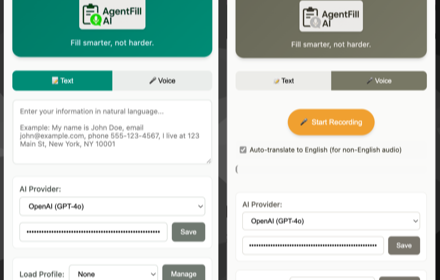
AgentFillAI
Fill smarter, not harder. AI-powered form completion with text and voice input
28
Data sourced from the Chrome Web Store · last verified Jun 3, 2026.