PaintZ
Create and edit drawings.
As of May 2026, PaintZ has 100,000 users and a 3.75/5 rating from 248 reviews.
Usersno change0%
100.0K
100,000
Ratingno change0%
3.75
248 reviews
Reviewsno change0%
248
Version
3.4
Manifest V2
History
1 snapshotsTracking since May 1, 2026.
View as table
| Date | Users | Rating | Reviews | Version |
|---|---|---|---|---|
| May 1, 2026 | 100.0K | 3.75 | 248 | 3.4 |
| Now | 100.0K | 3.75 | 248 | 3.4 |
Permissions & access
- Permissions
- None declared
- Host access
- None declared
Screenshots


About
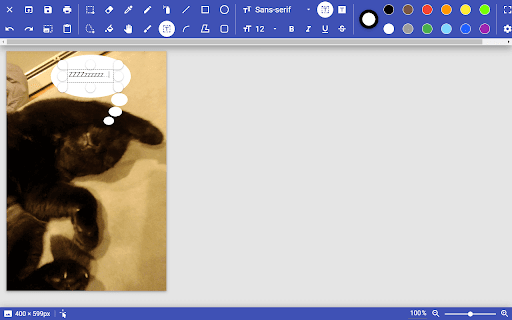
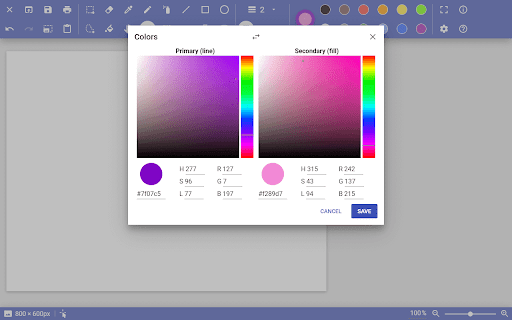
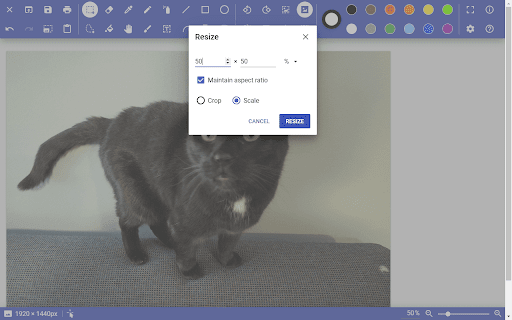
PaintZ is a simple paint program for creating and editing drawings and other images, similar to tools such as Microsoft Paint and KolourPaint.  PaintZ is designed to to be fast and easy to use, with a touch- and mouse-friendly Material Design interface, full offline support, and no Flash Player required.  If you have been looking for MS Paint on Chrome OS, PaintZ is your solution.

You can try it out at https://PaintZ.app.

Follow @PaintZApp on:
https://facebook.com/PaintZApp
https://instagram.com/PaintZApp
https://twitter.com/PaintZApp

Changelog and more information available at https://rizzoma.com/topic/66b71121d60b7b86eedcd0cfbb6c1f4c.
PaintZ development is supported through donations on https://ko-fi.com/ZMYaro and https://patreon.com/ZMYaro.
The source code is available at https://github.com/ZMYaro/PaintZ.

PaintZ is an MS Paint alternative, not a Photoshop replacement; if you are looking for a Photoshop alternative for Chrome OS, I highly recommend Photopea: https://chrome.google.com/webstore/detail/fmophgdjdipcbfjiopifpngdjmemonko.
Technical
- Version
- 3.4
- Manifest
- V2
- Size
- 17.67KiB
- Min Chrome
- —
- Languages
- 1
- Featured
- No
Metadata
- ID
- gdjcnhanmagpjdpilaehedkchegnkdoj
- Developer ID
- ud6d733338d3bcfc64fd77672ebbfb58d
- Developer Email
- [email protected]
- Created
- Dec 28, 2014
- Last Updated (Store)
- Dec 26, 2022
- Last Scraped
- May 30, 2026
- Website
- paintz.app
- Privacy Policy
- —
Similar extensions
Alternatives to PaintZ, ranked by description similarity.

Paintβ
Create and edit drawings.
61
★ 3.7
KolourPaint on rollApp
KolourPaint is a powerful and east-to-use paint app. Enjoy lots of tools that help you to create beautiful images.
1.0K
★ 2.7

MyPaint on rollApp
MyPaint is fast and intuitive digital graphics editor. Work on canvas with minimum distractions to focus on art instead of tools.
2.0K
★ 3.1

Paint Online - Drawing Tool
Sketch fun drawings directly on web pages using the paint tool. Capture your art with a quick screenshot.
50.0K
★ 4.5

Psykopaint
Create amazing art from photos
200.0K
★ 4.0

Web paint
Add text, draw shapes, paint lines, paint curves, make notes, draw arrows on pages in real time make a screenshot / share / print
50.0K
★ 4.9

Web Paint Tool - draw online
Draw rectangle, circle, lines and others shapes or add text on any web pages, then make screenshot the result.
100.0K
★ 4.5
Paint Doodler
Paint Doodler - online image editor and drawing application.Creative and natural painting in browser. Open/save image.
3.0K
★ 1.4
Data sourced from the Chrome Web Store · last verified May 30, 2026.