KolourPaint on rollApp
KolourPaint is a powerful and east-to-use paint app. Enjoy lots of tools that help you to create beautiful images.
As of May 2026, KolourPaint on rollApp has 1,000 users and a 2.67/5 rating from 18 reviews.
Usersno change0%
1.0K
1,000
Ratingno change0%
2.67
18 reviews
Reviewsno change0%
18
Version
2.0
Manifest V2
History
1 snapshotsTracking since May 1, 2026.
View as table
| Date | Users | Rating | Reviews | Version |
|---|---|---|---|---|
| May 1, 2026 | 1.0K | 2.67 | 18 | 2.0 |
| Now | 1.0K | 2.67 | 18 | 2.0 |
Permissions & access
- Permissions
- None declared
- Host access
- None declared
Screenshots


About
KolourPaint is just one of more than 230 applications available in the cloud on rollApp. Check out the full list at https://www.rollapp.com/apps.

PLEASE NOTE:
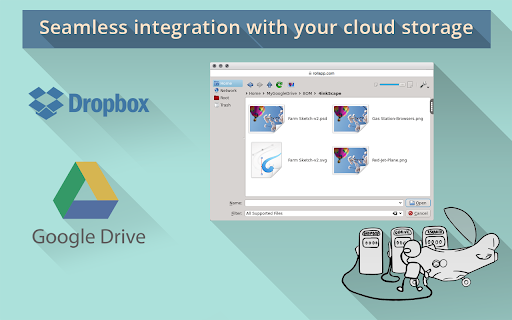
- Working with files requires creating account with rollApp and connecting cloud storage (Google Drive, Dropbox, OneDrive or Box)
- Free rollApp account allows to access your files in read-only mode. Please, subscribe for rollApp Premium to be able to save files

KolourPaint is designed for daily tasks like drawing diagrams and "finger painting", editing screenshots and photos; applying effects; drawing clipart and logos with transparency.

Some of KolourPaint features:
— Undo/Redo Support (10-500 levels of history depending on memory usage)
— Tools (single key shortcuts available for all tools): Brush, Color Eraser, Color Picker, Connected Lines a.k.a. Polyline; Curve, Ellipse, Eraser, Flood Fill, Line, Pen, Polygon, Rectangle; Rounded Rectangle, Spraycan, Text.
— Selections (fully undo- and redo-able): Rectangular, Elliptical, Free-Form shapes; Choice between Opaque and Transparent selections; Full Clipboard/Edit Menu support; Freehand resizeable.
— Transparency: Draw transparent icons and logos on a checkerboard background; All tools can draw in the "Transparent Colour".
— Image Effects: Autocrop / Remove Internal Border; Balance (Brightness, Contrast, Gamma); Clear, Emboss, Flatten, Flip, Invert (with choice of channels); Reduce Colours, Reduce to Greyscale, Resize, Rotate; Scale, Set as Image (Crop), Skew, Smooth Scale, Soften & Sharpen.
Technical
- Version
- 2.0
- Manifest
- V2
- Size
- 18.32KiB
- Min Chrome
- —
- Languages
- 1
- Featured
- No
Metadata
- ID
- gfmamcehcfaokhbmehbdebniacbdmdcm
- Developer ID
- u05deb6b5b8dc287b4976ab7d8e3af2c3
- Developer Email
- —
- Created
- Sep 26, 2014
- Last Updated (Store)
- Mar 28, 2018
- Last Scraped
- May 31, 2026
- Website
- https://www.rollapp.com/
- Support URL
- —
- Privacy Policy
- —
Similar extensions
Alternatives to KolourPaint on rollApp, ranked by description similarity.

MyPaint on rollApp
MyPaint is fast and intuitive digital graphics editor. Work on canvas with minimum distractions to focus on art instead of tools.
2.0K
★ 3.1
Pinta on rollApp
Simple but powerful drawing and image editing tool with enhanced instrument set, adjustments, effects and history of changes.
312
★ 2.2
PaintPro - Free Professional Drawing Tool
PaintPro is a powerful Chrome extension that provides users with professional-grade drawing tools and image editing capabilities.
1.0K
★ 5.0
Paint Doodler
Paint Doodler - online image editor and drawing application.Creative and natural painting in browser. Open/save image.
3.0K
★ 1.4

PaintBook Touch
A drawing app specially designed for touch screen with tons of features for free.
367
★ 4.2

YouiDraw Painter
Online Paint Tool work with many painting tools, like brushes, pencil, texture, shapes. It's a totally free online painter.
10.0K
★ 3.7
PaintZ
Create and edit drawings.
100.0K
★ 3.8

Kleki
Paint and edit with Kleki
10.0K
★ 4.2
Data sourced from the Chrome Web Store · last verified May 31, 2026.