
Magic Quill: Precision Image Editing Simplified
Magic Quill,ai image editing tool. It has a user-friendly interface, AI-powered suggestions and intuitive brush tools.
As of June 2026, Magic Quill: Precision Image Editing Simplified has 672 users in the art category.
Usersup 1.4 percent+1.4%
672
672
Ratingno change0%
—
— reviews
Reviewsno change0%
—
Version
1.0.2
Manifest V3
History
5 snapshotsTracking since Apr 1, 2026.
View as table
| Date | Users | Rating | Reviews | Version |
|---|---|---|---|---|
| Apr 1, 2026 | 663 | — | — | 1.0.2 |
| Apr 21, 2026 | 700 | — | — | 1.0.2 |
| May 6, 2026 | 712 | — | — | 1.0.2 |
| May 18, 2026 | 690 | — | — | 1.0.2 |
| Jun 1, 2026 | 671 | — | — | 1.0.2 |
| Now | 672 | — | — | 1.0.2 |
Permissions & access
- Permissions
- None declared
- Host access
- None declared
Screenshots


About
MagicQuill: The Ultimate AI-Powered Image Editing Extension

MagicQuill is an AI-driven image editing extension that revolutionizes the way you create and enhance visual content. With MagicQuill, you can transform your images with a simple, intuitive interface that leverages the power of artificial intelligence.

MagicQuill Extension Overview

MagicQuill is an innovative tool that brings the capabilities of professional image editing to your fingertips. As a fan-made extension inspired by the needs of creatives, it offers a unique blend of features that make image editing accessible and fun.

You can also explore the platform on the website: https://magicquill.online/

MagicQuill takes the concept of image editing to new heights with its AI-powered suggestions, precise local editing, and a user-friendly interface, first introduced to the public through its online platform.

Created by a team of AI enthusiasts and image editing experts, MagicQuill adds a new dimension to your creative process, offering a range of tools that enhance your ability to explore and express your artistic vision.

MagicQuill Extension Features

1.AI-Powered Suggestions
Offers intelligent recommendations based on your editing style, streamlining your workflow and enhancing your creative process.

2.Precise Local Editing
Allows for pixel-perfect adjustments, giving you full control over every detail of your image.

3.Vibrant Visuals
Provides a range of visual effects and filters that can be applied with ease, enriching your images with professional-quality enhancements.

4.Intuitive Drag-and-Drop Interface
A user-friendly design that makes image editing accessible to everyone, regardless of their experience level.

5.Zany Effects and Transitions
Adds a touch of creativity with unique effects and transitions that can be applied to your images for a distinctive look.

6.Community Sharing and Interaction
Enables you to share your edited images and engage with a community of creators for inspiration and collaboration.

How to Use MagicQuill Extension?

1.Visit the MagicQuill Extension or Website
Start your creative journey by visiting the official MagicQuill website or installing the Chrome extension. Here, you can familiarize yourself with the tool's features and watch tutorial videos to help you get started effortlessly.

2.Select Your Editing Tools in MagicQuill
Once you’re on the platform, choose from a variety of editing tools and effects. Each option can significantly alter the look of your images. Experiment with different combinations and let your creativity flow as you begin crafting your unique visual masterpieces!

3.Start Editing on magicquill.online
Now that you've selected your tools and effects, it's time to start editing! Use the drag-and-drop interface to apply changes, create distinct visual patterns, and enjoy the process. Share your creations and unleash your inner artistic genius!

4.With MagicQuill, the power of professional image editing is at your fingertips, making it easier than ever to create stunning visuals that stand out.
Technical
- Version
- 1.0.2
- Manifest
- V3
- Size
- 13.21KiB
- Min Chrome
- 88
- Languages
- 1
- Featured
- No
Metadata
- ID
- feaejmdkgldogbgjegamhocddnhbblpa
- Developer ID
- u055e57200ce1be1d077903a10c301a15
- Developer Email
- [email protected]
- Created
- Dec 1, 2024
- Last Updated (Store)
- Jul 30, 2025
- Last Scraped
- Jun 1, 2026
- Website
- magicquill.online
- Support URL
- https://magicquill.online/terms
- Privacy Policy
- https://magicquill.online/privacy
Similar extensions
Alternatives to Magic Quill: Precision Image Editing Simplified, ranked by description similarity.

AI Photo Editor
Use AI Photo Editor app as an AI picture editor and image changer with prompt to edit photo and change text in image
662
★ 5.0

Photo Collage Maker
Transform photos with Photo Collage Maker, your go-to online image editor & picture montage creator.
1.0K

zzo.ai: AI Image Generator, Editor & BG Remover
Create AI art, edit photos, and remove or replace backgrounds instantly. Right-click any web image to process it with zzo.ai.
63
★ 5.0

Remove background
Remove background from image easily with our convenient background remover tool. Select or upload your image in the browser.
40.0K
★ 4.7
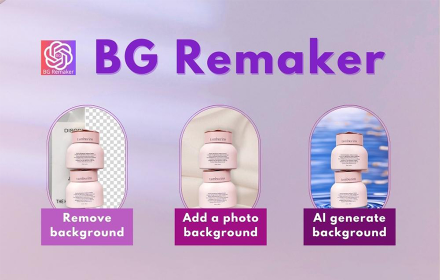
BG Remaker - Replace & Remove Background
An efficient AI image background processing tool that can greatly improve your work efficiency
10.0K
★ 4.8

Awesome Prompts
Curated AI prompts to generate images, apps, games, and more with any AI.
12

ChromaStudio — AI Image & Video Editor
Right-click any image to edit with 30+ AI tools. Upscale, remove backgrounds, enhance, generate videos & more.
39
★ 5.0

avatar maker from photo
Ai avatar maker from photo tool: transforms your images into funny profile pictures. Text to image ai creator from pictures.
2.0K
Data sourced from the Chrome Web Store · last verified Jun 1, 2026.