
AI Photo Editor
Use AI Photo Editor app as an AI picture editor and image changer with prompt to edit photo and change text in image
As of June 2026, AI Photo Editor has 662 users and a 5.00/5 rating from 5 reviews in the art category.
Usersup 59.9 percent+59.9%
662
662
Ratingno change0%
5.00
5 reviews
Reviewsup 25.0 percent+25.0%
5
Version
1.1.0
Manifest V3
History
11 snapshotsTracking since Apr 1, 2026.
View as table
| Date | Users | Rating | Reviews | Version |
|---|---|---|---|---|
| Apr 1, 2026 | 414 | 5.00 | 4 | 1.1.0 |
| Apr 8, 2026 | 422 | 5.00 | 4 | 1.1.0 |
| Apr 19, 2026 | 455 | 5.00 | 4 | 1.1.0 |
| Apr 24, 2026 | 477 | 5.00 | 4 | 1.1.0 |
| May 2, 2026 | 506 | 5.00 | 4 | 1.1.0 |
| May 8, 2026 | 507 | 5.00 | 4 | 1.1.0 |
| May 13, 2026 | 574 | 5.00 | 4 | 1.1.0 |
| May 19, 2026 | 577 | 5.00 | 5 | 1.1.0 |
| May 25, 2026 | 587 | 5.00 | 5 | 1.1.0 |
| Jun 1, 2026 | 600 | 5.00 | 5 | 1.1.0 |
| Jun 9, 2026 | 651 | 5.00 | 5 | 1.1.0 |
| Now | 662 | 5.00 | 5 | 1.1.0 |
Permissions & access
- Permissions
- contextMenusstoragescriptingnotificationsactiveTab
- Host access
- <all_urls>
Screenshots

About
🥱 Are you tired of looking for an AI Photo Editor with prompt functionality in a vast variety of photo editing apps? Your quest is over, as this simple yet effective chrome extension will cover all of your needs: Quick, simple and precise ai editor allows you to swiftly make changes to your picture with a simple text prompt. Just type in what you expect and get the results in mere seconds! Nano banana image editing allows you to iterate and make several changes, one after another. Once you are happy with the result, just download the final version 🙌 🖼 Here’s how to get started in three simple steps: 1) Download the AI Image Editor extension and pin it in the extensions’ bar 2) Click on the app icon to open ai picture editor. Just upload your picture and start changing it with a prompt. 3) Right-click on a picture on any website to take it directly into the photo Ai editor! 🌟 Key features of AI Photo Editor: ⌨️ Make changes to a photo using a simple prompt, just type what you want to get and ai Image Changer will do it for you! 📝 With photo editor ai you can easily edit text from pictures, delete it or add new lines. 🔄 Take your last result and continue working with it. Set your imagination free with easy iterations! 🔙 History helps you go several steps back, just use Undo and Redo buttons in google ai photo editor. 🌐 Take pictures from the webpage with right click on an image to take it directly into the app. ✅ Final version is always available for you to download from AI Photo editor app. ❗ Why use Ai image editor? Create on the go. Iterate until satisfied. Change text in image. Improve the quality of your photos. Get your time back. 💎 The most impactful use cases for ai photo editor with prompt: ▶️ Content creation: whether creating videos or making infographics, this AI Photo editor app provides you with easy and quick results. 👍 SMM upgrade: making engaging posts has never been easier, since ai Photo Editor with prompt based functionality will help you iterate img to img changes and create a decent post. 📸 Improved photography: apply filters, crop image, make the lighting different, get rid of annoying artifacts and improve quality of your pictures with our AI auto photo editor for photography. 😎 Avatar generator: take your selfie, edit photo with ai and make a perfect portrait for your social media profiles and messengers by switching your clothes, posture, look and much more! 🔠 Copyrighting: you can change text on a picture, delete it completely or add some new lines to new places by asking the ai editor photo to do so. 🛒 E-commerce product placement: choose product background, add colors, edit the look of the model, make it appealing and believable, no limits for your brand with this photo editing app. 📢 Marketing buddy: Ai Photo Editor page will get your images for ads just right within minutes by simply describing what you want to see on them, artificial intelligence Image Editor will do the rest. 1️⃣ Click the extension button to navigate to the ai photo editor page; 2️⃣ Upload the picture you want to enhance, or just find the needed photo on the web, right-click it and select the Edit option; 3️⃣ Crop the picture to get the desired aspect ratio; 4️⃣ Type in your prompt and hit Apply; 5️⃣ Watch Photo Editor AI do its magic and relax; 6️⃣ Reiterate by clicking continue and writing a new prompt. Undo the result with a single click if needed; 7️⃣ Download the final result! 💬 Frequently asked questions: ❓How to access ai photo editor page? 💡Just use the extension, or use right click on the picture in browser to take it directly into the app! ❓How to use the extension? 💡Sure, no problem with that. Upload the image, crop it and type what changes you want to achieve. Once happy with the result, simply download the file. ❓How do I install the extension? 💡Click Add to Chrome button and follow the instructions to get google ai photo editor. ❓How to make changes to the picture? 💡Just describe what you want to see and let AI edit photo for you! ❓Is prompt hard to write? 💡Not at all. Just let your imagination run wild and simply describe what you wh\ant to see. ❓Can I do a step back for the bad results? 💡Certainly, just use the undo button. ❓Why choose ai Photo Editor prompt extension? 💡A number of reasons: Easy Ai image to image changes; Quick Edit text from picture function; Control over changes with history and Undo Redo buttons; Cozy interface; Quick results. 🚀 Use new technologies to go to the next level. 👆🏻 Click Add to Chrome button to start implementing the power of Ai photo editors today!
Technical
- Version
- 1.1.0
- Manifest
- V3
- Size
- 165KiB
- Min Chrome
- 88
- Languages
- 52
- Featured
- No
Metadata
- ID
- bhbmlefglgahhhcnimaemihmemjdgidg
- Developer ID
- u44376558ea384c5df6b111945cfb76bc
- Developer Email
- [email protected]
- Created
- Feb 11, 2026
- Last Updated (Store)
- Feb 26, 2026
- Last Scraped
- Jun 9, 2026
- Website
- aiphotoeditor.club
- Support URL
- —
Similar extensions
Alternatives to AI Photo Editor, ranked by description similarity.

AI Background Generator
Use AI Background Generator — edit photo background, change picture background or add new one with background replacer tool
452
★ 5.0
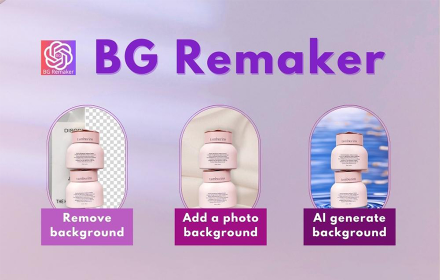
BG Remaker - Replace & Remove Background
An efficient AI image background processing tool that can greatly improve your work efficiency
10.0K
★ 4.8

Blur Image Background
Create stylish pictures with Blur Image Background — an easy app to fade background and highlight your photo with background blur.
199
★ 5.0
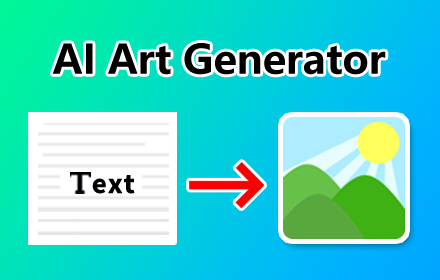
AI Art Generator
Turn text prompts into an image with AI; you can get the best free stock photos without searching from Pexels or Unsplash.
830
★ 3.0

Face Swap AI
Swap faces with AI - Single and Couple face swapping made easy!
32

Ai image generator
AI Image Generator
3

Image Prompt co
image to prompt
49

Remove background
Remove background from image easily with our convenient background remover tool. Select or upload your image in the browser.
40.0K
★ 4.7
Data sourced from the Chrome Web Store · last verified Jun 9, 2026.