
Notion Edit & Clip in Side Panel
Open and edit Notion pages in side panel to copy-paste from browser, manage notes. A powerful Notion Web Clipper alternative.
As of May 2026, Notion Edit & Clip in Side Panel has 154 users and a 3.00/5 rating from 6 reviews in the Workflow & Planning category.
Usersup 0.7 percent+0.7%
154
154
Ratingno change0%
3.00
6 reviews
Reviewsno change0%
6
Version
0.0.26
Manifest V3
History
3 snapshotsTracking since Apr 1, 2026.
View as table
| Date | Users | Rating | Reviews | Version |
|---|---|---|---|---|
| Apr 1, 2026 | 153 | 3.00 | 6 | 0.0.26 |
| Apr 30, 2026 | 160 | 3.00 | 6 | 0.0.26 |
| May 29, 2026 | 161 | 3.00 | 6 | 0.0.26 |
| Now | 154 | 3.00 | 6 | 0.0.26 |
Permissions & access
- Permissions
- storagesidePaneldeclarativeNetRequestWithHostAccess
- Host access
- *://*.notion.so/*
Screenshots


About
Quickly access notion pages in chrome side panel.

You can EDIT, VIEW, DELETE notion pages from side panel. This avoids tab switching between current tab and notion page.

With click of button, notion page is opened on current tabs side panel.

Designed for researchers, students, content creators, and anyone looking to streamline their web interactions, making notion more efficient.

≡ Features

- 💾 Save web articles, emails, tweets, Youtube videos, Linkedin posts, cooking recipes and more

- ⚡ Instantly access your Notion workspace with a single click. Keep your notes at your fingertips.

- 🤝 Take notes while in meeting, read older meeting notes from notion pages.

- ▶️ While watching youtube videos, take notes in notion using this sidepanel

- 🧐 While reading blogs, surfing web, quickly take notes in notion using this extension

- ✅ List tasks in notion page, and access them in side panel

- 🛠️ Adjust the width of the notion page in side panel to suit your preferences, giving you control over your workspace layout.

≡ Usage   Start using Turbo Notion today for free! It is helping notioners everyday to be more productive and enjoy Notion in their personal and professional lives.

≡ Contact   You have an issue or want to give a feedback / suggestion? Drop me an email :)

≡ Privacy  The extension doesn't collect any data unless you make an account. If you do, it may collect anonymous usage data to help us understand how you use the extension and what features we should work on first.
Technical
- Version
- 0.0.26
- Manifest
- V3
- Size
- 517KiB
- Min Chrome
- 114
- Languages
- 1
- Featured
- No
Metadata
- ID
- fagkajglcbohimamlhcpghddiogkfcae
- Developer ID
- ue2f290f48476b0d2e7a2de2e408007dc
- Developer Email
- [email protected]
- Created
- May 23, 2024
- Last Updated (Store)
- Aug 14, 2024
- Last Scraped
- May 29, 2026
- Website
- turbonotion.com
- Support URL
- https://turbonotion.com/support
- Privacy Policy
- https://www.plexbytes.com/privacy-policy
Similar extensions
Alternatives to Notion Edit & Clip in Side Panel, ranked by description similarity.

Notion Calendar Sidebar
Open a sidebar with Notion calendar
137
★ 5.0

Newtion
You can use New Page shortcut of Notion in web browser.
48

Save to Notion
Save the Web to Notion
400.0K
★ 4.3

Quick Note Tab - Notepad, Planner and Habits Tracker
Transform your new tab into a focused space to write notes, plan tasks, and build better habits
539
★ 4.5

Save to Notion
Save articles to your Notion reading list with automatic deadlines
—
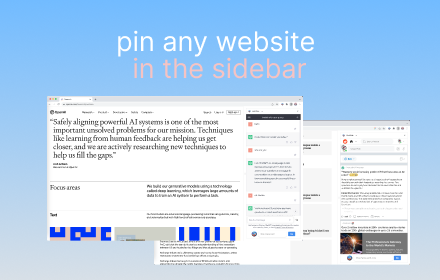
Sidebar Tabs — Open Any Website (ChatGPT, Todoist, Notion) in Side Panel
Open and pin any website in sidebar — such as ChatGPT, Gemini, Claude, Todoist, Notion and more.
3.0K
★ 4.1

SideNotes - Effortless Note-Taking Within Your Browser
Take in-browser, in-tab notes without the hassle of switching between tabs and windows
22
★ 5.0

Notion Compass
The fastest way to find & open any Notion page from any workspace, right from your browser. 🚀
13
★ 5.0
Data sourced from the Chrome Web Store · last verified May 29, 2026.