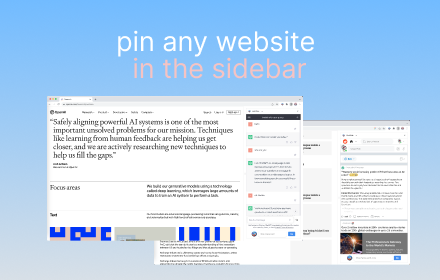
Sidebar Tabs — Open Any Website (ChatGPT, Todoist, Notion) in Side Panel
Open and pin any website in sidebar — such as ChatGPT, Gemini, Claude, Todoist, Notion and more.
As of June 2026, Sidebar Tabs — Open Any Website (ChatGPT, Todoist, Notion) in Side Panel has 3,000 users and a 4.10/5 rating from 20 reviews in the Workflow & Planning category.
Usersdown 25.0 percent−25.0%
3.0K
3,000
Ratingdown 8.3 percent−8.3%
4.10
20 reviews
Reviewsup 17.6 percent+17.6%
20
Version
3.0.1
Manifest V3
90-day change · In the last 90 days this extension lost 1.0K users.
History
8 snapshotsTracking since Apr 5, 2026.
View as table
| Date | Users | Rating | Reviews | Version |
|---|---|---|---|---|
| Apr 5, 2026 | 4.0K | 4.47 | 17 | 3.0.1 |
| Apr 16, 2026 | 3.0K | 4.47 | 17 | 3.0.1 |
| Apr 26, 2026 | 2.0K | 4.47 | 17 | 3.0.1 |
| May 6, 2026 | 2.0K | 4.39 | 18 | 3.0.1 |
| May 13, 2026 | 3.0K | 4.26 | 19 | 3.0.1 |
| May 22, 2026 | 4.0K | 4.26 | 19 | 3.0.1 |
| Jun 1, 2026 | 3.0K | 4.26 | 19 | 3.0.1 |
| Jun 9, 2026 | 2.0K | 4.10 | 20 | 3.0.1 |
| Now | 3.0K | 4.10 | 20 | 3.0.1 |
Permissions & access
- Permissions
- sidePaneldeclarativeNetRequest
- Host access
- <all_urls>
Screenshots

About
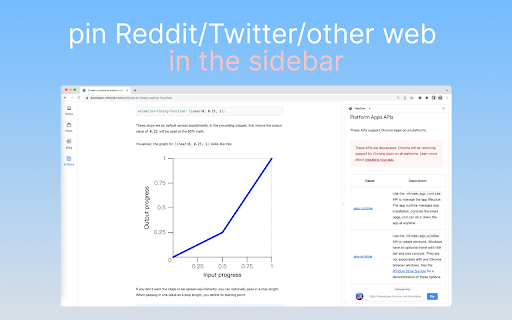
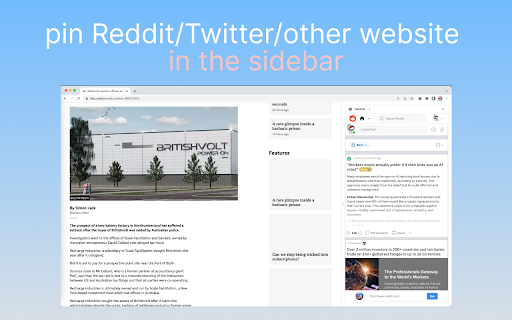
Open any website in Chrome's side panel — browse while you work!

  🚀 KEY FEATURES

  • Multi-Tab Support — Open up to 5 websites simultaneously in the sidebar
  • Quick Access Shortcuts — Your frequently visited sites, one click away
  • Distraction-Free Mode — Hide the address bar for a clean, full-height view
  • Draggable Toggle — Position the show/hide button anywhere you like
  • Auto-Save — Your tabs and shortcuts persist across sessions

  💡 PERFECT FOR

  • ChatGPT, Claude, Gemini — AI assistants always at your fingertips
  • Todoist, Notion, Trello — Manage tasks without leaving your current tab
  • Slack, Discord, WhatsApp — Stay connected while working
  • Translate, Dictionary — Quick reference tools
  • YouTube Music, Spotify — Background music player

  📌 HOW TO USE

  1. Click the extension icon to open the side panel
  2. Enter any URL or use quick shortcuts
  3. Switch between tabs, add new ones with "+"
  4. Click "→" to hide the address bar for more space

  Works with ANY website. Simple, fast, and lightweight.
Technical
- Version
- 3.0.1
- Manifest
- V3
- Size
- 466KiB
- Min Chrome
- 88
- Languages
- 1
- Featured
- Yes
Metadata
- ID
- acghhljehhigfeinngmggkpgbacpikfe
- Developer ID
- u5e4b5454ed929d0decf11ef683e4f51a
- Developer Email
- [email protected]
- Created
- Jun 25, 2023
- Last Updated (Store)
- Jan 6, 2026
- Last Scraped
- Jun 9, 2026
- Website
- —
- Support URL
- —
- Privacy Policy
- https://chathub.gg/privacy-policy
Similar extensions
Alternatives to Sidebar Tabs — Open Any Website (ChatGPT, Todoist, Notion) in Side Panel, ranked by description similarity.

SideApps: Open any apps in Chrome Side Panel
Browse while chatting with AI, taking notes, watching videos, or using any web app. Perfect for multitasking from Chrome side panel
272
★ 3.6

SideFlow
Open any site in Chrome’s Side Panel. Choose per‑tab or global. Favorites & filter. Close all panels.
4
★ 5.0

Always Open in New Tab
Automatically opens all links in new tabs in the background, keeping you on your current page for better browsing control.
453
★ 5.0

SideTab – Vertical Tabs in Side Panel
Vertical tabs in side panel to organize, view, and switch tabs easily with a clean sidebar tab manager..
5

quickee
Tabs on steroids
10
★ 5.0

Smart Tab Groups Manager for Chrome
Organize and manage your chrome tabs automatically into smart groups.
21

Sidebar Pro – Productivity Sidebar for Chrome
A productivity sidebar extension for Chrome to quickly access bookmarks, tools, websites, and extensions without switching tabs.
15

Tab & Group Manager
A tab manager with vertical view designed for developers
33
★ 5.0
Data sourced from the Chrome Web Store · last verified Jun 9, 2026.