
Upwork Job Insights
Surfaces hidden client and job data on Upwork job search pages as color-coded inline badges.
As of June 2026, Upwork Job Insights has 8 users and a 5.00/5 rating from 1 reviews in the Workflow & Planning category.
Usersup 60.0 percent+60.0%
8
8
Ratingno change0%
5.00
1 reviews
Reviewsno change0%
1
Version
1.0.1
Manifest V3
History
8 snapshotsTracking since Apr 16, 2026.
View as table
| Date | Users | Rating | Reviews | Version |
|---|---|---|---|---|
| Apr 16, 2026 | 5 | — | — | 1.0.1 |
| Apr 22, 2026 | 5 | 5.00 | 1 | 1.0.1 |
| Apr 27, 2026 | 4 | 5.00 | 1 | 1.0.1 |
| May 4, 2026 | 6 | 5.00 | 1 | 1.0.1 |
| May 10, 2026 | 9 | 5.00 | 1 | 1.0.1 |
| May 21, 2026 | 11 | 5.00 | 1 | 1.0.1 |
| May 28, 2026 | 10 | 5.00 | 1 | 1.0.1 |
| Jun 4, 2026 | 7 | 5.00 | 1 | 1.0.1 |
| Now | 8 | 5.00 | 1 | 1.0.1 |
Permissions & access
- Permissions
- storage
- Host access
- None declared
Screenshots


About
Stop guessing which Upwork clients are worth your time. Upwork Job Insights reveals hidden client data right on the job search page so you can make smarter decisions, faster.

The extension adds color-coded badges and scoring to every job listing, giving you instant visibility into client quality — no extra clicks, no page switching.

WHAT IT SHOWS

On Job Search Pages:
• Client total spend, rating, feedback count, and spend-per-review ratio
• Skills match indicator based on your configured skills
• Color-coded job tiles — Green (good client), Yellow (average), Red (poor)

On Job Detail Pages:
• Comprehensive "Client Insights" panel with reputation, financials, and activity data
• Review distribution and estimated hidden reviews
• Skill keyword highlighting in the job description

HOW SCORING WORKS
Each job gets a score (0-100) based on:
• Client spend — compared against your minimum threshold
• Client rating — compared against your minimum threshold
• Feedback count — volume of past reviews
• Spend/review ratio — how much the client pays per engagement
• Skills match — whether the job matches your configured skills

Score 65+ = Green | 40-64 = Yellow | Below 40 = Red

SETTINGS
• Set your minimum client spend threshold (default: $10,000)
• Set your minimum rating threshold (default: 4.5)
• Set your minimum feedback count (default: 5)
• Add your location for location-restricted job checking
• Add your skills for automatic job matching

PRIVACY
• No data collected or transmitted — ever
• No API calls, no external servers, no tracking
• Reads only publicly visible page content
• Settings stored locally via Chrome Storage
• No host permissions, no network access, no cookies

Works on both Chrome and Edge. Lightweight, fast, and completely private.
Technical
- Version
- 1.0.1
- Manifest
- V3
- Size
- 32.8KiB
- Min Chrome
- 88
- Languages
- 1
- Featured
- No
Metadata
- ID
- ecpmjnpimilfekabalbjgjickmbaoccd
- Developer ID
- uee54701a25df54a8db13311bab498e07
- Developer Email
- [email protected]
- Created
- Mar 16, 2026
- Last Updated (Store)
- Mar 25, 2026
- Last Scraped
- Jun 9, 2026
- Website
- —
- Support URL
- —
Similar extensions
Alternatives to Upwork Job Insights, ranked by description similarity.
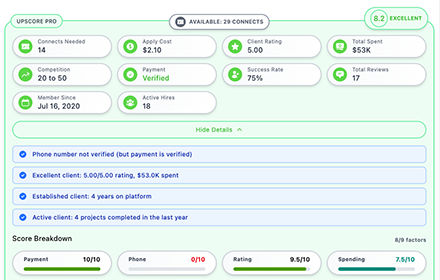
UpScore Pro - Smart Job Analysis for Upwork
Save money on Upwork! Get instant job quality scores, risk warnings, and connect costs before applying to avoid bad clients.
36
★ 5.0

Better Up
Upwork Client Intelligence — Hiring Alerts, Job Analysis & History
9
★ 5.0

BidLynx
Scan Upwork job posts to analyse client intent before you spend your Connects.
1

Job Score
Analyze and score job listings on LinkedIn, Glassdoor, Indeed and more based on your custom green and red flag keywords.
7
★ 5.0

SkimIt: LinkedIn Recruiter Highlighter
Highlight Green and Red flags on LinkedIn profiles.
99
★ 5.0

Upwork Time Saver - Job Scoring & AI Summary
Stop wasting time & connects on Upwork! Automate your proposals, get accurate job scores & task breakdowns. Bid faster and smarter!
17
★ 5.0

Upwork Alternative
Upwork Alternative - Ship software faster with trusted engineers, and no AI bids!
8
★ 5.0

Job Hunter Ultimate
Automated job feed monitor and proposal helper for freelancers.
—
Data sourced from the Chrome Web Store · last verified Jun 9, 2026.