
Prime Video Enhancer
Enhance your Amazon Prime Video experience
As of June 2026, Prime Video Enhancer has 6,000 users and a 4.81/5 rating from 47 reviews in the Entertainment category.
Usersup 100.0 percent+100.0%
6.0K
6,000
Ratingup 1.1 percent+1.1%
4.81
47 reviews
Reviewsup 27.0 percent+27.0%
47
Version
1.14.0
Manifest V3
90-day change · In the last 90 days this extension gained 3.0K users, 6 version updates, changed permissions.
History
11 snapshotsTracking since Apr 17, 2026.
View as table
| Date | Users | Rating | Reviews | Version |
|---|---|---|---|---|
| Apr 17, 2026 | 3.0K | 4.76 | 37 | 1.8.3 |
| Apr 23, 2026 | 4.0K | 4.76 | 38 | 1.8.3 |
| Apr 28, 2026 | 4.0K | 4.78 | 40 | 1.8.3 |
| May 3, 2026 | 4.0K | 4.78 | 41 | 1.8.3 |
| May 8, 2026 | 4.0K | 4.78 | 41 | 1.9.4 |
| May 11, 2026 | 6.0K | 4.79 | 42 | 1.10.0 |
| May 15, 2026 | 8.0K | 4.79 | 43 | 1.12.0 |
| May 24, 2026 | 9.0K | 4.80 | 44 | 1.12.0 |
| May 28, 2026 | 7.0K | 4.80 | 45 | 1.12.1 |
| Jun 2, 2026 | 6.0K | 4.80 | 45 | 1.12.1 |
| Jun 12, 2026 | 6.0K | 4.80 | 46 | 1.13.0 |
| Now | 6.0K | 4.81 | 47 | 1.14.0 |
Changelog
- May 8, 2026description
Prime Video, without the distractions. Hide X-Ray, stop autoplay, fix your subtitles — all with a single key press, no account, no data collection.

X-Ray spoiling the cast reveal before you're ready. Autoplay jumping to the next episode before the credits end. Subtitles the wrong size, the wrong colour, impossible to read. Prime Video Enhancer turns every one of those frustrations off. Changes apply instantly. Nothing leaves your device.

---

YOUR FIRST 60 SECONDS

Install, refresh Prime Video, and press:

1 — Hide the title overlay
2 — Hide episode and season info
3 — Hide X-Ray
4 — Hide the control overlay

Four key presses. A completely clean Amazon Prime Video player. Every other feature works the same way: instant, reversible, no page refresh needed.

---

HIDE OVERLAYS & AVOID SPOILERS

• Hide X-Ray — Prevent cast names, trivia, and scene information from appearing on hover before you are ready to see them
• Hide Title Overlay — Remove the video title bar that covers the picture during playback
• Hide Episode Info — Remove episode descriptions that reveal upcoming plot points before you have watched them

---

REMOVE PLAYER CLUTTER

• Hide Control Overlay — Remove the playback controls for immersive, cinema-style viewing
• Hide Play/Pause Buttons — Conceal the large center play, pause, and skip buttons
• Hide Settings Menu — Remove the top-right configuration menu so nothing competes with the picture
• Hide Progress Bar — Remove the scrub bar and time indicators for a completely clean screen

---

STOP AUTOPLAY & NEXT EPISODE POPUPS

• Hide Next Episode — Remove the Next Episode button and auto-advance card so series never jump ahead without you
• Hide Next Up — Block Next Up overlays during end credits so you decide when the next episode starts
• Manage episode transitions and credit interruptions independently for full control over your watch session

---

CUSTOMIZE SUBTITLES

• Custom colours — presets, colour picker, and hex input
• Font size — increase or decrease with live preview
• Font family — multiple options for legibility and personal preference
• All subtitle settings persist automatically across viewing sessions

---

PLAYBACK SPEED CONTROL

• Eight speed options from 0.25x to 2.0x with smooth transitions
• Fine-tune with +/- buttons and on-screen feedback for every change
• Enable or disable the speed feature from the Speed tab — your preference persists across videos

---

KEYBOARD SHORTCUTS

• Hold / during playback to see every available shortcut
• Press ? for a persistent shortcuts panel that stays visible
• Number keys 1-9 toggle features without opening the popup
• Ctrl+Shift+Up/Down adjusts subtitle size; Ctrl+Shift+Left/Right cycles subtitle colours
• All shortcuts can be disabled if you prefer mouse-only control

---

100% PRIVACY-FOCUSED

• No personal data collected or transmitted
• No access to your Amazon account or viewing history
• All settings stored locally on your device only
• No external analytics, tracking pixels, or third-party services
• Network activity limited to Chrome Web Store update checks

---

WORKS ON ALL PRIME VIDEO REGIONS

Compatible with all Prime Video regions worldwide. Runs on Chrome, Edge, Brave, and every Chromium-based browser across Windows, Mac, Linux, and Chrome OS.

---

BUILT WITH COMMUNITY FEEDBACK

Real users shape every update:

• Hugo Lobato — Settings menu and progress bar toggles
• Taketo Yanaka — International region support including Prime Video Japan
• Suleman & John — Overlay display fixes after Prime Video updates
• Seti KirhenNeiNar — Subtitle visibility improvements
• Lloyd M — Hide Next Episode overlay control
• Teodoro Cesar — Subtitle translucency fix

Your feedback shapes what gets built next. Visit pvenhancer.com to suggest features or report issues.

---

Install in seconds. Open the player, press a number key — changes apply instantly. Restore defaults anytime with one click.

---

Prime Video Enhancer is an independent tool and is not affiliated with Amazon. Prime Video is a trademark of Amazon.com, Inc. This extension enhances your viewing experience through interface customisation and does not modify Amazon's service.
Prime Video, without the distractions. Hide X-Ray, stop autoplay, fix your subtitles — all with a single key press, no account, no data collection.

X-Ray spoiling the cast reveal before you're ready. Autoplay jumping to the next episode before the credits end. Subtitles the wrong size, the wrong colour, impossible to read. Prime Video Enhancer turns every one of those frustrations off. Changes apply instantly. Nothing leaves your device.

---

YOUR FIRST 60 SECONDS

Install, refresh Prime Video, and press:

1 — Hide the title overlay
2 — Hide episode and season info
3 — Hide X-Ray
4 — Hide the control overlay

Four key presses. A completely clean Amazon Prime Video player. Every other feature works the same way: instant, reversible, no page refresh needed.

---

HIDE OVERLAYS & AVOID SPOILERS

• Hide X-Ray — Prevent cast names, trivia, and scene information from appearing on hover before you are ready to see them
• Hide Title Overlay — Remove the video title bar that covers the picture during playback
• Hide Episode Info — Remove episode descriptions that reveal upcoming plot points before you have watched them

---

REMOVE PLAYER CLUTTER

• Hide Control Overlay — Remove the playback controls for immersive, cinema-style viewing
• Hide Play/Pause Buttons — Conceal the large center play, pause, and skip buttons
• Hide Settings Menu — Remove the top-right configuration menu so nothing competes with the picture
• Hide Progress Bar — Remove the scrub bar and time indicators for a completely clean screen

---

STOP AUTOPLAY & NEXT EPISODE POPUPS

• Hide Next Episode — Remove the Next Episode button and auto-advance card so series never jump ahead without you
• Hide Next Up — Block Next Up overlays during end credits so you decide when the next episode starts
• Manage episode transitions and credit interruptions independently for full control over your watch session

---

CUSTOMIZE SUBTITLES

• Custom colours — presets, colour picker, and hex input
• Font size — increase or decrease with live preview
• Font family — multiple options for legibility and personal preference
• All subtitle settings persist automatically across viewing sessions

---

PLAYBACK SPEED CONTROL

• Eight speed options from 0.25x to 2.0x with smooth transitions
• Fine-tune with +/- buttons and on-screen feedback for every change
• Enable or disable the speed feature from the Speed tab — your preference persists across videos

---

KEYBOARD SHORTCUTS

• Hold / during playback to see every available shortcut
• Press ? for a persistent shortcuts panel that stays visible
• Number keys 1-9 toggle features without opening the popup
• Ctrl+Shift+Up/Down adjusts subtitle size; Ctrl+Shift+Left/Right cycles subtitle colours
• All shortcuts can be disabled if you prefer mouse-only control

---

100% PRIVACY-FOCUSED

• No personal data collected or transmitted
• No access to your Amazon account or viewing history
• All settings stored locally on your device only
• No external analytics, tracking pixels, or third-party services
• Network activity limited to Chrome Web Store update checks

---

WORKS ON ALL PRIME VIDEO REGIONS

Compatible with all Prime Video regions worldwide. Runs on Chrome, Edge, Brave, and every Chromium-based browser across Windows, Mac, Linux, and Chrome OS.

---

BUILT WITH COMMUNITY FEEDBACK

Real users shape every update:

• Hugo Lobato — Settings menu and progress bar toggles
• Taketo Yanaka — International region support including Prime Video Japan
• Suleman & John — Overlay display fixes after Prime Video updates
• Seti KirhenNeiNar — Subtitle visibility improvements
• Lloyd M — Hide Next Episode overlay control
• Teodoro Cesar — Subtitle translucency fix

Your feedback shapes what gets built next. Visit pvenhancer.com to suggest features or report issues.

---

Install in seconds. Open the player, press a number key — changes apply instantly. Restore defaults anytime with one click.

---

PVE is free and supported by users who choose to contribute. An optional "♥ Support" link in the popup opens pvenhancer.com/support — voluntary, never required. The extension itself collects no payment or personal data; payments are handled by Lemon Squeezy as a separate Merchant of Record.

--

Prime Video Enhancer is an independent tool and is not affiliated with Amazon. Prime Video is a trademark of Amazon.com, Inc. This extension enhances your viewing experience through interface customisation and does not modify Amazon's service.
- May 3, 2026description
Note: This extension is not affiliated with Amazon. Prime Video is a trademark of Amazon.com, Inc. Prime Video Enhancer is an independent tool that enhances your viewing experience through interface customization — it works alongside Amazon's Prime Video service without modifying it.

The clean, distraction-free Prime Video experience you've been looking for. Hide X-Ray popups before they spoil the scene, stop autoplay from jumping ahead during credits, customize subtitle appearance, and control playback speed — all with instant toggles and keyboard shortcuts. No page refresh. No account. No data collection.

---

HIDE OVERLAYS & AVOID SPOILERS

• Hide X-Ray — Stop cast names, trivia, and scene info from appearing on hover before you're ready to see them
• Hide Title Overlay — Remove the video title bar that covers the picture during playback
• Hide Episode Info — Remove episode descriptions that can reveal upcoming plot points

---

CLEAN UP THE PLAYER

• Hide Control Overlay — Remove playback controls for immersive, uninterrupted viewing
• Hide Play/Pause Buttons — Conceal the large center play, pause, and skip buttons
• Hide Settings Menu — Remove the top-right configuration menu from the player
• Hide Progress Bar — Remove time indicators and the scrub bar for a completely clean screen

---

STOP AUTOPLAY & NEXT EPISODE POPUPS

• Hide Next Episode — Remove the "Next Episode" button and auto-advance card, preventing autoplay on series
• Hide Next Up — Block "Next Up" overlays and autoplay triggers during credits
• Granular Control — Manage episode transitions and credit interruptions independently

---

CUSTOMIZE SUBTITLES

• Custom colors with presets, color picker, and hex input
• Font size control with +/- buttons and real-time preview
• Multiple font family options for better readability
• Settings remembered across viewing sessions automatically

---

PLAYBACK SPEED CONTROL

• 8 speed options from 0.25x to 2.0x with smooth transitions
• Fine adjustment with +/- buttons and visual feedback
• Enable or disable from the Speed tab — settings persist across videos

---

KEYBOARD SHORTCUTS

• Hold "/" to see all shortcuts during playback
• Shift + "/" for a persistent shortcuts overlay
• Number keys 1–9 to toggle features instantly
• Works during playback without opening the popup
• Can be fully disabled if you prefer mouse control

---

WORKS EVERYWHERE

Seamless across all Amazon Prime Video regions — US, UK, Germany, France, Italy, Spain, Canada, Brazil, Mexico, Australia, India, Japan, and more. Compatible with Chrome, Edge, Brave, and any Chromium-based browser on Windows, Mac, Linux, and Chrome OS.

---

100% PRIVACY-FOCUSED

• No personal data collection or tracking
• No access to your Amazon account or viewing history
• Settings stored locally on your device only
• No external analytics or third-party services
• Network usage limited to Chrome Web Store update checks

---

MODERN INTERFACE

Smart 3-tab popup grouping features into Video Elements, Player Controls, and Autoplay & Navigation. Master toggles for feature groups, adaptive popup sizing, smooth animations, and a one-click "Restore Defaults" button.

---

BUILT WITH COMMUNITY FEEDBACK

Real users shape every update:

• Hugo Lobato — Toggle controls for settings menu & progress bar (v1.3.0)
• Taketo Yanaka — International region support for Prime Video Japan (v1.3.2)
• Suleman & John — Overlay display fixes after Prime Video updates (v1.5.0)
• Seti KirhenNeiNar — Subtitle visibility improvements (v1.5.3)
• Lloyd M — "Hide Next Episode" overlay control (v1.8.0)
• Teodoro Cesar — Subtitle translucency fix (v1.8.0)

Your feedback shapes development. Use our feedback form to suggest features or report issues.

---

Install in under 30 seconds. Click the icon, toggle what you want — changes apply instantly. Restore defaults anytime with one click.
Prime Video, without the distractions. Hide X-Ray, stop autoplay, fix your subtitles — all with a single key press, no account, no data collection.

X-Ray spoiling the cast reveal before you're ready. Autoplay jumping to the next episode before the credits end. Subtitles the wrong size, the wrong colour, impossible to read. Prime Video Enhancer turns every one of those frustrations off. Changes apply instantly. Nothing leaves your device.

---

YOUR FIRST 60 SECONDS

Install, refresh Prime Video, and press:

1 — Hide the title overlay
2 — Hide episode and season info
3 — Hide X-Ray
4 — Hide the control overlay

Four key presses. A completely clean Amazon Prime Video player. Every other feature works the same way: instant, reversible, no page refresh needed.

---

HIDE OVERLAYS & AVOID SPOILERS

• Hide X-Ray — Prevent cast names, trivia, and scene information from appearing on hover before you are ready to see them
• Hide Title Overlay — Remove the video title bar that covers the picture during playback
• Hide Episode Info — Remove episode descriptions that reveal upcoming plot points before you have watched them

---

REMOVE PLAYER CLUTTER

• Hide Control Overlay — Remove the playback controls for immersive, cinema-style viewing
• Hide Play/Pause Buttons — Conceal the large center play, pause, and skip buttons
• Hide Settings Menu — Remove the top-right configuration menu so nothing competes with the picture
• Hide Progress Bar — Remove the scrub bar and time indicators for a completely clean screen

---

STOP AUTOPLAY & NEXT EPISODE POPUPS

• Hide Next Episode — Remove the Next Episode button and auto-advance card so series never jump ahead without you
• Hide Next Up — Block Next Up overlays during end credits so you decide when the next episode starts
• Manage episode transitions and credit interruptions independently for full control over your watch session

---

CUSTOMIZE SUBTITLES

• Custom colours — presets, colour picker, and hex input
• Font size — increase or decrease with live preview
• Font family — multiple options for legibility and personal preference
• All subtitle settings persist automatically across viewing sessions

---

PLAYBACK SPEED CONTROL

• Eight speed options from 0.25x to 2.0x with smooth transitions
• Fine-tune with +/- buttons and on-screen feedback for every change
• Enable or disable the speed feature from the Speed tab — your preference persists across videos

---

KEYBOARD SHORTCUTS

• Hold / during playback to see every available shortcut
• Press ? for a persistent shortcuts panel that stays visible
• Number keys 1-9 toggle features without opening the popup
• Ctrl+Shift+Up/Down adjusts subtitle size; Ctrl+Shift+Left/Right cycles subtitle colours
• All shortcuts can be disabled if you prefer mouse-only control

---

100% PRIVACY-FOCUSED

• No personal data collected or transmitted
• No access to your Amazon account or viewing history
• All settings stored locally on your device only
• No external analytics, tracking pixels, or third-party services
• Network activity limited to Chrome Web Store update checks

---

WORKS ON ALL PRIME VIDEO REGIONS

Compatible with all Prime Video regions worldwide. Runs on Chrome, Edge, Brave, and every Chromium-based browser across Windows, Mac, Linux, and Chrome OS.

---

BUILT WITH COMMUNITY FEEDBACK

Real users shape every update:

• Hugo Lobato — Settings menu and progress bar toggles
• Taketo Yanaka — International region support including Prime Video Japan
• Suleman & John — Overlay display fixes after Prime Video updates
• Seti KirhenNeiNar — Subtitle visibility improvements
• Lloyd M — Hide Next Episode overlay control
• Teodoro Cesar — Subtitle translucency fix

Your feedback shapes what gets built next. Visit pvenhancer.com to suggest features or report issues.

---

Install in seconds. Open the player, press a number key — changes apply instantly. Restore defaults anytime with one click.

---

Prime Video Enhancer is an independent tool and is not affiliated with Amazon. Prime Video is a trademark of Amazon.com, Inc. This extension enhances your viewing experience through interface customisation and does not modify Amazon's service.
- May 3, 2026host_permissions
https://www.amazon.com/*, https://www.amazon.co.jp/*, https://www.amazon.co.uk/*, https://www.amazon.de/*, https://www.amazon.fr/*, https://www.amazon.it/*, https://www.amazon.es/*, https://www.amazon.ca/*, https://www.amazon.com.br/*, https://www.amazon.com.mx/*, https://www.amazon.com.au/*, https://www.amazon.in/*, https://www.amazon.nl/*, https://www.amazon.se/*, https://www.amazon.pl/*, https://www.amazon.sa/*, https://www.amazon.sg/*, https://www.amazon.ae/*, https://www.amazon.com.tr/*, https://www.primevideo.com/*
https://www.amazon.com/*, https://www.amazon.co.uk/*, https://www.amazon.de/*, https://www.amazon.co.jp/*, https://www.primevideo.com/*
- May 3, 2026permissions
storage, activeTab
storage
Permissions & access
- Permissions
- storage
- Host access
- https://www.amazon.com/*, https://www.amazon.co.uk/*, https://www.amazon.de/*, https://www.amazon.co.jp/*, https://www.primevideo.com/*
Screenshots


About
Prime Video, without the distractions. Hide X-Ray, stop autoplay, fix your subtitles — all with a single key press, no account, no data collection.

X-Ray spoiling the cast reveal before you're ready. Autoplay jumping to the next episode before the credits end. Subtitles the wrong size, the wrong colour, impossible to read. Prime Video Enhancer turns every one of those frustrations off. Changes apply instantly. Nothing leaves your device.

---

YOUR FIRST 60 SECONDS

Install, refresh Prime Video, and press:

1 — Hide the title overlay
2 — Hide episode and season info
3 — Hide X-Ray
4 — Hide the control overlay

Four key presses. A completely clean Amazon Prime Video player. Every other feature works the same way: instant, reversible, no page refresh needed.

---

HIDE OVERLAYS & AVOID SPOILERS

• Hide X-Ray — Prevent cast names, trivia, and scene information from appearing on hover before you are ready to see them
• Hide Title Overlay — Remove the video title bar that covers the picture during playback
• Hide Episode Info — Remove episode descriptions that reveal upcoming plot points before you have watched them

---

REMOVE PLAYER CLUTTER

• Hide Control Overlay — Remove the playback controls for immersive, cinema-style viewing
• Hide Play/Pause Buttons — Conceal the large center play, pause, and skip buttons
• Hide Settings Menu — Remove the top-right configuration menu so nothing competes with the picture
• Hide Progress Bar — Remove the scrub bar and time indicators for a completely clean screen

---

STOP AUTOPLAY & NEXT EPISODE POPUPS

• Hide Next Episode — Remove the Next Episode button and auto-advance card so series never jump ahead without you
• Hide Next Up — Block Next Up overlays during end credits so you decide when the next episode starts
• Manage episode transitions and credit interruptions independently for full control over your watch session

---

CUSTOMIZE SUBTITLES

• Custom colours — presets, colour picker, and hex input
• Font size — increase or decrease with live preview
• Font family — multiple options for legibility and personal preference
• All subtitle settings persist automatically across viewing sessions

---

PLAYBACK SPEED CONTROL

• Eight speed options from 0.25x to 2.0x with smooth transitions
• Fine-tune with +/- buttons and on-screen feedback for every change
• Enable or disable the speed feature from the Speed tab — your preference persists across videos

---

KEYBOARD SHORTCUTS

• Hold / during playback to see every available shortcut
• Press ? for a persistent shortcuts panel that stays visible
• Number keys 1-9 toggle features without opening the popup
• Ctrl+Shift+Up/Down adjusts subtitle size; Ctrl+Shift+Left/Right cycles subtitle colours
• All shortcuts can be disabled if you prefer mouse-only control

---

100% PRIVACY-FOCUSED

• No personal data collected or transmitted
• No access to your Amazon account or viewing history
• All settings stored locally on your device only
• No external analytics, tracking pixels, or third-party services
• Network activity limited to Chrome Web Store update checks

---

WORKS ON ALL PRIME VIDEO REGIONS

Compatible with all Prime Video regions worldwide. Runs on Chrome, Edge, Brave, and every Chromium-based browser across Windows, Mac, Linux, and Chrome OS.

---

BUILT WITH COMMUNITY FEEDBACK

Real users shape every update:

• Hugo Lobato — Settings menu and progress bar toggles
• Taketo Yanaka — International region support including Prime Video Japan
• Suleman & John — Overlay display fixes after Prime Video updates
• Seti KirhenNeiNar — Subtitle visibility improvements
• Lloyd M — Hide Next Episode overlay control
• Teodoro Cesar — Subtitle translucency fix

Your feedback shapes what gets built next. Visit pvenhancer.com to suggest features or report issues.

---

Install in seconds. Open the player, press a number key — changes apply instantly. Restore defaults anytime with one click.

---

PVE is free and supported by users who choose to contribute. An optional "♥ Support" link in the popup opens pvenhancer.com/support — voluntary, never required. The extension itself collects no payment or personal data; payments are handled by Lemon Squeezy as a separate Merchant of Record.

--

Prime Video Enhancer is an independent tool and is not affiliated with Amazon. Prime Video is a trademark of Amazon.com, Inc. This extension enhances your viewing experience through interface customisation and does not modify Amazon's service.
Technical
- Version
- 1.14.0
- Manifest
- V3
- Size
- 91.13KiB
- Min Chrome
- 88
- Languages
- 1
- Featured
- No
Metadata
- ID
- ecilhbofghhbpiakcfoolonkhhokpcbg
- Developer ID
- u4a7c5cd169f5a20981925a6b42bbe60b
- Developer Email
- [email protected]
- Created
- Sep 12, 2024
- Last Updated (Store)
- Jun 11, 2026
- Last Scraped
- Jun 12, 2026
- Website
- pvenhancer.com
- Support URL
- https://pvenhancer.com/report
- Privacy Policy
- https://pvenhancer.com/privacy/
Similar extensions
Alternatives to Prime Video Enhancer, ranked by description similarity.
Streaming enhanced Netflix Disney Prime Video
Skip ads, intros, credits and add adjust speed, etc. on Netflix, Prime video, Disney+, Crunchyroll and HBO max.
40.0K
★ 4.7

🎬 Prime Video Auto Skip & Speed
✨ Skip intros & control playback speed on Prime Video ✨
117
★ 5.0

Amazon Prime Video Speed Controller
Adjust playback speed on Amazon Prime Video.
95
★ 3.7
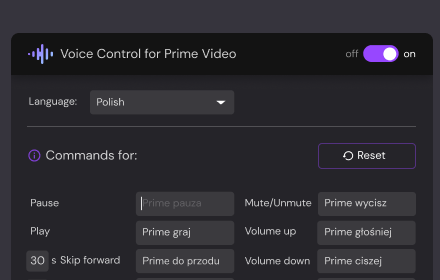
Voice Control for Prime Video
🔊Voice Control for Prime Video 🚀 Play, pause, fast-forward, and more! 🙌🎬
32

Controls for YouTube
Add configurable keyboard shortcuts and customizations to the YouTube player.
115

Amazon X-Ray Manager
Toggle Amazon Prime Video X-Ray on/off
55
★ 2.3
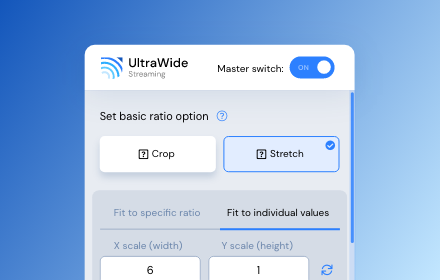
UltraWide Streaming: custom ratios [QVI]
Go fullscreen on your ultrawide monitor. Fit the video to 21:9, 32:9, or custom ratio. Supports most streaming platforms.
10.0K
★ 4.2

Netflix™ Extended [QVI]
Extension for Netflix™ to skip intros, recaps, start next movie/episode in faster pace and many more.
60.0K
★ 4.4
Data sourced from the Chrome Web Store · last verified Jun 12, 2026.