
Amazon Prime Video Speed Controller
Adjust playback speed on Amazon Prime Video.
As of June 2026, Amazon Prime Video Speed Controller has 95 users and a 3.67/5 rating from 3 reviews in the Entertainment category.
Usersup 18.8 percent+18.8%
95
95
Ratingno change0%
3.67
3 reviews
Reviewsno change0%
3
Version
1.0
Manifest V3
History
3 snapshotsTracking since Apr 20, 2026.
View as table
| Date | Users | Rating | Reviews | Version |
|---|---|---|---|---|
| Apr 20, 2026 | 80 | 3.67 | 3 | 1.0 |
| May 5, 2026 | 88 | 3.67 | 3 | 1.0 |
| Jun 4, 2026 | 91 | 3.67 | 3 | 1.0 |
| Now | 95 | 3.67 | 3 | 1.0 |
Permissions & access
- Permissions
- activeTab
- Host access
- https://www.primevideo.com/*
Screenshots


About
Tired of videos playing too slowly? Need to speed through those long documentaries or binge-watch shows faster? Amazon Prime Video Speed Controller (APVSC) gives you the power to watch content at your preferred pace.
This lightweight extension adds intuitive playback speed controls to Amazon Prime Video, allowing you to seamlessly adjust viewing speeds from normal (1.0x) to blazing fast (up to 10.0x) with just a single click.

Why You'll Love This Extension
- Save Time: Breeze through content at 1.5x or 2.0x speed – perfect for documentaries, tutorials, or when catching up on your favorite series
- Ad Skipper: Use the 10.0x speed option to quickly get through promotional content
- Non-Intrusive Design: Elegant floating control bar that automatically hides when not in use
- Full Compatibility: Works perfectly in both normal and fullscreen viewing modes
- Zero Learning Curve: Simple, intuitive controls that anyone can use immediately

Key Features
- Four Speed Settings: Normal (1.0x), Faster (1.5x), Fastest (2.0x), and Ad Skip (10.0x)
- Visual Speed Indicator: Always know your current playback speed
- Floating Controls: Accessible overlay that doesn't interfere with your viewing
- Extension Popup: Alternative speed controls via the extension icon
- Zero Bloat: Lightweight performance with minimal resource usage

How It Works
After installation, simply navigate to any Amazon Prime Video content. The speed controls will automatically appear as a subtle floating bar on the video player.

Click on your desired speed, and the video will instantly adjust. When you're not interacting with the controls, they'll fade away to give you an unobstructed view.

Need to change speeds frequently? Use the convenient popup menu by clicking the extension icon in your toolbar.

Note: This extension is not affiliated with or endorsed by Amazon or Prime Video.
Technical
- Version
- 1.0
- Manifest
- V3
- Size
- 14.41KiB
- Min Chrome
- 88
- Languages
- 1
- Featured
- No
Metadata
- ID
- mlggfglalhbkeafofhkjiciijbmjieol
- Developer ID
- u9d8acc2d99fdaf97c7f6da9aeabe153e
- Developer Email
- [email protected]
- Created
- Apr 29, 2025
- Last Updated (Store)
- Apr 29, 2025
- Last Scraped
- Jun 4, 2026
- Website
- gelsonluz.com
Similar extensions
Alternatives to Amazon Prime Video Speed Controller, ranked by description similarity.

TVP VOD Speeder: Adjust Playback Speed
This extension allows you to adjust the playback speed on TVP VOD according to your preferences.
39
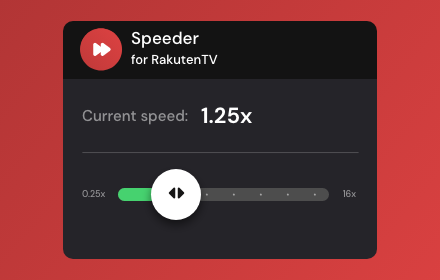
Speeder for Rakuten TV: adjust playback speed
Extension allows to adjust the playback speed on Rakuten TV according to your preferences.
110

ViX Speeder: adjust playback speed
Extension allows you to adjust the playback speed on ViX according to your preferences
17

YouTube Speeder: adjust playback speed [QVI]
Extension allows to adjust the playback speed on YouTube according to preference
2.0K
★ 5.0

Video Speed Booster & Ad Skipper
Boost video speed and skip ads on any website.
61
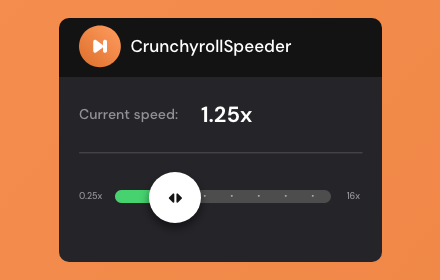
Crunchyroll Speeder: adjust playback speed [QVI]
Extension allows to adjust the playback speed on Crunchyroll according to preference
30.0K
★ 4.7

Video Speed Controller
Speed up or slow down videos by adjusting the playback speed
10.0K
★ 5.0

CANAL+ Speeder: Adjust Playback Speed
This extension allows you to adjust the playback speed on CANAL+ according to your preferences.
131
Data sourced from the Chrome Web Store · last verified Jun 4, 2026.