
Split
Split the current tab's content into two independent, side-by-side scrollable views of the same page.
As of June 2026, Split has 45 users and a 5.00/5 rating from 1 reviews in the Functionality & UI category.
Usersup 25.0 percent+25.0%
45
45
Ratingno change0%
5.00
1 reviews
Reviewsno change0%
1
Version
1.0
Manifest V3
History
5 snapshotsTracking since Apr 1, 2026.
View as table
| Date | Users | Rating | Reviews | Version |
|---|---|---|---|---|
| Apr 1, 2026 | 36 | 5.00 | 1 | 1.0 |
| Apr 21, 2026 | 37 | 5.00 | 1 | 1.0 |
| May 6, 2026 | 47 | 5.00 | 1 | 1.0 |
| May 18, 2026 | 43 | 5.00 | 1 | 1.0 |
| Jun 1, 2026 | 38 | 5.00 | 1 | 1.0 |
| Now | 45 | 5.00 | 1 | 1.0 |
Permissions & access
- Permissions
- activeTabscripting
- Host access
- None declared
Screenshots


About
Split any webpage into two independent, side-by-side scrollable views with a single click.

FEATURES:
• One-click toggle to split any webpage
• 50/50 horizontal split with independent scrolling
• Works on all websites including TikTok, YouTube, Instagram
• No network overhead - uses existing loaded content
• Keyboard shortcut: Ctrl+Shift+S
• Smart handling of media-heavy sites

HOW TO USE:
1. Click the Split extension icon in your toolbar
2. Page splits into two identical, independently scrollable views
3. Click again to return to normal view

PRIVACY:
No data collection, tracking, or external servers. Works entirely offline.
Technical
- Version
- 1.0
- Manifest
- V3
- Size
- 15.55KiB
- Min Chrome
- 88
- Languages
- 1
- Featured
- No
Metadata
- ID
- eancfbgdcefhidfijmagmhebhlaniaap
- Developer ID
- ucba1149cfe16adfe06596f6487459b7c
- Developer Email
- [email protected]
- Created
- Oct 1, 2025
- Last Updated (Store)
- Oct 1, 2025
- Last Scraped
- Jun 1, 2026
- Website
- —
- Support URL
- —
Similar extensions
Alternatives to Split, ranked by description similarity.

Screen Splitter - Tab Resize - Split Screen
Split Screen for Google Chrome. Splits your screen into multiple windows. Screen Splitter Multi Monitor support.
1.0K
★ 5.0
Page Sidebar | Open any page in side panel
Effortlessly open any website in your web browser's sidebar – streamline your workflow instantly!
20.0K
★ 4.3

YouTube Thumbnail Size Fixer
Fix YouTube's layout: Display 4-12 videos per row instead of 3. Reduce scrolling & hide Shorts.
846
★ 5.0
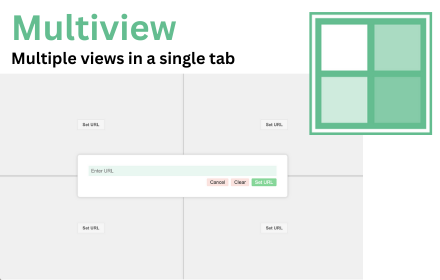
MultiView: Split Screen Tab Extension
> Overview
Multiview is a transformative Chrome extension designed to revolutionise the way users interact with the web. By…
3.0K
★ 2.1

Video Zen: Full Window Video Maximizer
Silence the noise. Amplify the video. Transform any web video into a focused, distraction-free experience.
78

Split Tab Scroll Sync
Smart scroll synchronization between split tabs with content-aware alignment for translations
25

Split View: Open Left Pane Links in Right Pane
When using Chrome's native Split View, clicking a link in the left pane opens it in the right pane.
163
★ 5.0

Svafa - Multi-Page Grid Viewer
Display multiple web pages in a customizable grid layout
—
Data sourced from the Chrome Web Store · last verified Jun 1, 2026.