
Add website to Brunch
Create Brunch project
As of May 2026, Add website to Brunch has — users and a 5.00/5 rating from 2 reviews in the Workflow & Planning category.
Usersno change0%
—
—
Ratingno change0%
5.00
2 reviews
Reviewsno change0%
2
Version
1.0.1
Manifest V3
History
3 snapshotsTracking since Apr 1, 2026.
View as table
| Date | Users | Rating | Reviews | Version |
|---|---|---|---|---|
| Apr 1, 2026 | 3 | 5.00 | 2 | 1.0.1 |
| Apr 30, 2026 | — | 5.00 | 2 | 1.0.1 |
| May 28, 2026 | 4 | 5.00 | 2 | 1.0.1 |
| Now | — | 5.00 | 2 | 1.0.1 |
Permissions & access
- Permissions
- activeTab
- Host access
- None declared
Screenshots

About
With Brunch it’s easy to get feedback on a website you just created. No need for long calls to explain where that text should be different or where is that extra pixel you didn’t notice in design. People can use Brunch to show you exactly what they want and where they want it. It’s a sort of pointing a finger at it, but socially acceptable. You can use this Chrome Extension to easily create a project on usebrunch.com. You can just go to a website you want request feedback for, click the Brunch icon on your Chrome Browser and open a new project on usebrunch.com.
Technical
- Version
- 1.0.1
- Manifest
- V3
- Size
- 18.16KiB
- Min Chrome
- 88
- Languages
- 1
- Featured
- No
Metadata
- ID
- dnbiedlghajgipmjphkcgmdmobmniphh
- Developer ID
- u73e3cf389824e87c9114fd6607cc337d
- Developer Email
- [email protected]
- Created
- Mar 6, 2021
- Last Updated (Store)
- Jul 13, 2021
- Last Scraped
- May 28, 2026
- Website
- usebrunch.com
- Support URL
- —
- Privacy Policy
- —
Similar extensions
Alternatives to Add website to Brunch, ranked by description similarity.

MarkUp For Chrome
Visual Feedback for Websites
20.0K
★ 4.4

Collaborate.to
A robust bug tracking and visual feedback tool for your website. Collect, organize and act on your feedback without any effort
14
★ 5.0

PlaybookUX - Screen recorder
A screen recorder app by PlaybookUX
103
★ 3.0

Userwell
The Userwell chrome extension allows you to extract feedback from any page in your browser.
1

Flook Builder
Seamlessly create, edit, and preview Flook widgets directly on your web app.
363
★ 5.0

controlx
Redesign any webpage to quickly customize pages, mock up redesigns, and suggest edits to your designer.
9

Lane
The product management platform for modern teams
3
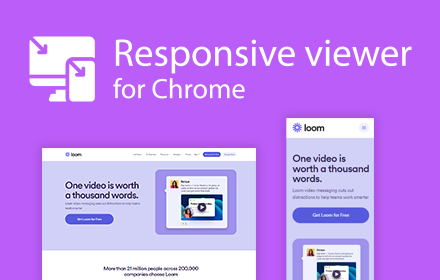
Responsive viewer For Chrome
View multiple screens simultaneously With Responsive viewer For Chrome
3.0K
★ 3.6
Data sourced from the Chrome Web Store · last verified May 28, 2026.