
markerNote - web, PDF highlighter & notes
Persistent PDF highlighter. Highlight text & insert into notes in markdown format. Auto-organize notes by date, domain. sync Gdrive
As of June 2026, markerNote - web, PDF highlighter & notes has 2,000 users and a 4.42/5 rating from 12 reviews in the Productivity category.
Usersno change0%
2.0K
2,000
Ratingno change0%
4.42
12 reviews
Reviewsno change0%
12
Version
0.0.36
Manifest V3
Permissions & access
- Permissions
- activeTabcontextMenusdeclarativeNetRequestWithHostAccessscriptingsidePanelstorage
- Host access
- None declared
Screenshots


About
⭐ Highlight text in rich format on Webpage and PDF file. Realtime sync with local disk & cloud drive.

📢 Top Features
✪ No Signup required
✪ Don't ask permission: "Read and change all your data on all websites"
✪ Highlight text in PDF file
✪ Add comment on highlighted text
✪ Copy/download all highlights on current webpage.
✪ Save Highlighter in Rich Text Format
✪ Chrome native Highlighter
✪ Image and Youtube transcript Highlighter
✪ Unlimited numbers highlight colors with description in tooltip
✪ Realtime sync highlight text in organized notes to local disk
✪ Realtime sync highlights to notion/Obsidian
✪ Backup highlight text to cloud drive e.g gDrive,oneDrive & dropbox
✪ Highlight websites with multiple colors. Revisit them with a single click
✪ Organize notes into markdown notes
✪ Auto Organize notes: Domain, date and folders
✪ Lightweight 70KB only
✪ No tracking & no Ads.

⌨️ keyboard shortcuts for highlight on webpage
Alt + M ⇒ Open markerNote sidePanel
Alt + H ⇒ highlight selected text
Ctrl+ Shift + H ⇒ remove highlight
Ctrl + Shift +Z ⇒ undo highlight
Ctrl + Shift +Y ⇒ redo highlight
Shift + Space ⇒ extend selection
Alt + T ⇒ Open side panel (when popup window open)

⌨️ keyboard shortcuts
Alt + B ⇒ Show all folders and notes in side panel
Ctrl + Shift + S  ⇒ Save all edited note in side panel
Alt + S ⇒ Save focused note
Esc ⇒ Close all open notes in side panel

✅ Chrome native Highlighter
markerNote highlight text without creating lots of extra DOM elements.

✅ Save Highlighter in Rich Text Format
when you highlighted text, markernote auto-save highlighted text in markdown format.

✅ Auto Organize notes
markerNote auto-organize your notes in 3 different ways:
1. Domain-wise
2. Date-wise
3. Folder-wise -> Unlimited sub-folders

✅ Export to obsidian and notion
markerNote realtime sync highlighted texts to local folder.
Open folder in obsidian to view highlighted texts
Copy highlighted text in markdown format and paste in obsidian.

# Notion
Please allow access to atleast 1 pages or 2 databases (One for domain,One for Folder).
 When you highlight text, highlighted text save to notion instantly.

✅  PDF Highlighter

✅ No vendor locked in.
markerNote realtime sync your highlighted text with desktop local file manager in markdown format.
You can view and edit notes in any other markdown based note editor.
You can backup all highlight data to cloud drives e.g Gdrive,oneDrive,Dropbox & box.
Also sync you highlighted text to Notion (coming soon)

## How to highlight text
When you select text, color box popup. Select color to highlight text

If Color box popup is annoying, you can disable it on options page
Highlight text using keyboard shortcut Select text then Press Alt+H

## Open noteboard
Right click on markerNote icon
Click on noteboard to open noteboard or,
Click on open icon on markerNote sidePanel toolbar

## Organize highlight into folders
Open markerNote side panel by click on markerNote icon
Open or create notes where you want to save highlighted text
When you highlight text, Highlighted text auto-saved into selected notes

🚀  Version 0.0.36
⇒ FIXED: Can't highlight text

🚀  Version 0.0.34
⇒ FIXED: Can't paste 2nd time in side panel bug

🚀  Version 0.0.33
⇒ FIXED: Connect cloud drives & notion bug fixed

🚀 Version 0.0.33
⇒ ADDED: Image highlighter
⇒ ADDED: Youtube transcript highlighter
⇒ ADDED: Realtime sync highlights to notion
⇒ ADDED: Local PDF File highlighter
⇒ ADDED: Add blank line between two highlight in noteboard

🚀 Version 0.0.31
⇒ ADDED: Highlight count on extension's icon
⇒ ADDED: Add comment on highlight added
⇒ ADDED: Copy/download all highlights on current page added
⇒ ADDED: Show all highlights with comment in side panel
⇒ ADDED: Add labels on note added
⇒ ADDED: Add title/description on color added

🚀 Version 0.0.30
⇒ ADDED: Highlight text in PDF file added
⇒ ADDED: Add option to add/change highlight color in color picker
⇒ ADDED: Add option to change highlighted color
⇒ ADDED: Realtime sync highlight text to local disk
⇒ ADDED: Backup highlight text to cloud drive
⇒ IMPROVED: Options page layout improved
⇒ IMPROVED: Delete highlight feature improved
⇒ IMPROVED: Paste in markdown note-pad improved
⇒ FIXED: Select text first alert bug fixed

Note: Version 0.0.30 has breaking changes. If extension work unexpectedly, please re-install it.

ℹ️ Support
Join markerNote on google groups:
https://groups.google.com/g/markernote

You can mail us: [email protected]
Technical
- Version
- 0.0.36
- Manifest
- V3
- Size
- 263KiB
- Min Chrome
- 123
- Languages
- 27
- Featured
- No
Metadata
- ID
- dmajilfknankpppoomabobggpnpdlbnl
- Developer ID
- u6bf81225d87b1f09b31997a35b22146d
- Developer Email
- [email protected]
- Created
- Mar 30, 2024
- Last Updated (Store)
- Apr 28, 2025
- Last Scraped
- Jun 4, 2026
- Website
- noterail.co
- Support URL
- —
- Privacy Policy
- —
Similar extensions
Alternatives to markerNote - web, PDF highlighter & notes, ranked by description similarity.

Web Highlighter - Save Text Highlights
Highlight important text on any website. Your highlights are saved automatically.
54

Highlight text
Highlight selected text and manage highlights per page.
362
★ 5.0
markClipper - obsidian web clipper
markClipper insert clipped web contents directly into obsidian local vault. No config required. Highlighter. Open source
5.0K
★ 4.1

Live Highlighter
Stop searching. Start seeing. Make important words pop with colour highlights. Never miss what matters on any webpage
13

notionClipper - notion web clipper
notionClipper insert clipped web contents directly into existing or new notion pages. Screenshot & Highlighter.
2.0K
★ 5.0
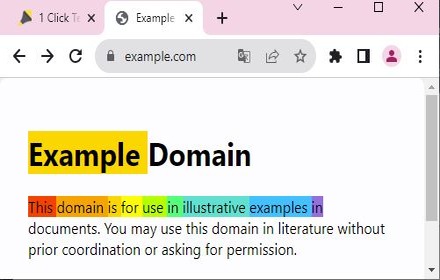
1Click Text Highlighter & Marker 2.0.1
Marks text with a click or selection. Simply press Alt or Option to activate. Easy to use.
288
★ 4.2

MultiMark - Multi-Color Web Highlighter
Search, find, and highlight text with unlimited colors. Advanced filtering and productivity features.
14

Super Highlights by Collava.app
Save text highlights in any page and easily export them to MD and supported apps.
3
Data sourced from the Chrome Web Store · last verified Jun 4, 2026.