
Save as MHTML (MIME HTML)
Save a page content & incorporate all resources (i.e. images) in a single file!
As of June 2026, Save as MHTML (MIME HTML) has 4,000 users and a 3.73/5 rating from 11 reviews in the Productivity category.
Usersno change0%
4.0K
4,000
Ratingno change0%
3.73
11 reviews
Reviewsno change0%
11
Version
0.1.7
Manifest V3
History
1 snapshotsTracking since Apr 16, 2026.
View as table
| Date | Users | Rating | Reviews | Version |
|---|---|---|---|---|
| Apr 16, 2026 | 4.0K | 3.73 | 11 | 0.1.7 |
| Now | 4.0K | 3.73 | 11 | 0.1.7 |
Permissions & access
- Permissions
- storagedownloadsactiveTabpageCapturecontextMenus
- Host access
- None declared
Screenshots
About
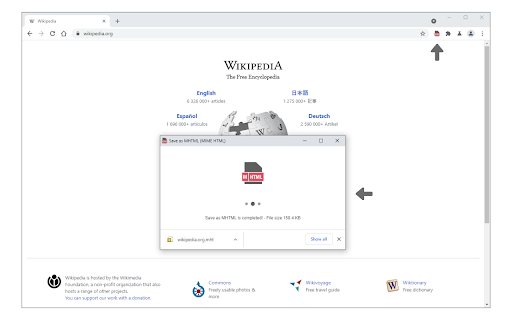
Save as MHTML is an extension that lets you save any webpage in a single file with the ".mhtml" file extension.

MHTML document is a new file format designed to capsulate all contents in a website to a single file; it is a short form for - MIME HTML. To work with this addon, click on the toolbar button or right-click, and then select - Save as MHTML - item from the context menu. Please note that this addon has no settings or options to adjust.

If you found a bug or have a feature request in mind, please fill out the bug report form on the addon's homepage (https://mybrowseraddon.com/save-as-mhtml.html).
Technical
- Version
- 0.1.7
- Manifest
- V3
- Size
- 21.79KiB
- Min Chrome
- 88
- Languages
- 1
- Featured
- Yes
Metadata
- ID
- djbjejcpegcimjdappppobfhaafbmjpf
- Developer ID
- ud622040a07dfd01f85a8ff1591da667e
- Developer Email
- [email protected]
- Created
- Jun 29, 2019
- Last Updated (Store)
- Jan 5, 2026
- Last Scraped
- Jun 9, 2026
- Website
- —
- Privacy Policy
- https://mybrowseraddon.com/privacy-policy/keller.html
Similar extensions
Alternatives to Save as MHTML (MIME HTML), ranked by description similarity.

Kelsam Multi-Tab Save
Save current tabs as .mhtml files
14

WebSaver
This extension allows you to save entire webpage in mhtml format.
302
★ 5.0

Save Webpages Offline As MHTML
Save offline copy of current tab as MHTML file. Keyboard Command Alt+S.
20.0K
★ 4.4

Html2Markdown Saver
Click an element to convert it to Markdown and download its images.
47

Copy As Plain Text
Easily copy the selected text without formatting to the clipboard via the right-click menu.
30.0K
★ 4.1

Save as PDF
Download web pages as PDF in one click.
300.0K
★ 3.2

Word Editor
A free & easy-to-use word editor extension for your browser.
5.0K
★ 3.7

Save Selected Text – Convert to PDF, DOCX, TXT & HTML
Save selected text from any webpage as PDF, DOCX, TXT, or HTML. Perfect for research, notes, and content saving.
741
★ 3.4
Data sourced from the Chrome Web Store · last verified Jun 9, 2026.