
Genesis Grade Automation
Automate grade input from pasted student data with fuzzy name matching, persistent data hold, and clear buttons.
As of June 2026, Genesis Grade Automation has 6 users in the Education category.
Usersno change0%
6
6
Ratingno change0%
—
— reviews
Reviewsno change0%
—
Version
1.0
Manifest V3
History
5 snapshotsTracking since Apr 18, 2026.
View as table
| Date | Users | Rating | Reviews | Version |
|---|---|---|---|---|
| Apr 18, 2026 | 6 | — | — | 1.0 |
| Apr 28, 2026 | 6 | — | — | 1.0 |
| May 7, 2026 | 6 | — | — | 1.0 |
| May 14, 2026 | 9 | — | — | 1.0 |
| Jun 3, 2026 | 8 | — | — | 1.0 |
| Now | 6 | — | — | 1.0 |
Permissions & access
- Permissions
- storage
- Host access
- https://genesis.mtps.com/moorestown/sis/view*
Screenshots

About
Overview: Automated Grade Entry
Genesis Grade Automation is a productivity tool designed specifically for teachers who use the Genesis Student Information System (SIS). It eliminates the tedious, manual process of typing grades one-by-one by allowing you to instantly populate grade fields from a simple, tab-separated list of student names and scores copied from a spreadsheet.

 Key Features
Rapid Data Entry: Paste all your student grades in one prompt and let the extension populate the corresponding input fields instantly.

Fuzzy Name Matching: Uses a smart matching algorithm to ensure accurate grade insertion, even if names in your spreadsheet and the Genesis page have minor differences in formatting.

Persistent Data Hold: Toggle the "Hold Data" feature to temporarily save your pasted student data within the browser. This allows you to navigate between pages or sections in the gradebook without having to re-paste the data.

One-Click Actions: Access core functions (Paste, Toggle Hold, Clear Data) directly from the extension's popup or right-click context menu.

Strict Privacy Guarantee
Your privacy is paramount. This extension operates 100% locally within your Chrome browser.

No Data Collection: The developer does not collect, transmit, or access any student names, grades, or personal data.

Local Storage Only: All student data and the "Hold Data" preference are stored temporarily in your browser's local storage to enable the automation features. Data can be instantly cleared manually at any time.

Secure Operation: The extension runs only on the specific Genesis SIS grading pages and does not interact with other sites.
Technical
- Version
- 1.0
- Manifest
- V3
- Size
- 24.33KiB
- Min Chrome
- 88
- Languages
- 1
- Featured
- No
Metadata
- ID
- delmmdoojljjgccagmmjobohpfpdpoii
- Developer ID
- u235153944d0a6c824afbbc7882fadb08
- Developer Email
- [email protected]
- Created
- Nov 25, 2025
- Last Updated (Store)
- Nov 25, 2025
- Last Scraped
- Jun 3, 2026
- Website
- —
- Support URL
- —
- Privacy Policy
- https://sites.google.com/view/innovat-ed/home
Similar extensions
Alternatives to Genesis Grade Automation, ranked by description similarity.

Grading Assistant: Grade transferer tool
Transfer grades from Classroom, Teams and many edtech platforms to PowerSchool, Infinite Campus and other gradebooks.
5.0K
★ 2.5

GradeTransferer - Transfer, Scale & Sort Grades | Save Time, Reduce Errors
Transfer, scale, and sort grades between 40+ LMS platforms and gradebooks. Automate grade entry, reduce errors, and save hours.
40.0K
★ 4.8

TurboGrading – AI-Assisted Grading for D2L & Blackboard
AI-assisted draft feedback and suggested marks for D2L (Brightspace) and Blackboard Ultra. Instructor review required.
5

GradeProAI
Speeds up grading process with AI
34

Blackboard Ultra SmartGrader
Hides fully correct questions and incorrect MCQ options in Blackboard Ultra grading view.
11

Grade Grub
Canvas grade cutoff calculator with what-if analysis.
5
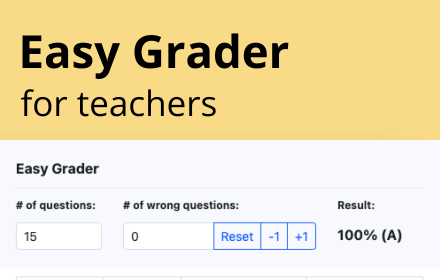
Easy Grader
Easy Grader – A Chrome Extension calculator to help you grade your students' assignments.
166

Classroom to Infinite Campus Grade Transfer
Copy grades from Google Classroom and auto-fill an Infinite Campus assignment column.
55
★ 5.0
Data sourced from the Chrome Web Store · last verified Jun 3, 2026.