
TurboGrading – AI-Assisted Grading for D2L & Blackboard
AI-assisted draft feedback and suggested marks for D2L (Brightspace) and Blackboard Ultra. Instructor review required.
As of June 2026, TurboGrading – AI-Assisted Grading for D2L & Blackboard has 5 users in the Education category.
Usersup 150.0 percent+150.0%
5
5
Ratingno change0%
—
— reviews
Reviewsno change0%
—
Version
3.2.5
Manifest V3
History
10 snapshotsTracking since Apr 17, 2026.
View as table
| Date | Users | Rating | Reviews | Version |
|---|---|---|---|---|
| Apr 17, 2026 | 2 | — | — | 3.2.5 |
| Apr 23, 2026 | 7 | — | — | 3.2.5 |
| Apr 27, 2026 | 8 | — | — | 3.2.5 |
| May 5, 2026 | 8 | — | — | 3.2.5 |
| May 10, 2026 | 7 | — | — | 3.2.5 |
| May 16, 2026 | 5 | — | — | 3.2.5 |
| May 22, 2026 | 7 | — | — | 3.2.5 |
| May 29, 2026 | 8 | — | — | 3.2.5 |
| Jun 4, 2026 | 7 | — | — | 3.2.5 |
| Jun 11, 2026 | 6 | — | — | 3.2.5 |
| Now | 5 | — | — | 3.2.5 |
Permissions & access
- Permissions
- tabsstoragescripting
- Host access
- https://*.mylearningspace.wlu.ca/d2l/*, https://*.conestoga.desire2learn.com/*, https://*.centennialcollege.ca/d2l/*, https://*.brightspace.uwindsor.ca/d2l/*, https://*.westernu.brightspace.com/d2l/*, https://*.cufed.carleton.ca/adfs/ls/*, https://*.carleton.brightspace.com/d2l/*, https://*.portalnc.niagaracollege.ca/*, https://*.brightspace.niagaracollege.ca/d2l/*, https://*.ontariolearn.desire2learn.com/d2l/*, https://*.cascade.myunfc.ca/*, https://*.unfc.ca/*, https://*.learn.humber.ca/ultra/*, https://*.learn.senecapolytechnic.ca/ultra/*, https://*.learn.georgebrown.ca/*, https://turbograding.com/*
Screenshots


About
TurboGrading is a Chrome extension designed to assist instructors and teaching staff when grading written-response questions inside supported learning management systems.

The extension integrates directly with D2L (Brightspace) and Blackboard grading pages and helps generate draft feedback and suggested marks to streamline repetitive grading tasks. Instructors remain fully in control — all suggestions can be reviewed, edited, saved as draft, published, or ignored.

TurboGrading is built to improve grading efficiency while preserving academic judgment and instructional standards.

How it works:
• Install the Chrome extension
• Open a supported LMS grading page
• Generate AI-assisted draft feedback and suggested marks
• Review, edit, and choose to save as draft or publish

Key features:
• AI-assisted draft feedback for written responses
• Suggested marks aligned with question context
• Full instructor control — no automatic grade publishing
• Draft save and publish options
• Designed for use within supported LMS grading workflows

Who it’s for:
TurboGrading is intended for higher education instructors, teaching assistants, and academic staff who want to reduce grading time while maintaining grading accuracy and consistency.

Privacy & data handling:
TurboGrading operates only on supported LMS grading pages when activated by the instructor. The extension does not sell user data. Data handling practices are described in our Privacy Policy.

Disclaimer:
TurboGrading is an independent tool and is not affiliated with or endorsed by D2L, Blackboard, or any educational institution.

Learn more at:
https://turbograding.com
Technical
- Version
- 3.2.5
- Manifest
- V3
- Size
- 2.59MiB
- Min Chrome
- 88
- Languages
- 1
- Featured
- No
Metadata
- ID
- degmbmbmeamcegbndmacickjanfhcema
- Developer ID
- u665b4753366ae1bde4f7bcb093755089
- Developer Email
- [email protected]
- Created
- Feb 15, 2026
- Last Updated (Store)
- Mar 10, 2026
- Last Scraped
- Jun 11, 2026
- Website
- turbograding.com
- Support URL
- https://turbograding.com/contact
- Privacy Policy
- https://turbograding.com/privacy
Similar extensions
Alternatives to TurboGrading – AI-Assisted Grading for D2L & Blackboard, ranked by description similarity.

Blackboard Ultra SmartGrader
Hides fully correct questions and incorrect MCQ options in Blackboard Ultra grading view.
11

Grading Assistant: Grade transferer tool
Transfer grades from Classroom, Teams and many edtech platforms to PowerSchool, Infinite Campus and other gradebooks.
5.0K
★ 2.5

GradeProAI
Speeds up grading process with AI
34
Easy Grader
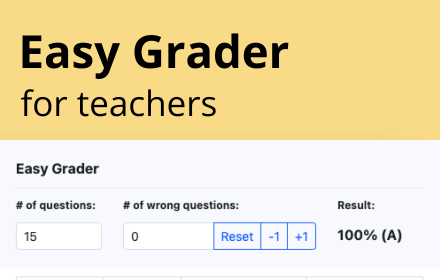
Easy Grader – A Chrome Extension calculator to help you grade your students' assignments.
166

PreGrade
AI-powered grader for Canvas
8
★ 4.7

GradiumX
AI-powered grading assistant - generate rubric-aligned feedback in seconds. Works with any LMS.
2

Genesis Grade Automation
Automate grade input from pasted student data with fuzzy name matching, persistent data hold, and clear buttons.
6

Gradifier
AI-powered browser extension that helps educators grade 10x faster with pinpoint accuracy, saving up to 90% of their time.
61
★ 5.0
Data sourced from the Chrome Web Store · last verified Jun 11, 2026.