
Blackboard Ultra SmartGrader
Hides fully correct questions and incorrect MCQ options in Blackboard Ultra grading view.
As of May 2026, Blackboard Ultra SmartGrader has 11 users in the Education category.
Usersdown 21.4 percent−21.4%
11
11
Ratingno change0%
—
— reviews
Reviewsno change0%
—
Version
1.0
Manifest V3
History
4 snapshotsTracking since Apr 21, 2026.
View as table
| Date | Users | Rating | Reviews | Version |
|---|---|---|---|---|
| Apr 21, 2026 | 14 | — | — | 1.0 |
| May 6, 2026 | 16 | — | — | 1.0 |
| May 18, 2026 | 14 | — | — | 1.0 |
| May 31, 2026 | 13 | — | — | 1.0 |
| Now | 11 | — | — | 1.0 |
Permissions & access
- Permissions
- scriptingactiveTab
- Host access
- None declared
Screenshots


About
Grade Smarter. Save Time. Stay Focused. Blackboard Ultra SmartGrader is a lightweight Chrome extension that streamlines your grading workflow in Blackboard Ultra. Designed for instructors, TAs, and academic professionals, this tool automatically hides: ✅ Fully correct answers (so you can focus on incomplete or incorrect ones) ❌ Incorrect multiple choice options (cleaning up cluttered responses) You stay in control — activate it only when you need it with a toolbar icon or keyboard shortcut. A floating "Show Hidden" button lets you toggle hidden content instantly. 🔁 Works across multiple grading pages — just click to activate. 💡 Features: Smart auto-scroll to load all student responses No setup required — works out of the box Optional keyboard shortcut (Ctrl+Shift+U by default) Clean toggle button to show/hide hidden content No access to student data or gradebook — privacy first! 🛠 Supported Environments: Blackboard Ultra test attempt grading pages (multiple question types supported) Works in Chrome and Edge 👨🏫 Ideal for: Large classes Repeated grading tasks Reducing visual overload while grading 🚀 How to Use: Open a student's test attempt in grading view. Click the toolbar icon or press the keyboard shortcut. SmartGrader auto-scrolls to load all content. The "Show Hidden" toggle appears — click to switch views. 🔒 No student data is stored or transmitted. 100% local and secure.
Technical
- Version
- 1.0
- Manifest
- V3
- Size
- 20.33KiB
- Min Chrome
- 88
- Languages
- 1
- Featured
- No
Metadata
- ID
- aaaflhkophhiplmahgcflfdojilookji
- Developer ID
- uaacc7a0e8b2111df815e6090a7a3b348
- Developer Email
- [email protected]
- Created
- Jun 19, 2025
- Last Updated (Store)
- Jun 19, 2025
- Last Scraped
- May 31, 2026
- Website
- —
- Support URL
- —
- Privacy Policy
- —
Similar extensions
Alternatives to Blackboard Ultra SmartGrader, ranked by description similarity.

TurboGrading – AI-Assisted Grading for D2L & Blackboard
AI-assisted draft feedback and suggested marks for D2L (Brightspace) and Blackboard Ultra. Instructor review required.
5
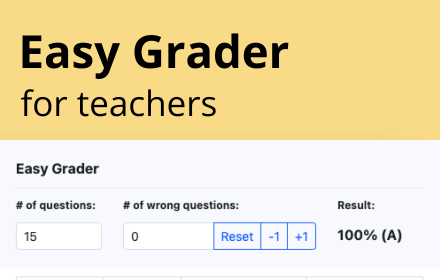
Easy Grader
Easy Grader – A Chrome Extension calculator to help you grade your students' assignments.
166

Grading Assistant: Grade transferer tool
Transfer grades from Classroom, Teams and many edtech platforms to PowerSchool, Infinite Campus and other gradebooks.
5.0K
★ 2.5

Genesis Grade Automation
Automate grade input from pasted student data with fuzzy name matching, persistent data hold, and clear buttons.
6

CoGrader for Schoology - AI Grader
AI Grader for Schoology. Grade essays and assignments in seconds with AI-powered feedback. Save hours every week.
91
★ 5.0

Gradifier
AI-powered browser extension that helps educators grade 10x faster with pinpoint accuracy, saving up to 90% of their time.
61
★ 5.0

PreGrade
AI-powered grader for Canvas
8
★ 4.7

GradeTracker
Track semesters, courses, and assessments directly in Chrome.
2
Data sourced from the Chrome Web Store · last verified May 31, 2026.