
Xero Reconcile
Quickly reconcile payments in Xero by matching batch payments to multiple invoices and updating your workflow.
As of May 2026, Xero Reconcile has 24 users in the Workflow & Planning category.
Usersup 60.0 percent+60.0%
24
24
Ratingno change0%
—
— reviews
Reviewsno change0%
—
Version
1.0.18
Manifest V3
History
5 snapshotsTracking since Apr 1, 2026.
View as table
| Date | Users | Rating | Reviews | Version |
|---|---|---|---|---|
| Apr 1, 2026 | 15 | — | — | 1.0.18 |
| Apr 21, 2026 | 16 | — | — | 1.0.18 |
| May 6, 2026 | 18 | — | — | 1.0.18 |
| May 17, 2026 | 19 | — | — | 1.0.18 |
| May 31, 2026 | 20 | — | — | 1.0.18 |
| Now | 24 | — | — | 1.0.18 |
Permissions & access
- Permissions
- storagesidePanel
- Host access
- None declared
Screenshots


About
Xero Accounting tool to

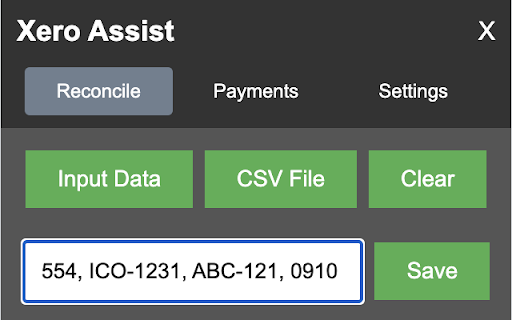
1. reconcile single payments from multiple invoices by using data input or importing csv files making reconcilation easier when you have clients paying you for multiple invoices in one payment

2. create csv files from batch payments allowing you to send csv file remittances to clients.


Reconciliations
Easily reconcile payments in Xero where are payer has paid multiple invoices in a single payment.

How to use if inputting data:
Enter the invoice numbers separated by a comma.
Click "Save" to add that data to the list.
Make sure you are on the Xero Reconcile Page and hit Match on the payment to be reconciled to open the search box
Click "Process All" to reconcile the payments from the list in Xero.

How to use if using a CSV file:
Click "CSV File" to open the file input.
Click "Choose File" and select the CSV file to upload.
The file needs a header row with title "InvoiceNumber" and optionally "Paid" or "AmountPaid" to import the data
Click "Process All" to reconcile the payments from the list in Xero.


Payment CSV Files
Create and export CSV files from batch payments to send to your clients with remittances.

How to use:
Make sure you are on the Xero Bank Transactions page showing the Batch Payment you want to convert to CSV file
Click "Get Data" to get the data from the batch payments page.
Click "Download CSV" to download each CSV file.
Technical
- Version
- 1.0.18
- Manifest
- V3
- Size
- 71.69KiB
- Min Chrome
- 88
- Languages
- 1
- Featured
- No
Metadata
- ID
- deakkckhpfobinoiembohnecgafijnfg
- Developer ID
- uf2838cf1d93f353c76410af4d66b1eaf
- Developer Email
- [email protected]
- Created
- Dec 27, 2023
- Last Updated (Store)
- Aug 15, 2025
- Last Scraped
- May 31, 2026
- Website
- —
- Support URL
- —
- Privacy Policy
- —
Similar extensions
Alternatives to Xero Reconcile, ranked by description similarity.

Xero Auto Reconcile by The Growth Accountant
Automates Xero reconciliation for same & foreign currency. Bulk reconciles 1000's automatically. Set smart matching criteria.
27
★ 5.0

Xero Reconcile Robot
Automates Xero payments reconciliation
544
★ 5.0

Xero Smart Reconciler
A smart Xero reconciliation automation tool that saves time and eliminates manual effort.
40
Xero Accounting Reconciliation Automation
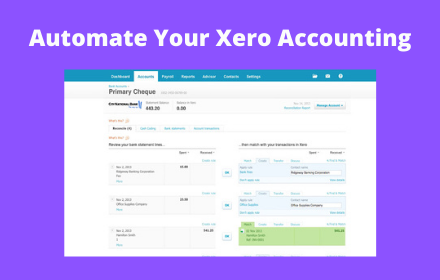
Xero Accounting Reconciliation Automation. Automate Xero Accounting with this automatic reconciliation robot tool.
475
★ 3.0

Invoice Scanner OCR
Invoice Scanner: Save Time & Skip Manual Data Entry
58
Okay Xero
The missing shortcut key for reconciling bank accounts in Xero. Select your contact and account, hit Ctrl/Cmd-Enter. Done.
30
★ 3.7

Chazy
Additional integration of compatible accounting systems with Chazy.io
27
★ 5.0

QIF, OFX, QFX to Google Sheets
This Chrome extension automatically processes QIF, OFX, QFX, and CSV files directly into professionally formatted Google Sheets.
109
Data sourced from the Chrome Web Store · last verified May 31, 2026.