
Power Automate Utility
Build tools for Power Automate
As of June 2026, Power Automate Utility has 317 users and a 4.00/5 rating from 1 reviews in the Developer Tools category.
Usersdown 5.9 percent−5.9%
317
317
Ratingno change0%
4.00
1 reviews
Reviewsno change0%
1
Version
3.1.1
Manifest V3
90-day change · In the last 90 days this extension 2 version updates, changed permissions.
History
11 snapshotsTracking since Apr 2, 2026.
View as table
| Date | Users | Rating | Reviews | Version |
|---|---|---|---|---|
| Apr 2, 2026 | 337 | 4.00 | 1 | 3.0.10 |
| Apr 17, 2026 | 336 | 4.00 | 1 | 3.0.10 |
| Apr 23, 2026 | 315 | 4.00 | 1 | 3.1.0 |
| Apr 27, 2026 | 308 | 4.00 | 1 | 3.1.0 |
| May 5, 2026 | 305 | 4.00 | 1 | 3.1.0 |
| May 10, 2026 | 290 | 4.00 | 1 | 3.1.1 |
| May 16, 2026 | 301 | 4.00 | 1 | 3.1.1 |
| May 22, 2026 | 312 | 4.00 | 1 | 3.1.1 |
| May 29, 2026 | 317 | 4.00 | 1 | 3.1.1 |
| Jun 4, 2026 | 310 | 4.00 | 1 | 3.1.1 |
| Jun 10, 2026 | 315 | 4.00 | 1 | 3.1.1 |
| Now | 317 | 4.00 | 1 | 3.1.1 |
Changelog
- Apr 17, 2026name
Power DevBox Flow Utility
Power Automate Utility
- Apr 17, 2026permissions
unlimitedStorage, tabs, storage, sidePanel, webRequest
unlimitedStorage, tabs, storage, sidePanel, webRequest, clipboardRead, clipboardWrite
Permissions & access
- Permissions
- unlimitedStoragetabsstoragesidePanelwebRequestclipboardReadclipboardWrite
- Host access
- https://*.api.flow.microsoft.com/*, https://make.powerautomate.com/*
Screenshots


About
Save any action (including nested containers in Classic) to our own clipboard. Then add to any of your Power Automate flows.

Export actions to your device, send to others who can then import them.
Review all actions and inputs contained within the clipboard item.
History - lists all previous flows you have edited
Force Power Automate to always load in Classic UI mode

Now works with New UI

How to use-

Saving to Clipboard
-Copy action to clipboard
-Open Flow Clipboard
-Add
-Name save

Add to flow
-Open Flow
-Open Flow Clipboard
-Click required action name
-Press enter after pop up (Classic Only)

Hot Keys
-Alt+c Adds last added action
-Alt+s saves flow
-Alt+c opens checker
-Alt-z undo (Classic Only)
-Alt-t tests flow with last flow in history
-Alt+q switch to edit (if in run log)
-Alt-x toggle copilot (New UI Only)
Technical
- Version
- 3.1.1
- Manifest
- V3
- Size
- 10.11MiB
- Min Chrome
- 88
- Languages
- 1
- Featured
- No
Metadata
- ID
- ddfobkfenabdkeedpanlmnjjlefgpkba
- Developer ID
- u6c8aa52d9a3012ff559bc8ba4a4a45ca
- Developer Email
- [email protected]
- Created
- Jun 26, 2023
- Last Updated (Store)
- Apr 28, 2026
- Last Scraped
- Jun 10, 2026
- Website
- —
- Privacy Policy
- https://powerdevbox.com/privacy.html
Similar extensions
Alternatives to Power Automate Utility, ranked by description similarity.

Power Automate Actions Handler
Record, copy, and manage Power Automate actions from SharePoint. Capture HTTP requests and duplicate actions between tenants.
1.0K
★ 5.0

PrettifyMyWebApi for Microsoft Dataverse
Open any row in the Dataverse Web Api and supercharge the output. Press to impress your coworkers!
2.0K
★ 5.0

Flow Classic Redirect
Force Microsoft Power Automate flows to open in the Classic Designer.
37

Flow Run Buddy
View run history for Power Automate Cloud Flows directly from the flow designer
121
★ 1.0

Power Automate Classic View Switcher
Switch Power Automate to classic designer automatically or with one click. Perfect for developers who prefer classic flow editor.
92
★ 5.0

AutoReview for Power Automate
Create Automated Review of Power Automate Cloud Flows
1.0K
★ 5.0

Power Automate Classic Designer V2
eine Erweiterung für den Power Automate Classic Designer.
23
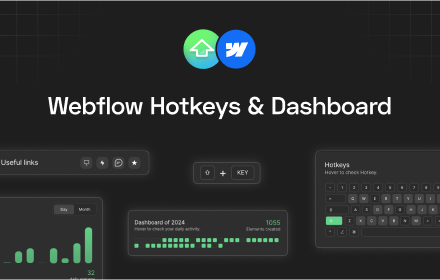
Hotkeys for Webflow
Adds hotkeys and dashboard for Webflow.
265
★ 4.8
Data sourced from the Chrome Web Store · last verified Jun 10, 2026.