
KineWatch: Smart Playback Speed
Automatically adjusts playback speed using YouTube's heat-map data.
As of June 2026, KineWatch: Smart Playback Speed has 2 users and a 5.00/5 rating from 1 reviews in the Productivity category.
Usersno change0%
2
2
Ratingno change0%
5.00
1 reviews
Reviewsno change0%
1
Version
1.0.0
Manifest V3
History
4 snapshotsTracking since Apr 18, 2026.
View as table
| Date | Users | Rating | Reviews | Version |
|---|---|---|---|---|
| Apr 18, 2026 | — | 5.00 | 1 | 1.0.0 |
| Apr 28, 2026 | 2 | 5.00 | 1 | 1.0.0 |
| May 7, 2026 | 1 | 5.00 | 1 | 1.0.0 |
| May 14, 2026 | — | 5.00 | 1 | 1.0.0 |
| Now | 2 | 5.00 | 1 | 1.0.0 |
Permissions & access
- Permissions
- tabsstorage
- Host access
- https://www.youtube.com/*
Screenshots
About
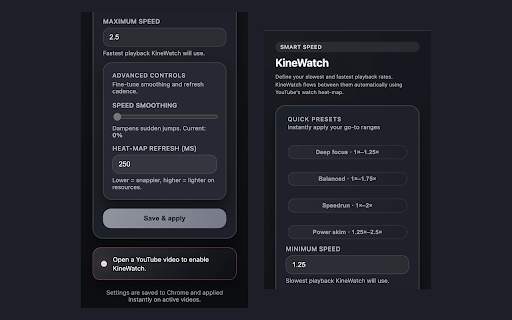
KineWatch is a zero-setup companion for YouTube that reads the built-in “Most replayed” heat-map and keeps your playback speed inside a personalized range. Dial in a slowest and fastest rate, click Save & apply, and KineWatch continuously blends between them so hype moments get extra attention while filler flies by.

- Live heat-map parsing ensures every video hits both your minimum and maximum speeds at least once.
- A branded on-video badge shows the current and target playback rates so you always know what KineWatch is doing—even in fullscreen.
- Quick preset chips plus numeric inputs cover everything from deep-focus pacing to aggressive skimming (0.1×–16× supported).
Technical
- Version
- 1.0.0
- Manifest
- V3
- Size
- 22.32KiB
- Min Chrome
- 88
- Languages
- 1
- Featured
- No
Metadata
- ID
- cpfnlhbfdmogbakfpdgdbijfphjneldb
- Developer ID
- ued2b10bd075f7d591f17b743df24e379
- Developer Email
- [email protected]
- Created
- Nov 11, 2025
- Last Updated (Store)
- Nov 11, 2025
- Last Scraped
- Jun 8, 2026
- Website
- —
- Support URL
- —
- Privacy Policy
- —
Similar extensions
Alternatives to KineWatch: Smart Playback Speed, ranked by description similarity.
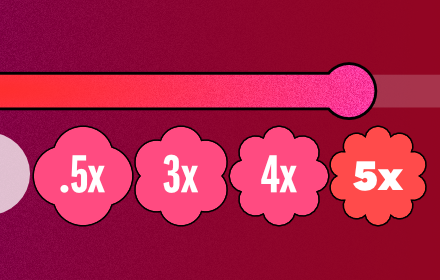
Hold to speed up: YouTube .5x, 3x, 4x, 5x, custom
Adds minimalist buttons to the YouTube player for easy custom playback speeds.
648
★ 5.0

YouTube Speed Controller
Control YouTube playback speed with your keyboard up to 16x!
298
★ 5.0

CoreClip
Skips 1-10% of YouTube videos over 5 mins at the start, half that at the end, with custom speed (1x-2x).
—
★ 5.0

YouTube Speed Controller
Control the playback speed of YouTube videos.
3

Youtube SpeedWatch
This extension shows the duration of a video on YouTube based on the playback speed.
79

YouTube Playback Speed Master
Easily check your YouTube playback speed with this extension.
11
★ 3.0

Loop Speed Screenshot for YouTube
Loop videos, control playback speed, and capture screenshots on YouTube - all in one tool
—
★ 5.0

YouTube Speedrun
Smart YouTube speed control. Fast through fluff, slow for substance.
6
Data sourced from the Chrome Web Store · last verified Jun 8, 2026.