
jira timebooker
Enables you to book time in your jira based on your meetings in outlook calendar
As of May 2026, jira timebooker has 4 users and a 5.00/5 rating from 1 reviews in the Productivity category.
Usersup 100.0 percent+100.0%
4
4
Ratingno change0%
5.00
1 reviews
Reviewsno change0%
1
Version
1.0.3
Manifest V3
History
2 snapshotsTracking since Apr 1, 2026.
View as table
| Date | Users | Rating | Reviews | Version |
|---|---|---|---|---|
| Apr 1, 2026 | 2 | 5.00 | 1 | 1.0.3 |
| May 27, 2026 | 3 | 5.00 | 1 | 1.0.3 |
| Now | 4 | 5.00 | 1 | 1.0.3 |
Permissions & access
- Permissions
- activeTabstorage
- Host access
- None declared
Screenshots
About
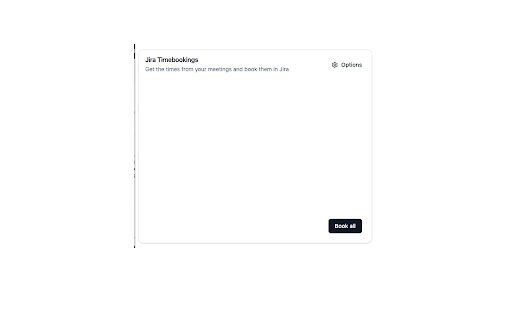
This extension allows you to easily book time in jira cloud based off of meetings scheduled in your calendar.

Features
* read meetings from outlook calendar web view of current day
* parse jira tickets from meeting titles
* search for jira ticket numbers
* store last used ticket numbers based on meeting series
* define default ticket number
* save tickets that have been booked per day already to prevent double booking
* search for projects by prepending #projectkey to search field
* change meeting title prior to booking
* choose to book meetings automatically in 15 min intervals

Usage
* Install the extension following the install guide / install the zip located in the package folder
* Right click on the extension icon and go to options page to fill in jira base url and default ticket number
* Navigate to outlook calendar web view and click on extension icon - Make sure the calnder only shows meetings in day view
* Click on the ticket number to search for a ticket summary or for a ticket number
* Clear out search field to show last used ticket numbers
* Click on the paperplane to book the time on the selected ticket and with a description of the meeting title
* Click book all button to book all tickets in the list
Technical
- Version
- 1.0.3
- Manifest
- V3
- Size
- 378KiB
- Min Chrome
- 88
- Languages
- 1
- Featured
- No
Metadata
- ID
- coajlkpopecaebmmmecpjamaoofgjjgc
- Developer ID
- u0b6fcab2144c4e8b737ec47114d5e4a8
- Developer Email
- [email protected]
- Created
- Oct 10, 2023
- Last Updated (Store)
- Nov 26, 2023
- Last Scraped
- May 27, 2026
- Website
- —
- Privacy Policy
- —
Similar extensions
Alternatives to jira timebooker, ranked by description similarity.

Jira Jumper
Jira Jumper: . Requires Jira path config. Optional default project allows using ticket number only.
2

Jira Ticket Link Generator
Generates a nice looking link for Jira tickets containing ticket ID, description and link
116
★ 4.5

Chrontic Time Tracker
Automatic JIRA time tracking for Chrontic
2

Jira Log Time
Log/Track your time in Jira in seconds!
65
★ 5.0

Jira Time Logger
Lists Jira tickets assigned to the logged-in user.
3

QuickTicket
Quickly open Jira tickets, track todos, and navigate across projects
6

Trouble Ticketing Management Utils
Quick access to ticket URL for following trouble ticketing systems: Service Now, JIRA and ClickUp.
4
★ 5.0

Ticket360
360-degree view of Jira tickets: status and assignee history, and configurable fields within your browser.
12
Data sourced from the Chrome Web Store · last verified May 27, 2026.