
Jira Ticket Link Generator
Generates a nice looking link for Jira tickets containing ticket ID, description and link
As of May 2026, Jira Ticket Link Generator has 116 users and a 4.50/5 rating from 2 reviews in the Productivity category.
Usersup 3.6 percent+3.6%
116
116
Ratingno change0%
4.50
2 reviews
Reviewsno change0%
2
Version
1.2.1
Manifest V3
History
2 snapshotsTracking since Apr 29, 2026.
View as table
| Date | Users | Rating | Reviews | Version |
|---|---|---|---|---|
| Apr 29, 2026 | 112 | 4.50 | 2 | 1.2.1 |
| May 25, 2026 | 114 | 4.50 | 2 | 1.2.1 |
| Now | 116 | 4.50 | 2 | 1.2.1 |
Permissions & access
- Permissions
- scriptingactiveTabclipboardWrite
- Host access
- None declared
Screenshots

About
This plugin works if your Jira instance is hosted on-premise, if it's hosted on Atlassian Cloud instead, please search for "Jira Ticket Link Generator - Cloud Edition".

Generate link for Jira tickets from one click!
Generated link is in format of "Ticket ID: Ticket Description" (e.g. TESTPROGRAM-123: Add feature A), which when clicked will navigate you to the Jira ticket.

This extension currently supports:
1. Generate a link for a single ticket in:
    - Selected ticket in Jira sprint board.
    - Selected ticket in search result page.
    - Ticket currently being viewed in ticket detail page.
2. Generate links for multiple tickets in:
    - All tickets shown up in search result page.

[Detailed Usage]
- Single link option
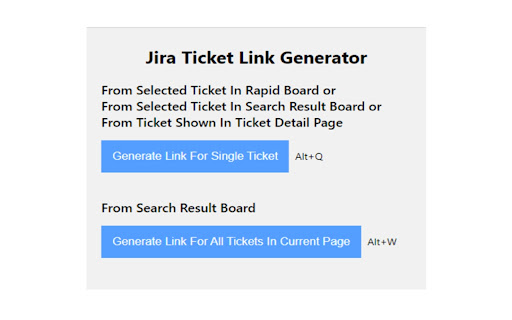
When you are on a sprint board/search result board and have a ticket selected, or you are viewing a ticket in its ticket detail page, click on button "Generate Link For Single Ticket" in extension (or use keyboard shortcut Alt + Q), will generate the link for you and copy to clipboard automatically.

- Multiple link option
When you are on search result board, click on button "Generate Link For All Tickets In Current Page" in extension (or use keyboard shortcut Alt + W), will generate multiple links corresponding to all the tickets shown in search result page and copy to clipboard.

[Notes]
1. For the multiple link option, if your search result includes more than 50 tickets, Jira will display your result in different pages, only tickets in the page you are viewing will be copied in this scenario.

2. For multiple link option, when using it to generate a list of links and trying to copy to Microsoft Word, you'll notice line spacing between those links are different from line spacing between links generated using single link option. That's because Microsoft Word does not treat <br> between our links from multiple link option as '\r\n'. To resolve this, just hit keyboard "Backspace" and then hit "Enter", which will remove "<br>" and add "\r\n".
Technical
- Version
- 1.2.1
- Manifest
- V3
- Size
- 61.97KiB
- Min Chrome
- 88
- Languages
- 1
- Featured
- No
Metadata
- ID
- haffinnpjdnmpmhapeoafkdmgdohbdlh
- Developer ID
- ub8586098149cd3d5449b96e003211617
- Developer Email
- [email protected]
- Created
- Feb 16, 2021
- Last Updated (Store)
- Aug 25, 2023
- Last Scraped
- May 25, 2026
- Website
- —
- Support URL
- —
- Privacy Policy
- —
Similar extensions
Alternatives to Jira Ticket Link Generator, ranked by description similarity.

Jira Ticket Link Generator - Cloud Edition
Generates a nice looking link for Jira tickets containing ticket ID, description and link
76
★ 4.5

Jira Link Copier
Adds a one-click icon to Jira to copy formatted ticket links. Stop manually typing ticket titles!
29
★ 5.0

JIRA Link Copier
Quick copy JIRA ticket links with customizable format. Perfect for sharing tickets in emails and chats.
163
★ 5.0

Jira Jumper
Jira Jumper: . Requires Jira path config. Optional default project allows using ticket number only.
2

Better Issue Link for Jira - Smart Copy with Templates
Enhance Jira's copy link functionality with customizable HTML and Markdown templates, perfect for Slack and documentation.
641
★ 5.0

jira timebooker
Enables you to book time in your jira based on your meetings in outlook calendar
4
★ 5.0

Jira Copy Helper
A convenient Copy button to Jira issue pages with dropdown options for copying ticket ID, title, URL, or formatted links.
14

JIRA Ticket Copier
Copy JIRA ticket info (ID, status, title) or git commit message from JIRA Cloud. Fast, reliable, and accessible.
10
★ 5.0
Data sourced from the Chrome Web Store · last verified May 25, 2026.