
Ticket360
360-degree view of Jira tickets: status and assignee history, and configurable fields within your browser.
As of June 2026, Ticket360 has 12 users in the Productivity category.
Usersno change0%
12
12
Ratingno change0%
—
— reviews
Reviewsno change0%
—
Version
1.7.0
Manifest V3
History
8 snapshotsTracking since Apr 1, 2026.
View as table
| Date | Users | Rating | Reviews | Version |
|---|---|---|---|---|
| Apr 1, 2026 | — | — | — | 1.7.0 |
| Apr 16, 2026 | 14 | — | — | 1.7.0 |
| Apr 22, 2026 | 16 | — | — | 1.7.0 |
| Apr 27, 2026 | 15 | — | — | 1.7.0 |
| May 4, 2026 | 12 | — | — | 1.7.0 |
| May 10, 2026 | — | — | — | 1.7.0 |
| May 15, 2026 | 12 | — | — | 1.7.0 |
| Jun 3, 2026 | 13 | — | — | 1.7.0 |
| Now | 12 | — | — | 1.7.0 |
Permissions & access
- Permissions
- storagecontextMenustabsclipboardWrite
- Host access
- https://*.atlassian.net/*, https://*.jira.com/*
Screenshots


About
A Chrome extension that transforms Jira ticket management with a unified 360° view. Stop switching tabs and losing ticket context - get everything in one intelligent dashboard.
Team members lose countless hours switching between interfaces, reconstructing ticket histories, and manually compiling status reports. Ticket360 eliminates these pain points with an intelligent, unified dashboard that delivers complete ticket transparency in seconds.

VERSION 1.7.0

Interactive Pivot Tables:

1. Clickable Value Cells: Click any number in the pivot table to instantly drill down and see the exact issues behind that count.
2. Clickable Row Totals: Click row totals to view all issues in that row across all columns (e.g., all "Open" issues for all assignees).
3. Clickable Column Totals: Click column totals to view all issues in that column across all rows (e.g., all issues assigned to a specific person).
4. Clickable Grand Total: Click the grand total (bottom-right cell) to view your complete dataset with one click.

JQL Query History:

1. Smart Query Chips: Recent JQL searches are saved and displayed as clickable chips for instant re-runs.
2. Quick Access: Perfect for daily standup queries (e.g., "updated >= -24h") and recurring searches.
3. Hover Details: Long queries show full text in tooltips for easy identification.

Enhanced User Experience:

1. Custom Field Aliases: Pivot tables now show friendly field names instead of "customfield_12345".
2. Sticky Headers: Improved pivot table navigation with sticky column headers during scrolling.
3. Empty Cell Handling: Zero-count cells are visually distinct (greyed out) and non-interactive.
4. Improved Width Control: Full viewport utilization in tab mode for better data visibility.
5. Enhanced Tours: Comprehensive guided tours covering pivot configuration and JQL history features.

Documentation & Guides:

1. Updated User Guide: Added 6 new Q&A items covering all interactive pivot features with real-world examples.
2. Real-Life Use Cases: 4 new pro workflows including "Workload Analyzer," "Sprint Deep Dive," "Bottleneck Investigator," and "Executive Report."
3. Quick Reference Cards: Created quick lookup guides for pivot table features and visual indicators.


VERSION 1.6.0 :

Pivot. Analyse. Share. Professionally.
Version 1.6.0 introduces powerful analytical capabilities and enterprise-grade reporting, transforming Ticket360 into a complete insight and reporting companion for Jira.

1. JQL Pivot Analysis : Turn raw Jira data into actionable insights with an intuitive pivot experience.
2. Drag-and-Drop Pivot Designer – Build complex pivot tables by simply dragging fields into 3. Rows, Columns, and Values
4. Flexible Calculations – Automatic counts and totals for any Jira field
5. Dynamic Field Synchronization – Pivot fields automatically align with your configured Fields setup

VERSION 1.5.0

1. Advanced JQL Search – Run powerful JQL queries directly from the extension
2. Tabbed Search Experience – Unified interface with Ticket Search & JQL Search tabs
3. Tabular Results View – Clean, configurable tables with batch “Load More” pagination
4. Quick Actions – View ticket history or copy full result sets as formatted HTML
5. Smarter Toolbar Behavior – Respects popup/tab preferences and reuses existing tabs
6. Enhanced Comment Filtering – Multi-author filters, wildcard search, and one-click reset
7. Cross-Browser Stability – Fixed Firefox & Edge auth/XSRF issues
8. Consistent Date Formatting – Standardized dates across all screens for clarity

VERSION 1.4.0

1. Context Menu Enhancements:
"Open in Jira" Option: Added a new context menu item to directly open selected text in Jira.
2. Smart Search Logic: Automatically detects if selected text is a Jira ticket key (opens ticket directly) or general text (performs JQL search).
3. Popup vs Tab Preference: New option in settings to choose whether the extension opens as a popup or in a new tab (Chrome/Edge).
4. Optimized Tab View: Improved layout with restricted width when opening the extension in a new tab for better readability.

Version 1.3.0

Dynamic Field History:
1. Introduced comprehensive history tracking for all user-configured fields in the "Overview" tab.
2. Click on any field in the "Overview" tab to view its detailed history, including "From" and "To" values, "Changed By," "Changed On," and "Duration" in that state.
3. Initial field values (from ticket creation) are now included in the history.
4. Enhanced user experience: Entire field rows in the "Overview" tab are now clickable to access history, with visual hover effects and "Click to view history" hints.

Guided Tour Feature:
1. Implemented an interactive, step-by-step guided tour to introduce new users to the extension's key features.
2. The tour automatically starts on first installation or after an update.
3. Users can manually initiate the tour at any time via a new "Start Tour" button in the header.
4. Dynamic tour steps: Only relevant tour steps are displayed based on the availability and visibility of elements on the screen, ensuring a contextual and smooth experience.

Enhanced Comment Copy Option:
1. Improved the comment copying functionality to include more context.
2. Copied comments now feature a header with the ticket key, summary, type, and status.
3. The commenter's name and the comment's age (relative time) are now included in the copied content.
4. A direct link to the specific comment within Jira is now part of the copied HTML, allowing users to navigate directly to the comment.
Technical
- Version
- 1.7.0
- Manifest
- V3
- Size
- 272KiB
- Min Chrome
- 88
- Languages
- 1
- Featured
- No
Metadata
- ID
- ebmjdbakddbnbjjfhonhobicbdjhoobd
- Developer ID
- u56b1dde99d7927a1be32ccdbb91624f8
- Developer Email
- [email protected]
- Created
- Aug 2, 2025
- Last Updated (Store)
- Feb 11, 2026
- Last Scraped
- Jun 3, 2026
- Website
- —
- Support URL
- https://www.arivoli.in/ticket360
Similar extensions
Alternatives to Ticket360, ranked by description similarity.

BettJira
Automatically insert predefined templates into Jira issue descriptions.
17
★ 5.0
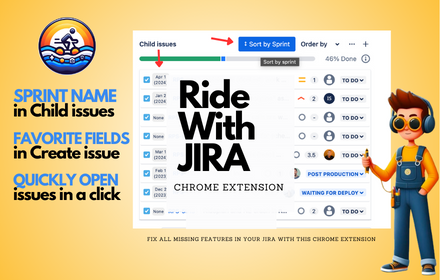
Ride With Jira
Ride With Jira Chrome Extension
455
★ 4.8

Ponchik
Apply custom CSS and JS for the Ponchik
6

JIRA Ticket Copier
Copy JIRA ticket info (ID, status, title) or git commit message from JIRA Cloud. Fast, reliable, and accessible.
10
★ 5.0

My Jira Quick Copier
Adds a customizable quick copy button next to the Jira issue key.
10
★ 5.0

WP Trac Triager
Enhance WordPress Trac ticket triage with visual highlights, keyword explanations, and component maintainer info
27

Jira Quick Opener
Boost productivity by quickly opening Jira tickets via a customizable keyboard shortcut and smart presets.
6
★ 5.0

JiraX
Supercharge Jira™ with smart shortcuts, quick copy tools, comment organization, and powerful issue search.
4
Data sourced from the Chrome Web Store · last verified Jun 3, 2026.