HTML Tables to XLSX Spreadsheets
Convert all HTML tables in a web page or local HTML file to a XLSX spreadsheet, with each table placed on a seperate tab.
As of June 2026, HTML Tables to XLSX Spreadsheets has 226 users and a 3.40/5 rating from 5 reviews in the Workflow & Planning category.
Usersup 4.6 percent+4.6%
226
226
Ratingdown 15.0 percent−15.0%
3.40
5 reviews
Reviewsup 25.0 percent+25.0%
5
Version
1.1.6
Manifest V3
90-day change · In the last 90 days this extension 1 version update.
History
10 snapshotsTracking since Apr 1, 2026.
View as table
| Date | Users | Rating | Reviews | Version |
|---|---|---|---|---|
| Apr 1, 2026 | 216 | 4.00 | 4 | 1.1.5 |
| Apr 8, 2026 | 222 | 4.00 | 4 | 1.1.5 |
| Apr 19, 2026 | 217 | 4.00 | 4 | 1.1.6 |
| May 3, 2026 | 225 | 4.00 | 4 | 1.1.6 |
| May 9, 2026 | 226 | 4.00 | 4 | 1.1.6 |
| May 14, 2026 | 227 | 4.00 | 4 | 1.1.6 |
| May 20, 2026 | 231 | 4.00 | 4 | 1.1.6 |
| May 27, 2026 | 235 | 4.00 | 4 | 1.1.6 |
| Jun 3, 2026 | 229 | 3.40 | 5 | 1.1.6 |
| Jun 9, 2026 | 222 | 3.40 | 5 | 1.1.6 |
| Now | 226 | 3.40 | 5 | 1.1.6 |
Changelog
- May 14, 2026description
Automatically extract HTML tables from web pages or local HTML files and turn them into spreadsheets.

Once you have installed your extension just follow the instructions in the extension popup to sign up and get converting!

When you create an account the free trial includes seven days of complete functionality afterwards some cell values will be replaced with upgrade text.
Stop manually copy-pasting data! Automatically extract HTML tables from any web page and turn them into clean spreadsheets.

Whether you are looking at a local HTML file or a live web page, this extension intelligently finds the tables and perfectly converts them into an XLSX spreadsheet, keeping all your rows and columns neatly intact.

Perfect for:

- Extracting financial data, pricing tables, or sports stats for analysis.
- Pulling research data from sites like Wikipedia into Excel.
- Capturing web directories, contact lists, and product inventories.
- Saving hours of tedious manual data entry and formatting.

How It Works:
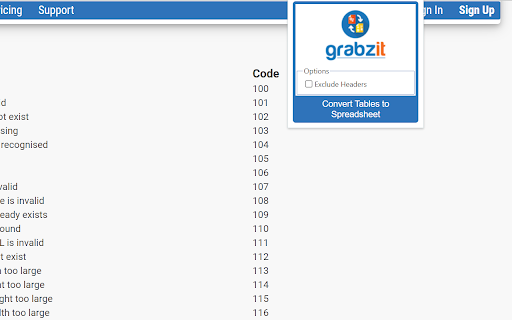
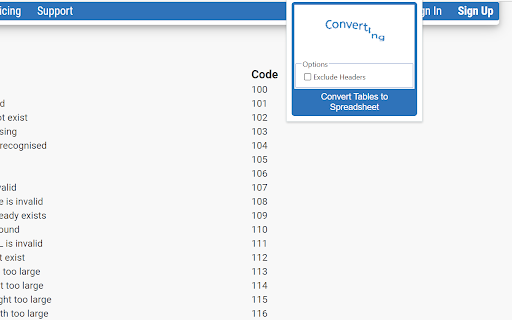
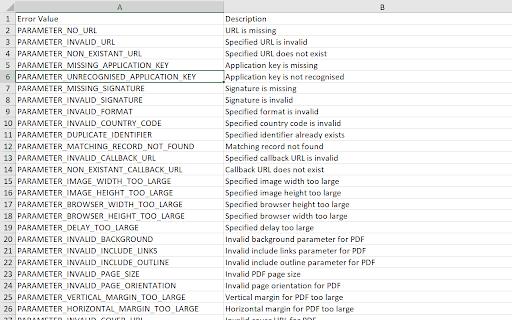
Simply navigate to a webpage containing the table you want, click the extension, and let GrabzIt do the heavy lifting! The tool securely sends the page data to GrabzIt's API, accurately extracts the table structure, and automatically downloads a ready-to-use XLSX spreadsheet straight to your computer.

Getting Started & Pricing:
Once installed, follow the instructions in the extension popup to create your free GrabzIt account and start extracting data.

- Premium Trial: You will automatically start with a 7-day free trial of our Premium tier, giving you full, unrestricted table extractions.
- Free Tier: After your 7-day trial expires, you can continue using the tool for free! (Note: On the free tier, some cell values in your downloaded spreadsheets will be replaced with an upgrade watermark).

Backed by GrabzIt Limited's enterprise-grade infrastructure. Fast, secure, and reliable.
Permissions & access
- Permissions
- activeTabstoragescriptingdownloads
- Host access
- *://grabz.it/*, file:///*
Screenshots
About
Stop manually copy-pasting data! Automatically extract HTML tables from any web page and turn them into clean spreadsheets.

Whether you are looking at a local HTML file or a live web page, this extension intelligently finds the tables and perfectly converts them into an XLSX spreadsheet, keeping all your rows and columns neatly intact.

Perfect for:

- Extracting financial data, pricing tables, or sports stats for analysis.
- Pulling research data from sites like Wikipedia into Excel.
- Capturing web directories, contact lists, and product inventories.
- Saving hours of tedious manual data entry and formatting.

How It Works:
Simply navigate to a webpage containing the table you want, click the extension, and let GrabzIt do the heavy lifting! The tool securely sends the page data to GrabzIt's API, accurately extracts the table structure, and automatically downloads a ready-to-use XLSX spreadsheet straight to your computer.

Getting Started & Pricing:
Once installed, follow the instructions in the extension popup to create your free GrabzIt account and start extracting data.

- Premium Trial: You will automatically start with a 7-day free trial of our Premium tier, giving you full, unrestricted table extractions.
- Free Tier: After your 7-day trial expires, you can continue using the tool for free! (Note: On the free tier, some cell values in your downloaded spreadsheets will be replaced with an upgrade watermark).

Backed by GrabzIt Limited's enterprise-grade infrastructure. Fast, secure, and reliable.
Technical
- Version
- 1.1.6
- Manifest
- V3
- Size
- 72.26KiB
- Min Chrome
- 88
- Languages
- 1
- Featured
- No
Metadata
- ID
- clolencblkcmgcalmcpfebbcgecddapn
- Developer ID
- u124e10a91e2cdaa72102129bede56633
- Developer Email
- [email protected]
- Created
- Nov 14, 2023
- Last Updated (Store)
- May 11, 2026
- Last Scraped
- Jun 9, 2026
- Website
- https://grabz.it/
- Support URL
- https://grabz.it/contact/
- Privacy Policy
- https://grabz.it/legal/privacy-policy/
Similar extensions
Alternatives to HTML Tables to XLSX Spreadsheets, ranked by description similarity.

PDF to HTML
Convert PDF files to HTML documents, just navigate to the PDF file and use GrabzIt.
108

isheet
Scrape web data (HTML table or other list like fragments) and convert it to an excel like sheet
351
★ 3.6

Table to CSV Exporter
Easily export HTML tables to Excel-compatible CSV files with UTF-8 support
104
★ 3.0

Table Capture
Copies HTML tables to the clipboard or exports them to Microsoft Excel, CSV, Google Sheets, Office 365, etc.
200.0K
★ 4.3
Table as CSV - Table Capture
Allows to copy, select, export HTML tables to Microsoft Excel, CSV, Google Sheets, etc
1.0K
★ 3.6

HTML table to csv
This extension convert html tables to csv files.
1.0K
★ 3.0

CopyTables
Copy web-based HTML and DIV Tables to clipboard with ease, supporting dynamic tables and sanitized output
370
★ 1.0

Snapsheet - 1-Click HTML Table to CSV Exporter
Automatically detects HTML tables and injects a floating 'Export to CSV' button.
8
★ 5.0
Data sourced from the Chrome Web Store · last verified Jun 9, 2026.