
Snapsheet - 1-Click HTML Table to CSV Exporter
Automatically detects HTML tables and injects a floating 'Export to CSV' button.
As of June 2026, Snapsheet - 1-Click HTML Table to CSV Exporter has 8 users and a 5.00/5 rating from 1 reviews in the Workflow & Planning category.
Usersdown 11.1 percent−11.1%
8
8
Ratingno change0%
5.00
1 reviews
Reviewsno change0%
1
Version
1.0.3
Manifest V3
History
6 snapshotsTracking since Apr 3, 2026.
View as table
| Date | Users | Rating | Reviews | Version |
|---|---|---|---|---|
| Apr 3, 2026 | 9 | 5.00 | 1 | 1.0.3 |
| Apr 24, 2026 | 10 | 5.00 | 1 | 1.0.3 |
| May 2, 2026 | 11 | 5.00 | 1 | 1.0.3 |
| May 8, 2026 | 10 | 5.00 | 1 | 1.0.3 |
| May 13, 2026 | 11 | 5.00 | 1 | 1.0.3 |
| Jun 4, 2026 | 10 | 5.00 | 1 | 1.0.3 |
| Now | 8 | 5.00 | 1 | 1.0.3 |
Permissions & access
- Permissions
- storage
- Host access
- None declared
Screenshots


About
SnapSheet: Export HTML Tables to Excel & CSV

Stop manually copy-pasting tables from the web. SnapSheet is the fastest way to extract clean, formatted data from any website into Excel or Google Sheets.

Whether you are scraping financial data, research statistics, or competitor pricing, SnapSheet detects the data grid instantly and lets you export it with a single click.

🚀 KEY FEATURES:
 ✅ Smart Table Detection: Automatically highlights data tables under your mouse—even complex <div> grids.
✅ One-Click Export: Get your data out instantly without complex configuration.
✅ Handles Merged Cells: Intelligent parsing "denormalizes" data, filling in rowspan and colspan gaps so your sorting never breaks.
✅ Privacy First: All processing happens locally in your browser. Your data never leaves your computer.

💎 PRO VS FREE:

Free Forever: Unlimited exports to CSV (Universal format).

SnapSheet Pro: Unlock direct Excel (.xlsx) generation and Copy to Clipboard features for a one-time lifetime license.

HOW TO USE:

Navigate to any webpage with a table.

Hover your mouse over the table.

Click the "Export" button that appears.

Choose CSV (Free) or Excel (Pro).

PERFECT FOR:

Data Analysts & Researchers

SEO & Marketing Professionals

Students & Academics

SUPPORT: Need help? Contact us at: [email protected]
Technical
- Version
- 1.0.3
- Manifest
- V3
- Size
- 569KiB
- Min Chrome
- 88
- Languages
- 1
- Featured
- No
Metadata
- ID
- clkddpblnfhdmlnhadcnhlgpcnjgbigl
- Developer ID
- ub839182b712700c8b8117d28117b9d33
- Developer Email
- [email protected]
- Created
- Feb 7, 2026
- Last Updated (Store)
- Feb 23, 2026
- Last Scraped
- Jun 4, 2026
- Website
- noonelite.com
- Support URL
- https://noonelite.com
- Privacy Policy
- https://noonelite.com/privacy-policy/
Similar extensions
Alternatives to Snapsheet - 1-Click HTML Table to CSV Exporter, ranked by description similarity.

TableClipper
Copy any website table to your clipboard & paste into Google Sheets in one click.
14

Instant Table Converter
Instantly convert HTML tables to Excel, CSV, JSON, or Markdown locally.
5

Table to CSV Exporter
Easily export HTML tables to Excel-compatible CSV files with UTF-8 support
104
★ 3.0

Table Capture
Copies HTML tables to the clipboard or exports them to Microsoft Excel, CSV, Google Sheets, Office 365, etc.
200.0K
★ 4.3

Page2Table AI - Web Scraper & Data Extractor (Export to Excel)
One-click to intelligently convert lists and tables from any webpage into an interactive Excel data workbench.
256
★ 5.0

OneClick Data Extractor – Scrape Tables, Emails & Lists
Extract data from any website. Scrape tables, emails, lists, images. Auto-pagination, CSV/JSON export.
8
★ 5.0

Crosstab
Extract data from any website in one click
109
★ 5.0
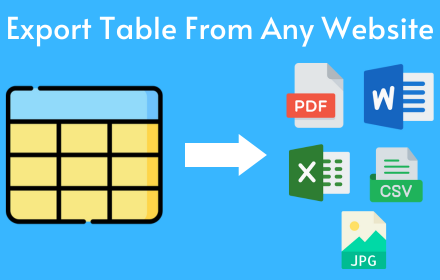
Table as CSV - Table Capture
Allows to copy, select, export HTML tables to Microsoft Excel, CSV, Google Sheets, etc
1.0K
★ 3.6
Data sourced from the Chrome Web Store · last verified Jun 4, 2026.